
Introducing user role management in Support Tools Copied
In this release, we’re introducing user role management capabilities in Support Tools, giving practices greater control over Ontada Health permissions, and simplifying the user management process.
Key features
Bulk Permission Management: Add or modify permissions for one or more permissions for one or multiple users simultaneously, enhancing efficiency in user administration.
Intuitive User Interface
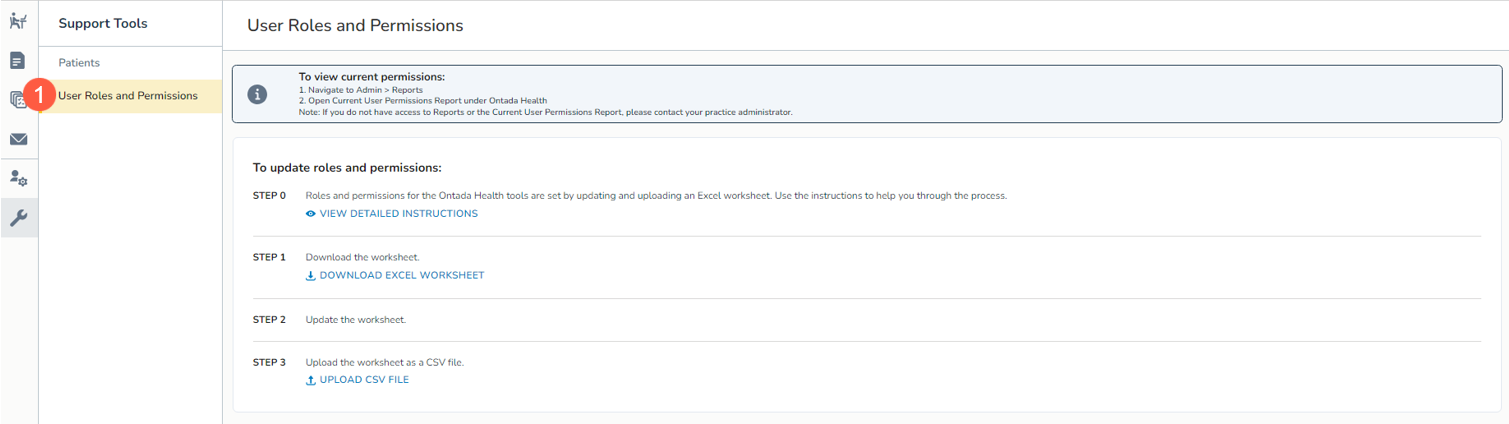
Navigate to Admin > Ontada Health and access Support Tools via the wrench icon in the left-hand column. Then, permissioned users can select the new User Roles and Permissions option to initiate the process (callout 1). To request access to User Roles and Permissions, please contact your Ontada Health Account Manager.
Step-by-Step Guidance
Follow the on-screen instructions on the User Roles and Permission page guiding you through the process seamlessly.
Excel Sheet Integration
Utilize the provided Excel sheet to specify user permissions. Simply download, fill out, and upload it to the Support Tools queue.
Instant Feedback
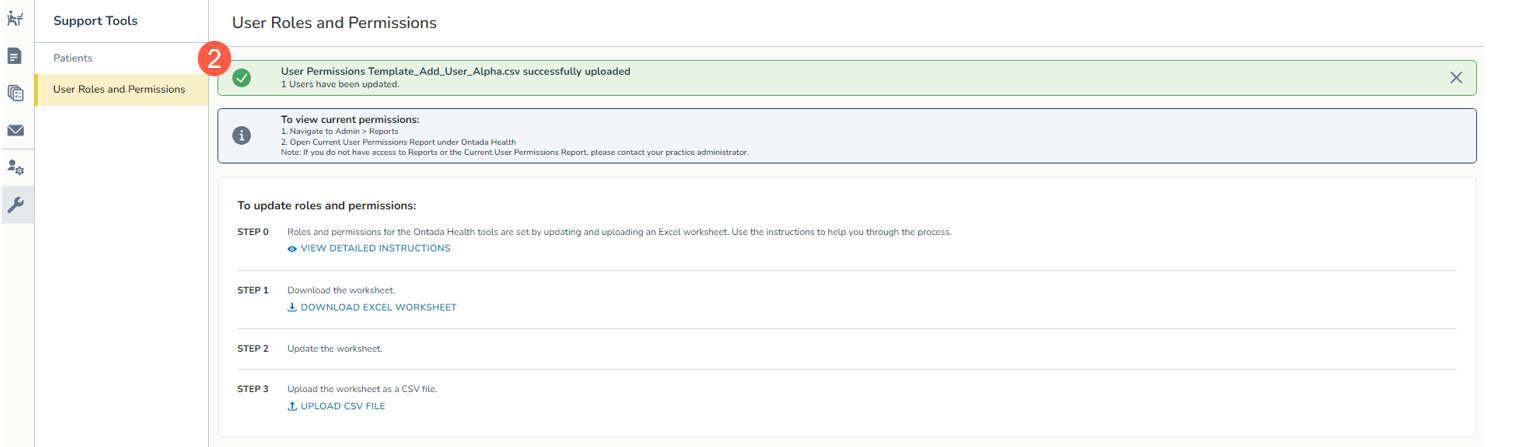
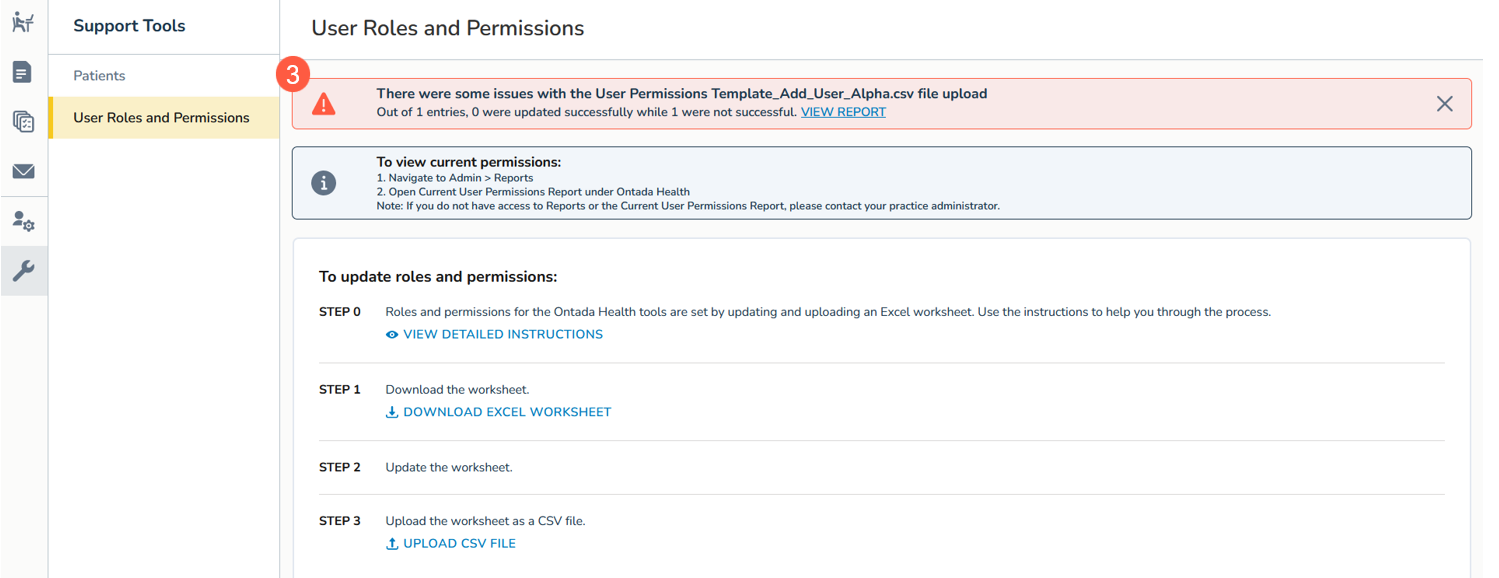
Receive instant feedback on your upload status. A success message confirms successful uploads (callout 2), while any errors are specified in a report linked in the error message for easy correction (callout 3).
Quick Implementation
Once the system receives your upload, it immediately acts on your requests, ensuring swift implementation based on the information provided.