
Introducing Automatic Replies in Message Center Copied
What’s new
The Message Center now includes Automatic Replies functionality to improve visibility and communication when staff are out of office.
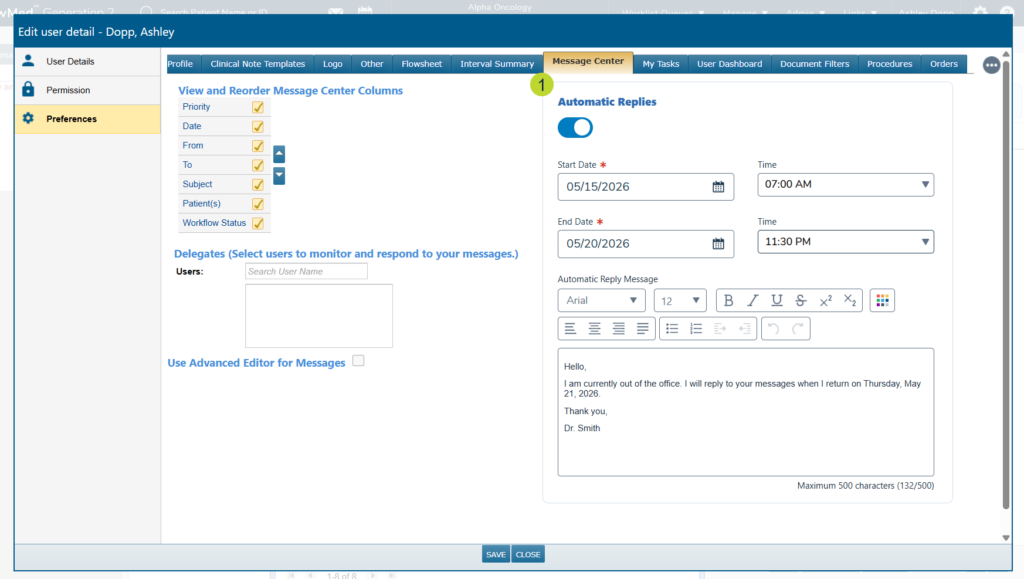
After the feature is turned on by your Ontada Account Manager, users can go to Preferences > Message Center to turn on Automatic Replies (callout 1).
After toggling on the feature, users can set a Start Date (required) and Time as well as an End Date (required) and Time for their absence in 15-minute increments. They can also compose a custom Automatic Reply Message. After clicking Save at the bottom of the window, automatic replies will be sent to all incoming messages after the Start Date.
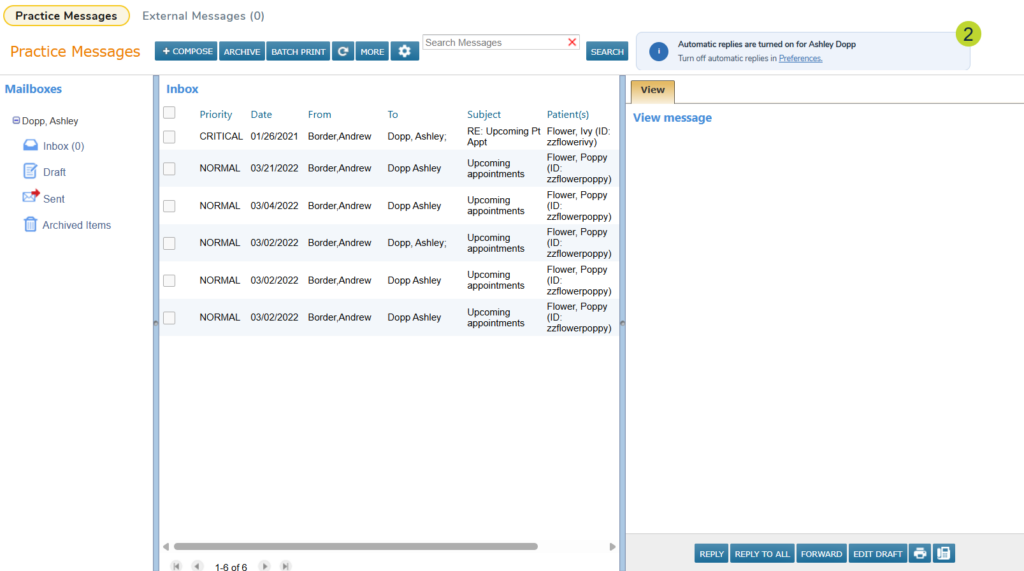
A non-dismissible banner will appear at the top of the Message Center any time a user’s automatic replies are active with a direct link back to their Preferences to manage their out of office messaging (callout 2).
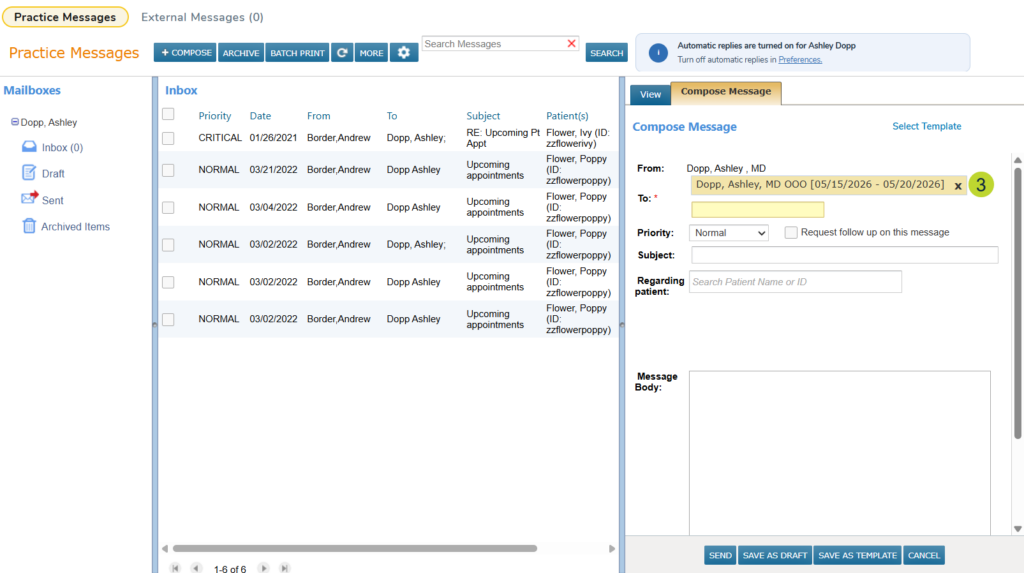
When composing, replying, or forwarding a message to a user with automatic replies turned on, a yellow badge will appear showing their name and absence date range (callout 3).
Note: Be sure to reference the actual OOO dates listed in the label as users may preconfigure their Automatic Replies before they are actually out.
When a message is sent to an OOO recipient, the sender receives one automatic reply per recipient per OOO period. Sending repeat messages during the same absence window will not trigger additional replies.
Additionally, automatic replies are not sent in response to Group Messages. If a user with Automatic Replies enabled is included in a Group Message, recipients of that message will not receive their automatic reply.
When the configured end time passes, the system automatically disables the messaging, so no manual action is required.
Why this matters
Staff and providers now have a reliable, built-in way to communicate their availability directly within the Message Center. Senders get a clear, real-time signal before and after sending a message, reducing the risk of missed or time-sensitive communications going unacknowledged.