Improvements to interfaced imaging reports and printing Copied
We’re improving the organization and printing of result reports, ensuring users can see complete and accurate reports. These improvements also ensure that users can print complete reports, facilitating better sharing and faxing of full imaging results.
Key improvements
Previously, interfaced imaging results that were too long would spill over onto a second page. This second page would not print, preventing users from obtaining full reports and hindering their ability to fax or share these reports.
After this release:
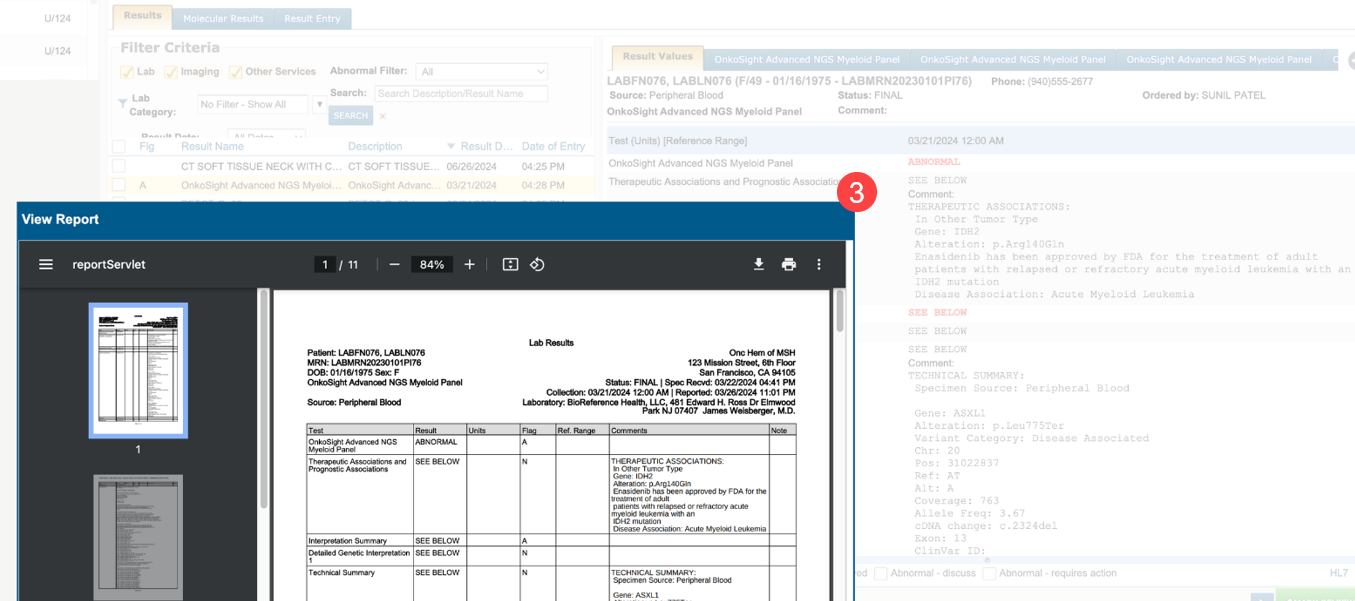
- Long, interfaced imaging reports will appear on a separate tab, titled with the result name (callout 1).
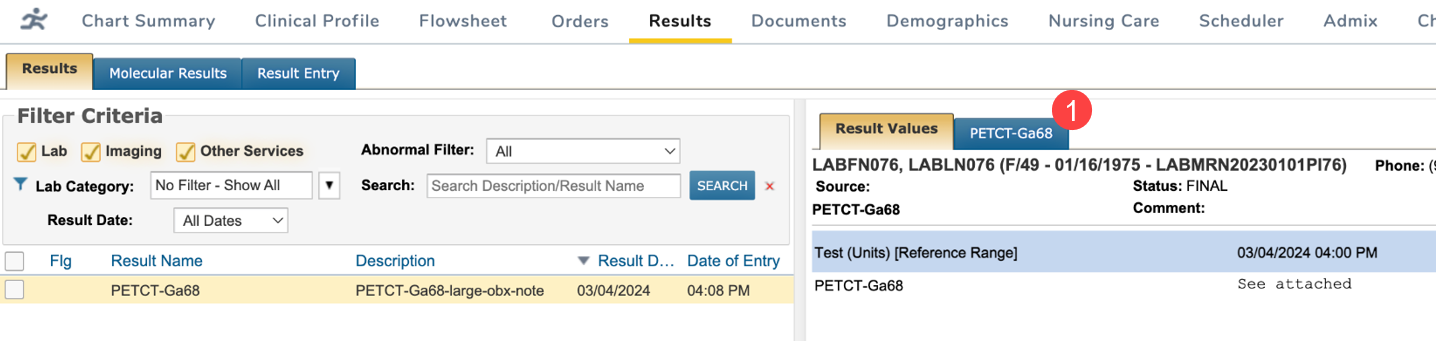
- Users can print directly from the new sub-tab, ensuring that the complete report is printed without missing any information (callout 2).
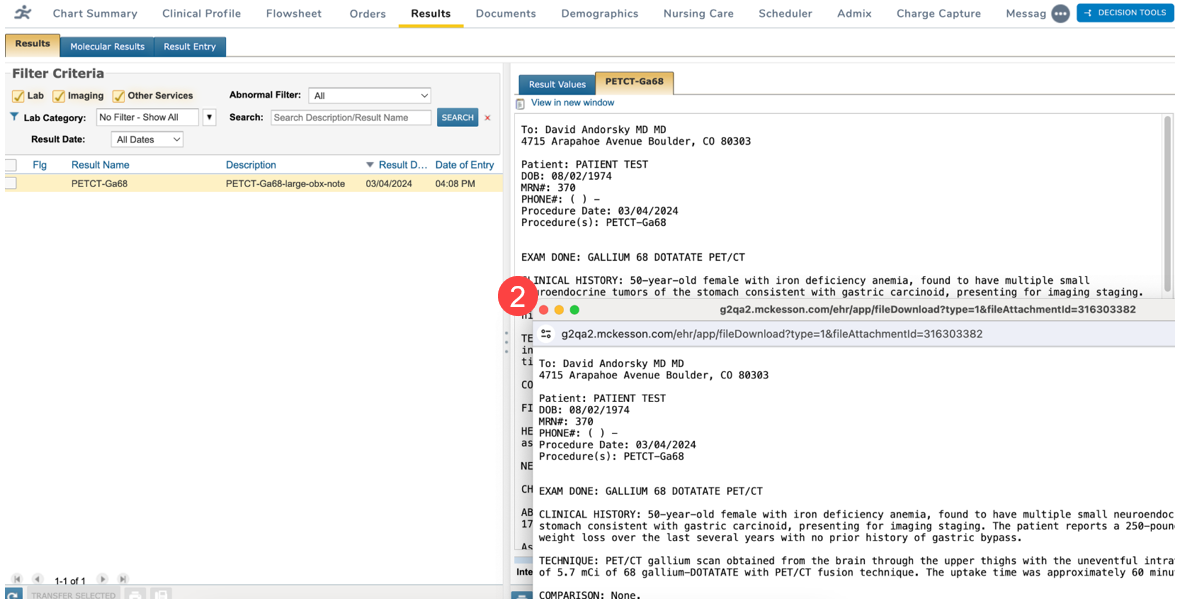
- Printing from the Result Values tab will include both the main report and the information displayed in the report sub-tab, providing a comprehensive printout (callout 3).