Improved usability across all reports Copied
We made several enhancements across all reports to streamline the experience and make navigation more intuitive:
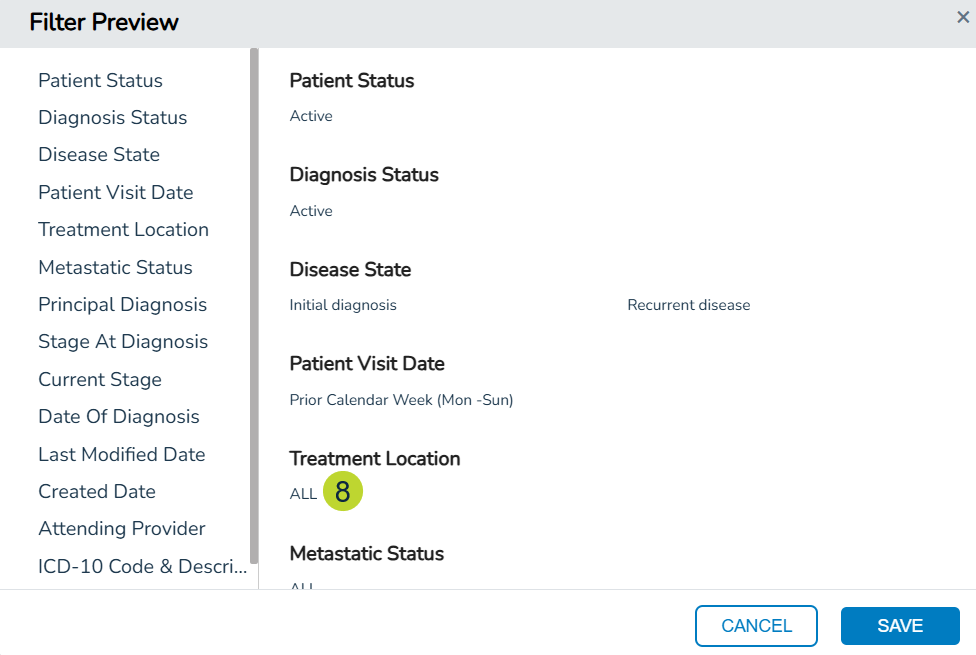
- The Include Inactive setting is now located directly within each location filter. Simply expand a location filter to toggle this option. Previously, this setting was positioned above all filters, making it less intuitive to find (callout 1).
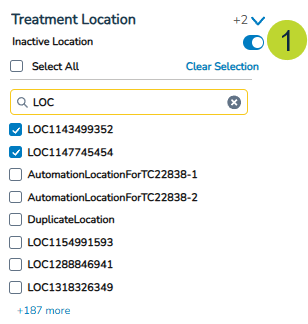
- The Clear Selection option now only appears when selecting one or more items. Previously, this option was always visible, even when there was nothing to clear (callout 2).
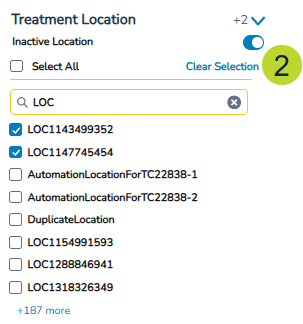
- A new “X” button has been added to the search bar to quickly clear search terms instead of manually deleting them (callout 3).
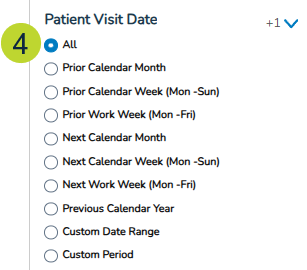
- A new All option appears for date filters and is the default selection unless stated otherwise. Previously, reports did not include this option, requiring users to manually select specific date ranges (callout 4).
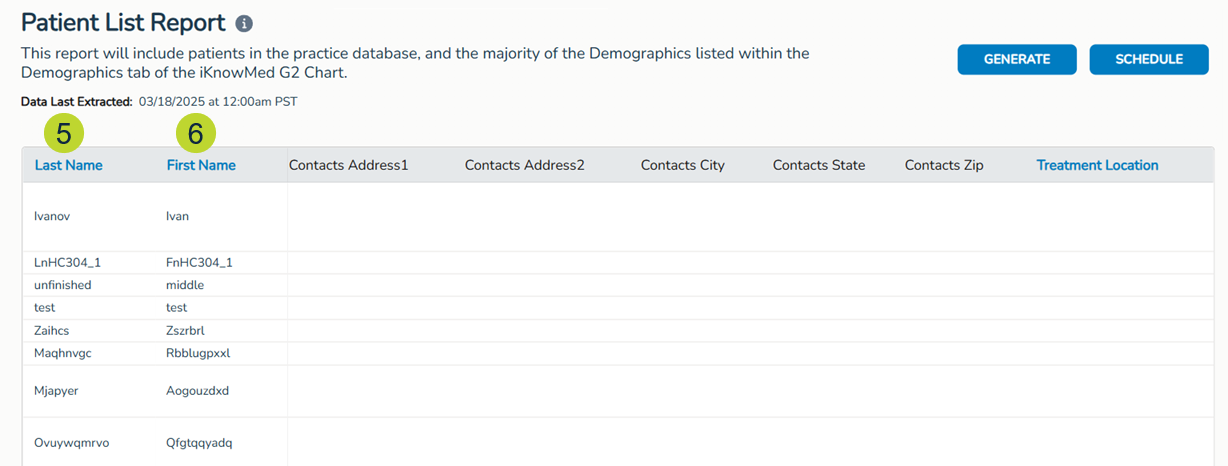
- All columns in report results that can be sorted will now display their names in blue instead of black to help identify which columns support sorting (callouts 5-6).
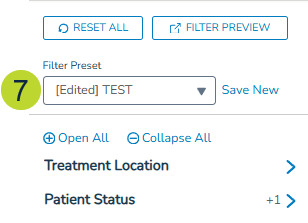
- If selecting a Filter Preset when running any report, changes made to the filters will be clearly indicated. The system will append “[Edited]” to the name of the preset in the Filter Preset field (callout 7). This will help easily recognize that the default preset values have been modified and to indicate the report is now being customized.
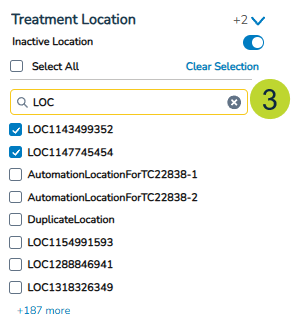
- The Filter Preview window now displays a value for all filters, improving clarity on report parameters. Previously, only filters with a selection or entry were listed, while others were omitted. Now, when no selection is made for a filter, it defaults to “ALL” and is displayed in the window (callout 8). This ensures users can easily see which filters are applied and what data will be included in the report.