Improved message handling and sorting Copied
We enhanced the Ontada Health message management capabilities. With this update, your workflow will become more streamlined and efficient. Here’s what’s new:
New message indicator
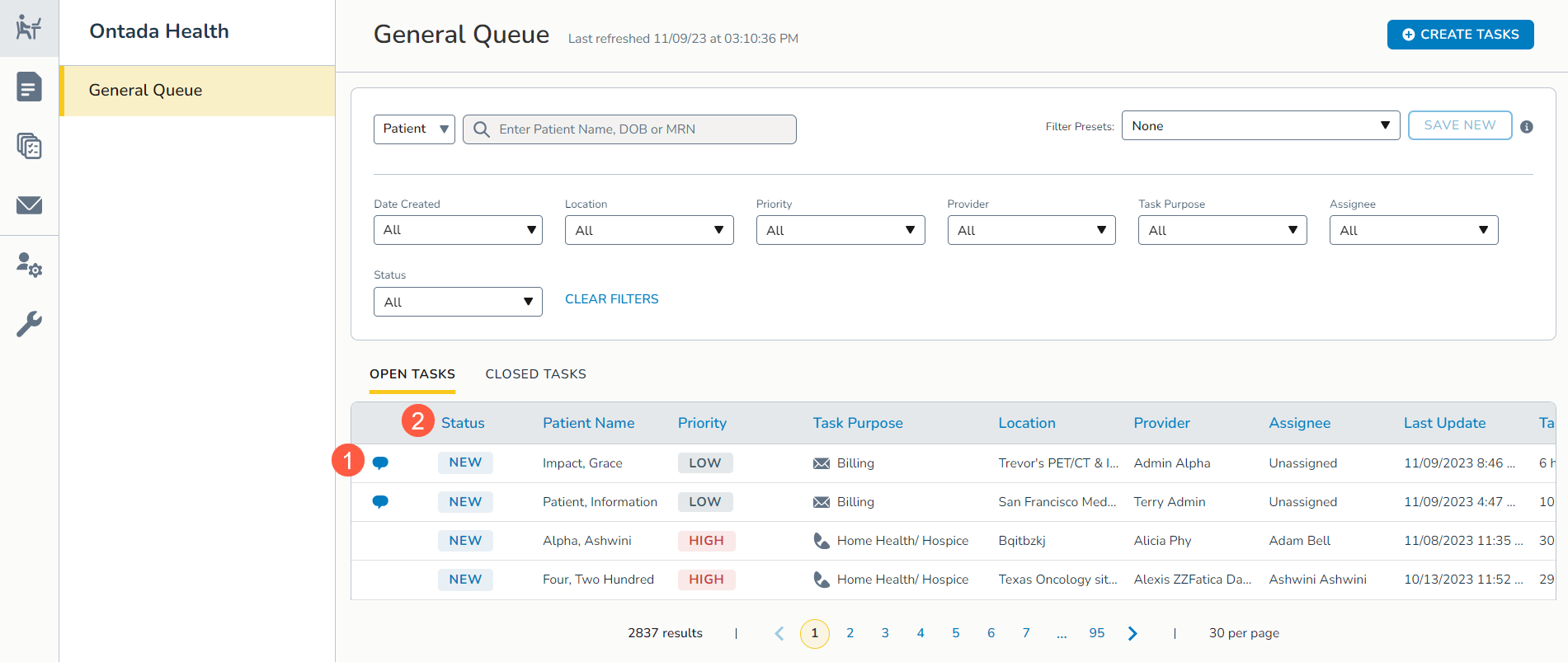
A blue chat bubble will now be displayed beside messages from patients in the General Queue, making it easier to identify new messages (callout 1).
Once you respond to these messages, the blue chat bubble will automatically disappear, helping you stay organized and ensuring you don’t miss any crucial patient communications.
Enhanced sorting
We have restructured the queue to prioritize new messages. The Status column will now be the first column in the queue (callout 2).
As a result, new messages will appear at the top of the list, making it more convenient for you to address them promptly.