Improve Practice Efficiency with Worklist Queues Report Copied
Improve Practice Efficiency with Worklist Queues Report
You can now view the number of pending items each provider has in their queues across all locations to ensure these items get resolved.
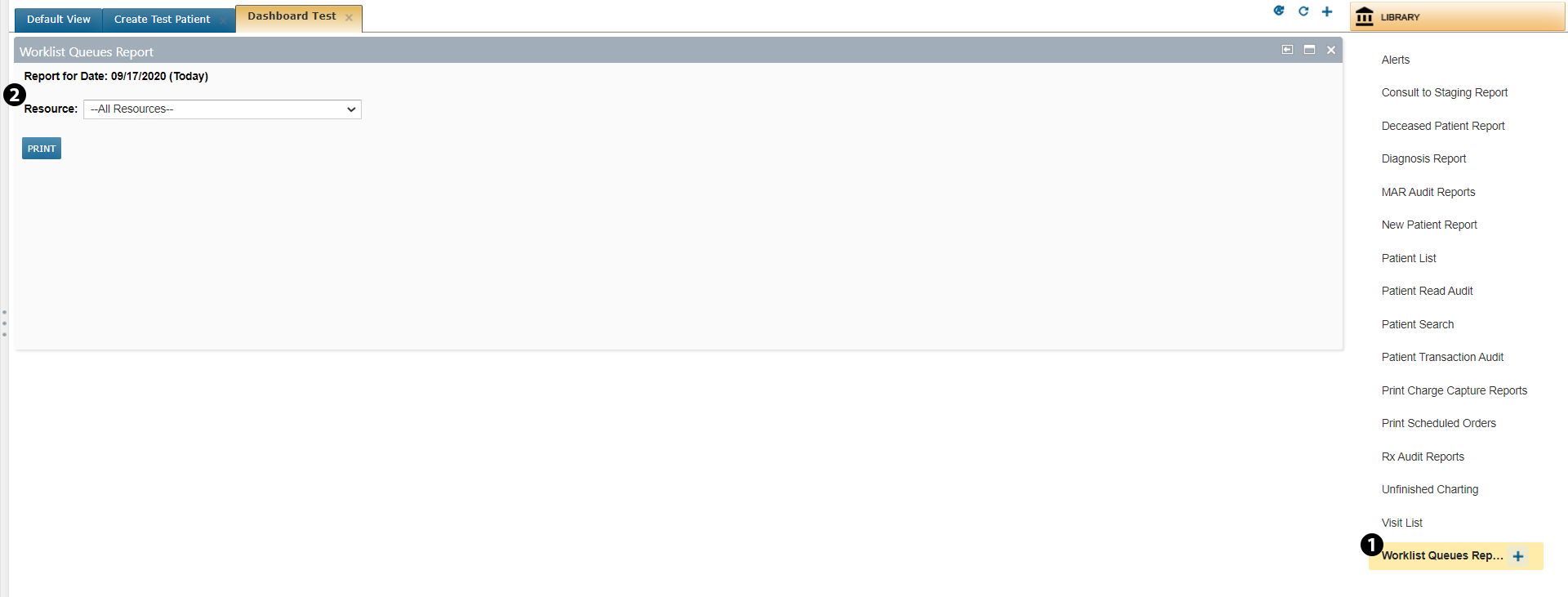
From your dashboard use the plus icon in the upper right corner to create a new dashboard. Click on LIBRARY and locate the new Worklist Queues Report option. Click the plus icon to add it to your new dashboard (see callout 1).
Under the Resource drop-down you can view a report by each provider, or you can choose All Resources to generate a report on all providers (see callout 2). Once you’ve chosen how to view the report, click PRINT.
Please note that this report only lists providers with pending items in their queues. If a provider does not have any pending items, they will not show up in the report. Also, providers working in multiple locations will only show on the list once and will have the same number of pending items listed across all locations, even when the list is generated for one individual location.