
Improve Dragon dictation experience with new user preference Copied
We introduced a new preference that allows users to turn on or off the hover box when using Dragon. This enhancement prevents the automatic pop-up from appearing when a user hovers over the top navigation in iKnowMed Generation 2.
To turn off the hover box:
- Click on the gear icon located in the right corner of the top navigation.
- Select the appropriate user to edit.
- On the Preferences page, locate the Other tab.
- Under the Top Navigation option, check the box next to Dragon Disable Hover (see callout 1).
- Save your changes.
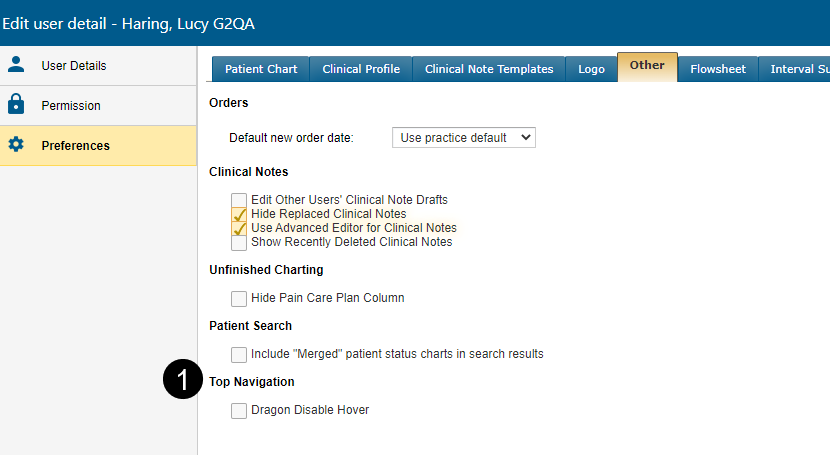
Now when using dictation, Dragon will no longer try to display the voice-to-text feature outside of creating a clinical note.
If the Dragon Disable Hover is turned on, then users must click to view the menu choices in the top navigation.