
iKnowMed integrated PDMP access for enhanced patient safety Copied
We understand the critical role that a Prescription Drug Monitoring Program (PDMP) plays in shaping clinical decisions. PDMPs provide insight into patients’ medication histories, particularly for prescription opioids and other controlled substances prescribed by clinicians.
Starting Sunday, Dec. 17, 2023, your practice will have access to your state PDMP directly within iKnowMed. This integration is designed to streamline the retrieval of crucial patient information, empowering you to make more informed decisions and strengthening patient safety.
How to use the integrated PDMP feature
Access during prescription orders
- Open a patient’s chart and navigate to the Orders tab.
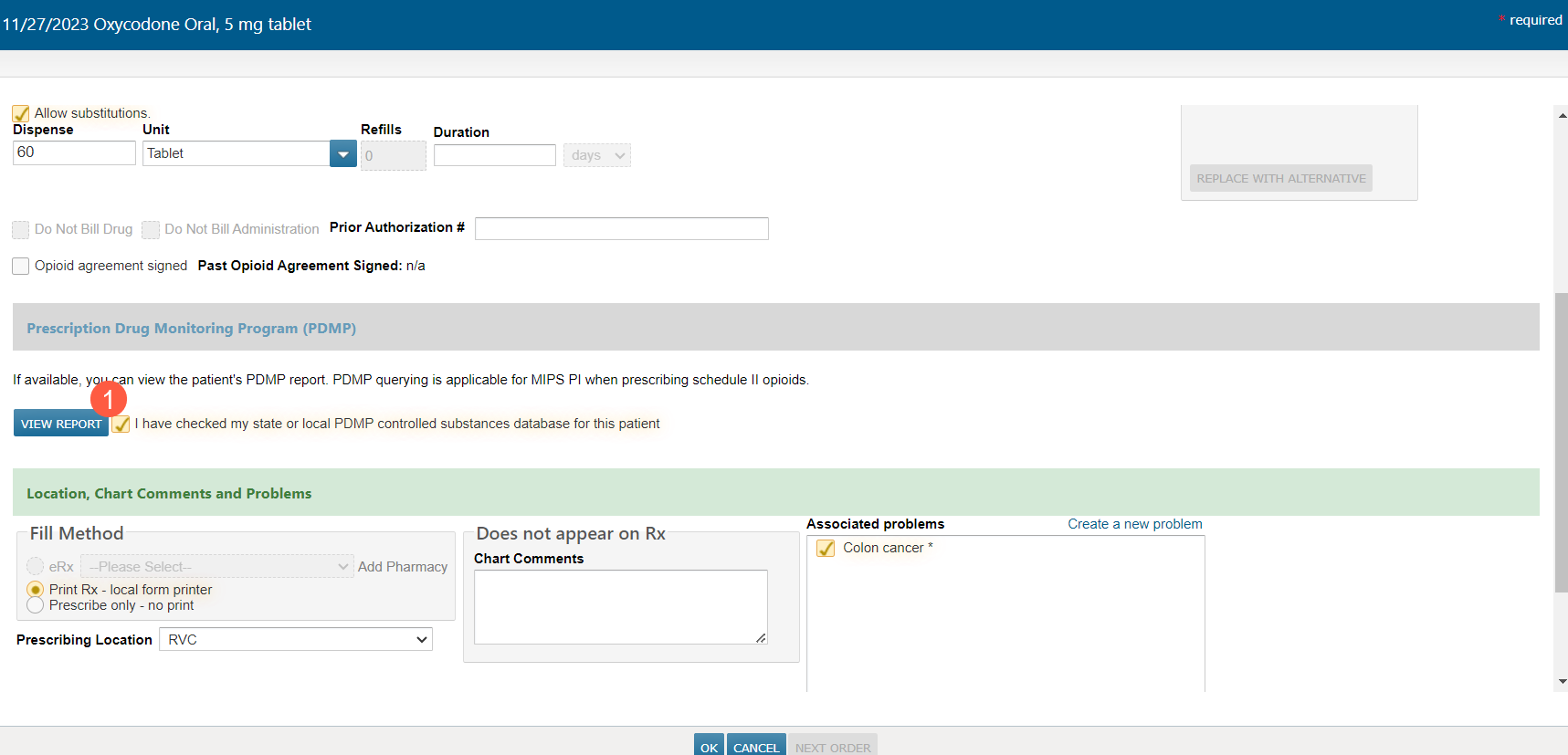
- While starting a prescription for a controlled substance, click the new View Report button under the Prescription Drug Monitoring Program (PDMP) section (callout 1).
Access outside the ordering process
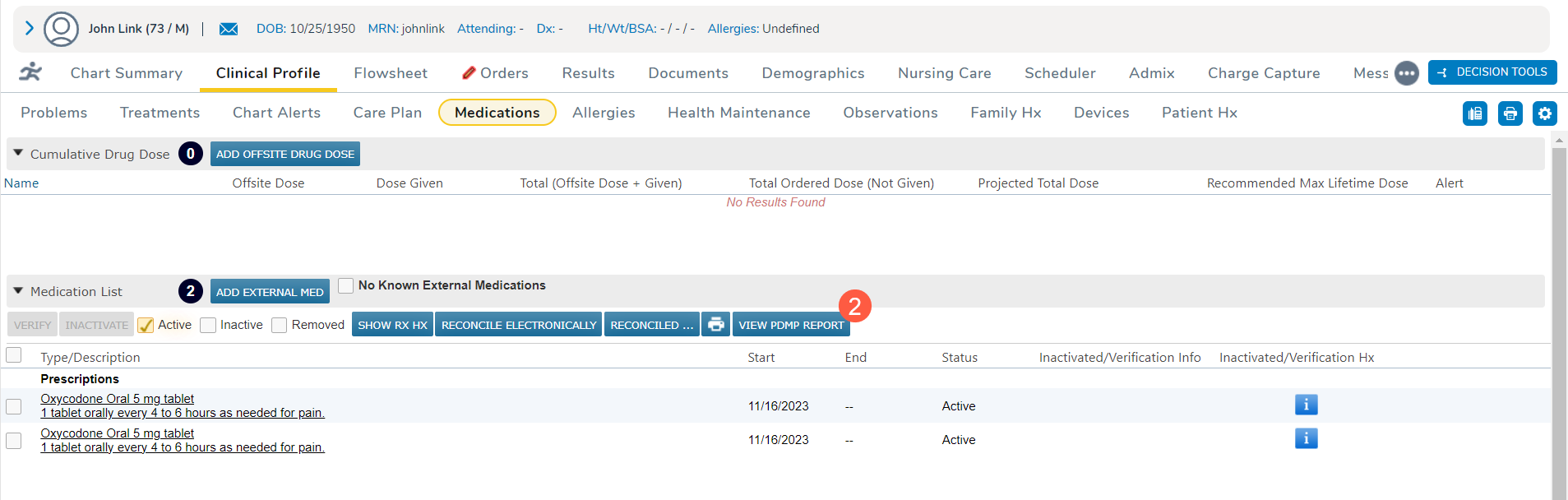
- Open a patient’s chart and go to Clinical Profile > Medications.
- On the Medications page, find the Medication List and click the new View PDMP Report button (callout 2).
Efficient review process
This setup ensures ease of use, allowing any appropriate practice staff to review and confirm that the patient is not at risk for an overdose.
Comprehensive PDMP window
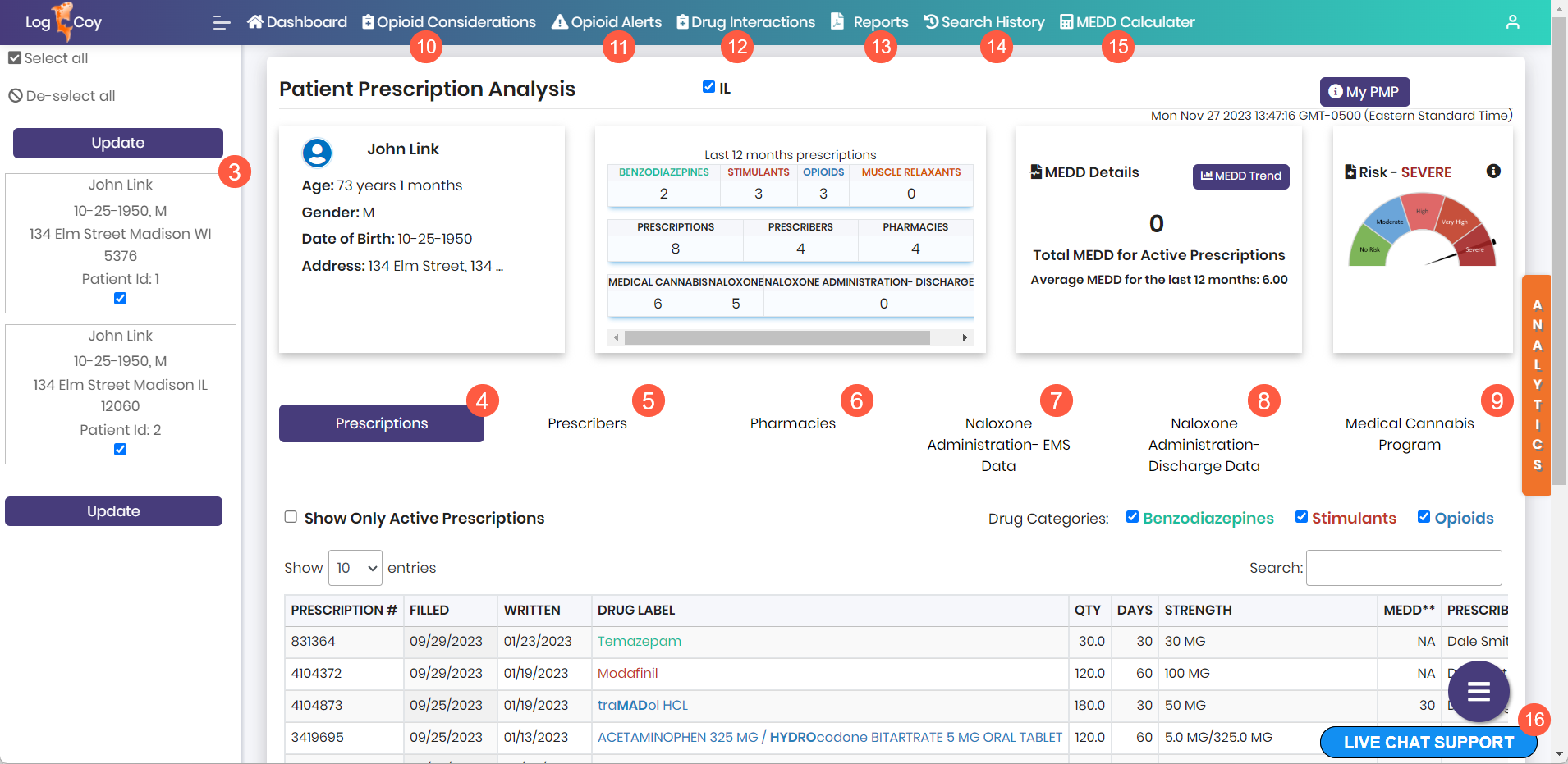
- Upon launching the PDMP, review the patient’s personal information and details such as prescriptions, prescribers, pharmacies, instances of Naloxone administration, and medical marijuana use (callouts 3-9).
- Utilize menu options for considerations, alerts, drug interactions, reports, search history, and the MEDD calculator (callouts 10-15).
- For any assistance with the PDMP, click the Live Chat Support button (callout 16).
Complete the order
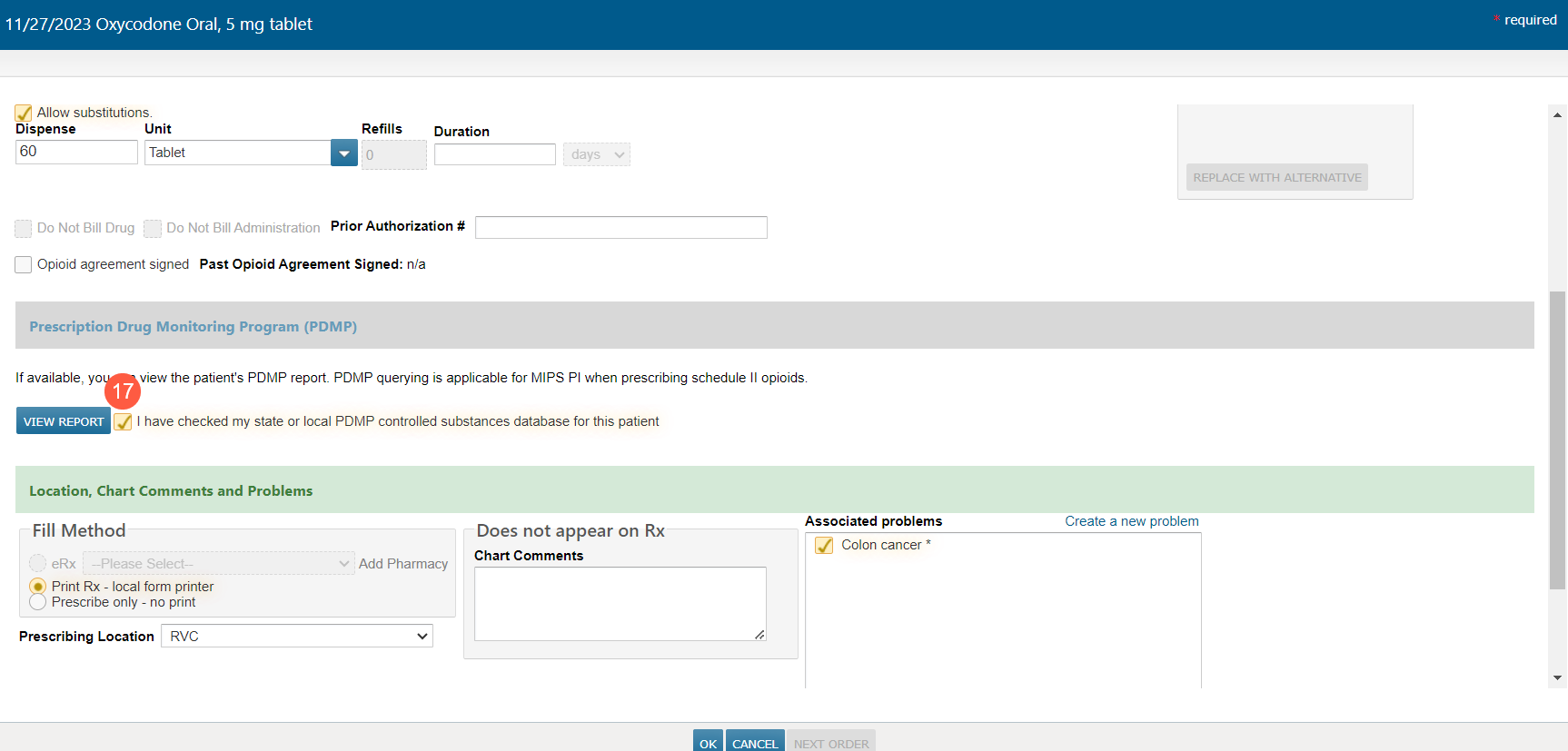
Once the review is complete, simply close the window. Accessing the report for the current date from Clinical Profile or the order editor will automatically check the box next to the PDMP confirmation statement in the order editor (callout 17).
Audit trail enhancement (future release)
In a future release, the order editor will display the date the report was last accessed for auditing purposes.