
iKnowMed Generation 2 Read Only Frequently Asked Questions Copied
The iKnowMed Generation 2 Read Only environment allows you to view charts and other patient data when the production environment is not available, enabling you to continue engaging with patients until the system is restored.
The Read Only environment provides access to a back-up of the production system from the prior day. It is intended to be used when iKnowMed is unavailable, not as alternative access for production.
How can I access the Read Only Environment?
Practices in The US Oncology Network can access the Read Only environment using the desktop icon. All practices can access the Read Only environment using the following URL and entering their current credentials: https://msh-readonly.mckesson.com/ehr/.
How will I know I’m in the Read Only environment?
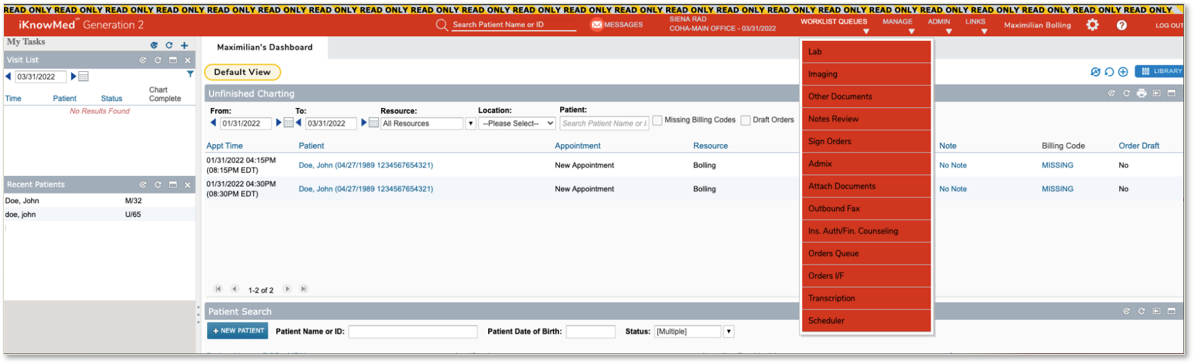
You can identify the Read Only environment by the red Read Only banner, navigation bar and drop-down menu.
How current is the information in the Read Only environment?
The system is refreshed each evening. Occasionally, there are exceptions to this regular schedule.
For example, if the system is updated on a Saturday, data will not be refreshed until the following Tuesday.
Can I update information in the Read Only environment?
No, the Read Only environment allows you to view patient information. All changes must be made in production. Any data added, updated, or deleted in the Read Only environment will not be updated in production. There are rare circumstances where it may appear that you can make changes. However, those changes will not be synchronized to the production environment. The information will not be saved the next time the Read Only environment is refreshed.
What information can I see in the Read Only environment?
Read Only environment permissions reflect your permission settings in iKnowMed. If a permission in iKnowMed is marked as None, you won’t have View permission in the Read Only environment.
You will only see information that has a View option in Users > Permission. The table below provides a list of features with a View option. If you have a question about what permissions are specifically available to you, please contact your local practice administrator.
| Features with View Option | |
|---|---|
| Patient Chart | Other |
|
|
As a Practice Administrator, can I still reset passwords in the Read Only environment?
Practice Administrator functionality, such as password resets, unlocking accounts, and inactivating accounts, is not available in the Read Only environment. Please contact the Technical Support team or your Ontada Technology Account Manager for assistance.
What happens if I click on something that is not available?
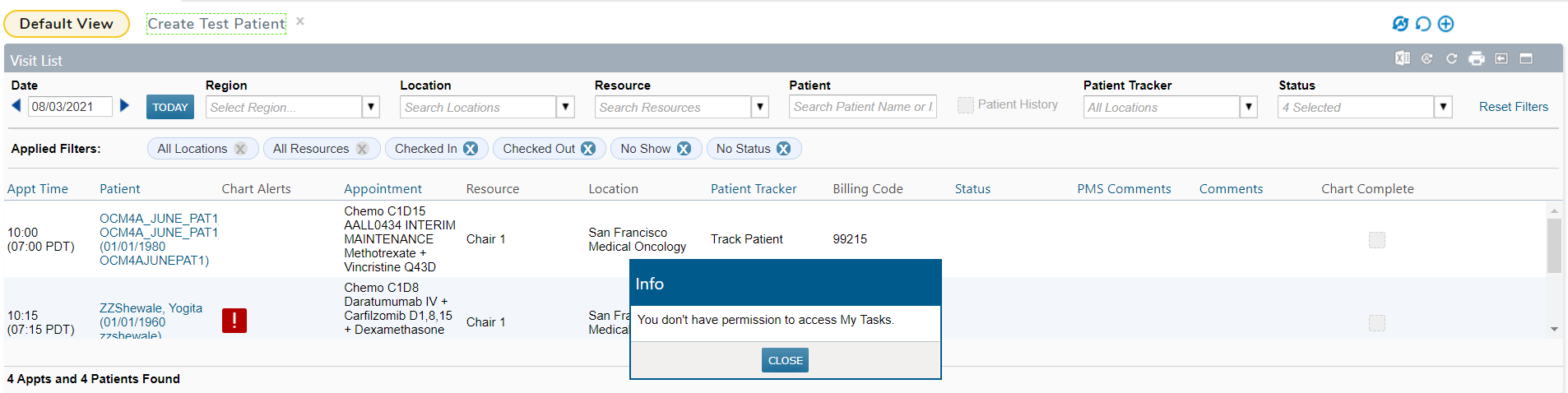
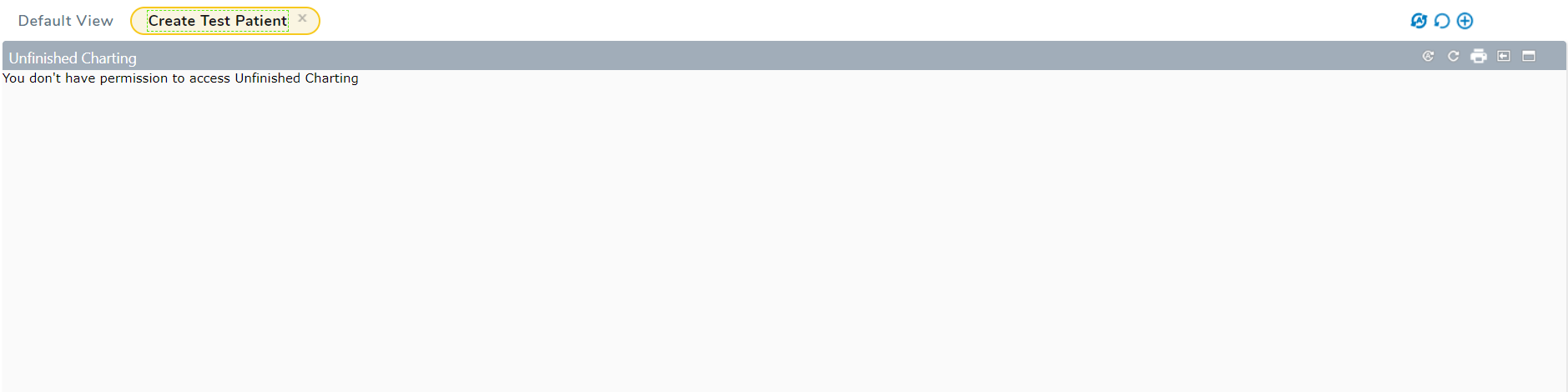
If you click on something that is not supported in the Read Only environment, a permissions error will appear. Even though the error references permissions, it is not something that can be changed in the Read Only environment. The images below show two examples.
The Nursing Care tab is unavailable. How can i access the information contained there?
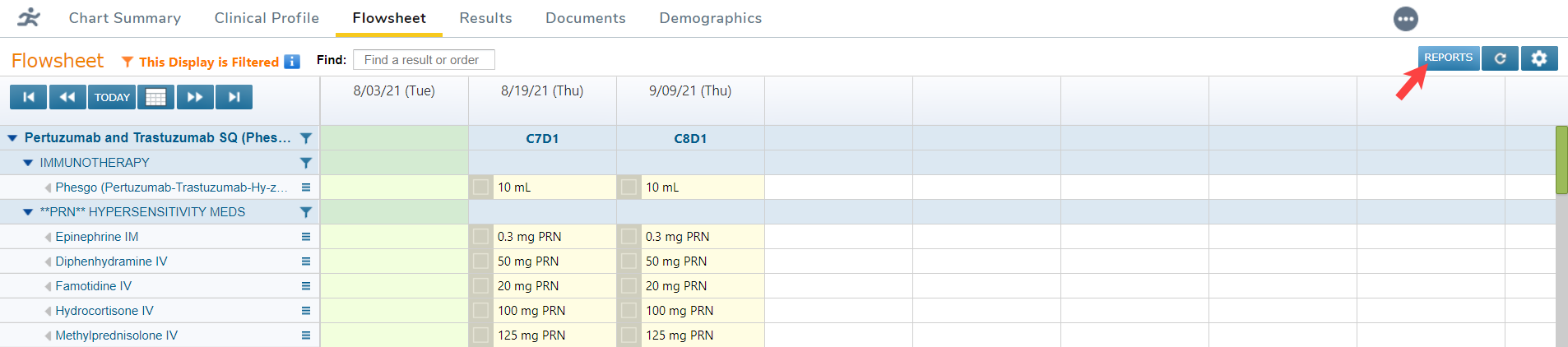
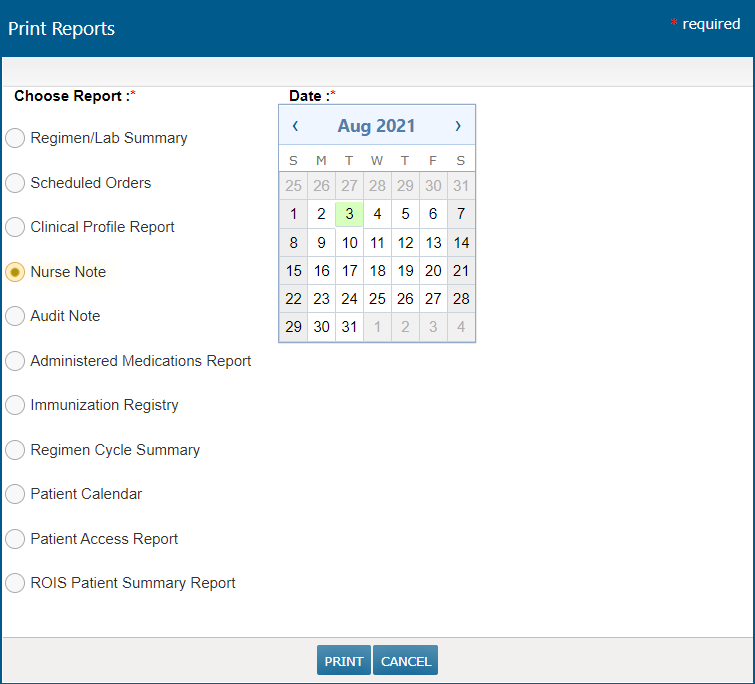
Information normally found on the Nursing Care tab can be accessed by running the Nurse Note report on the Flowsheet tab.
Where are my Worklist Queues?
Unified Sign Queue is the only queue available in the Read Only environment. If you don’t have access to the Unified Sign Queue, please contact your practice administrator. For additional information on the Unified Sign Queue, please watch the short video below.
It’s important to remember that any actions taken in the Read Only environment will not be saved to the production environment.

What options are available in the Flowsheet details?
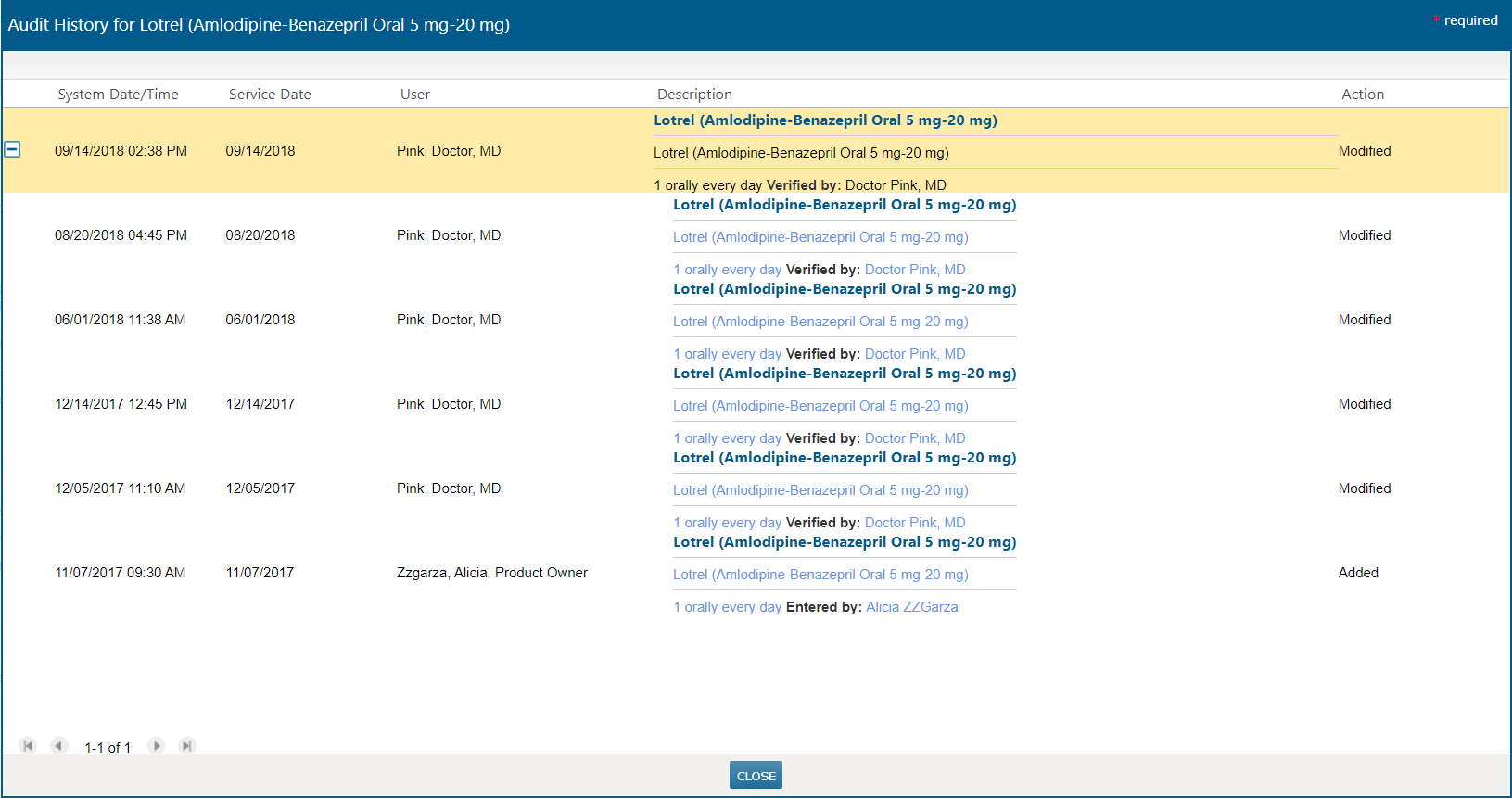
In the Read Only environment, users can print reports and view audit details. However, all change options are disabled.
Can I access Read Only on my mobile device?
Read Only is designed for desktop computer use. It is not designed for use from a mobile device.