Hide Unmapped Results in the Flowsheet Copied
Hide Unmapped Results in the Flowsheet
You now have the option to prevent unmapped genetic lab results from showing for a specified interface in the Lab – Other section of the Flowsheet. By not showing these unmapped results, the Flowsheet becomes more manageable and easier to use.
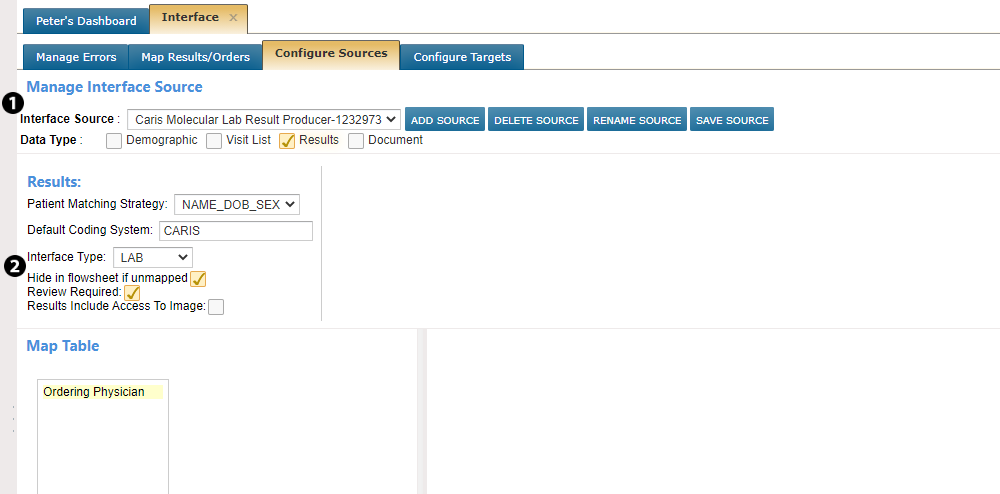
To hide unmapped results, go to ADMIN > Interface. Under Configure Sources, choose your interface using the Interface Source dropdown (see callout 1). Under the Results section, check the box next to Hide in flowsheet if unmapped (see callout 2). This should only be used for genetics labs interfaces.
If a result is later mapped, then it will appear in the correct section of the Flowsheet without any additional steps required by the user.
Lastly, all unmapped lab results will still appear in the Results Review queue on the Results tab of the patient’s chart.