Find regimen orders by change reason in the insurance authorization queue Copied
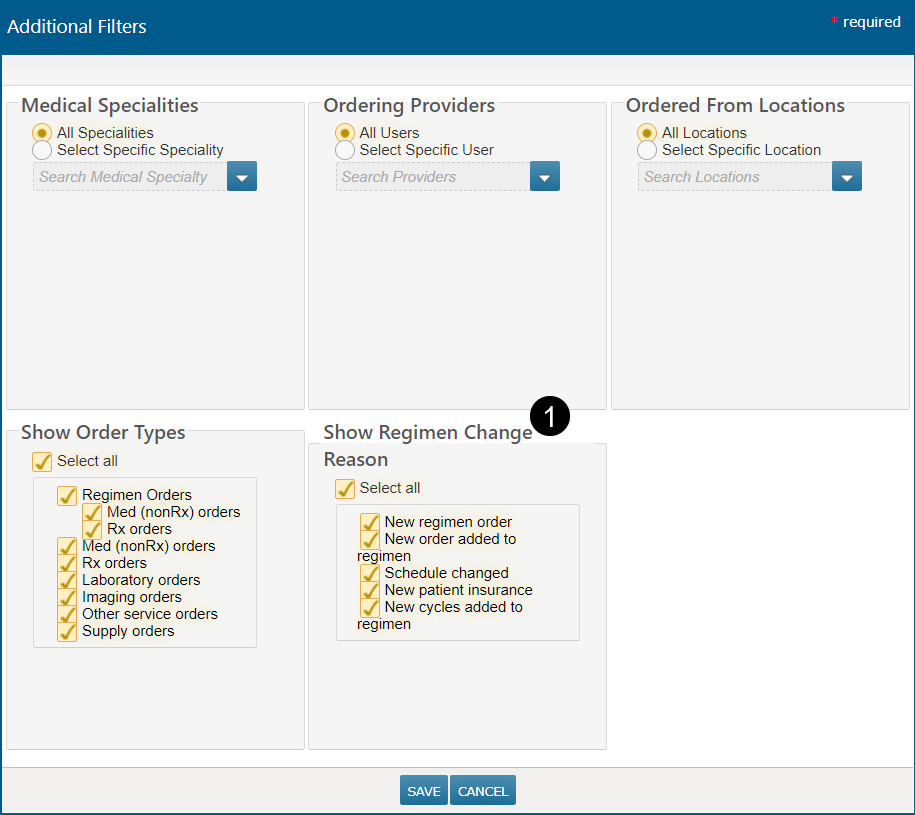
To help users find regimen orders that they want to focus on in the Ins. Auth/Fin. Counseling queue, we added a new filter to the worklist. The new Show Regimen Change Filter (callout 1) allows users to filter by: New regimen order, New order added to regimen, Schedule changed, New patient insurance, and New cycles added to regimen.
This filter helps business office users locate and manage specific types of regimen changes, such as schedule changes, all at once.
NOTE: While testing this feature, we discovered that the new filters do not capture the use case where an entry is in the queue because the insurance has expired. Those orders can still be found if all the regimen change reasons are selected. A new option to specifically target this use case will be added in a future release.
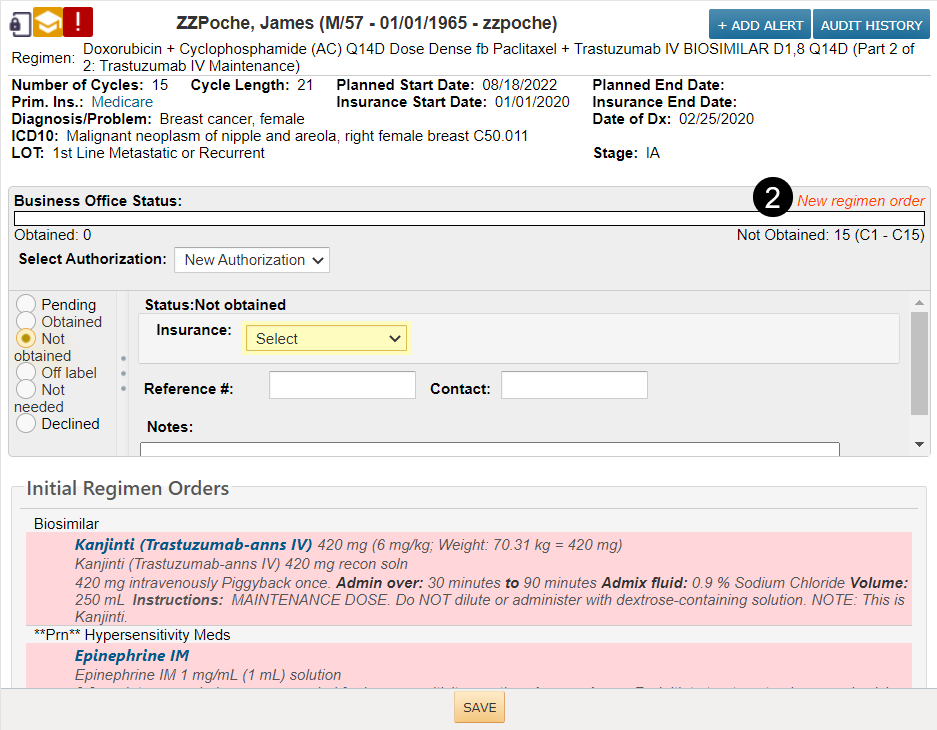
While adding this feature we also found and corrected an issue where the change reason no longer displays on “not obtained” entries if a note or other change has been saved on the “not obtained” entry (callout 2).