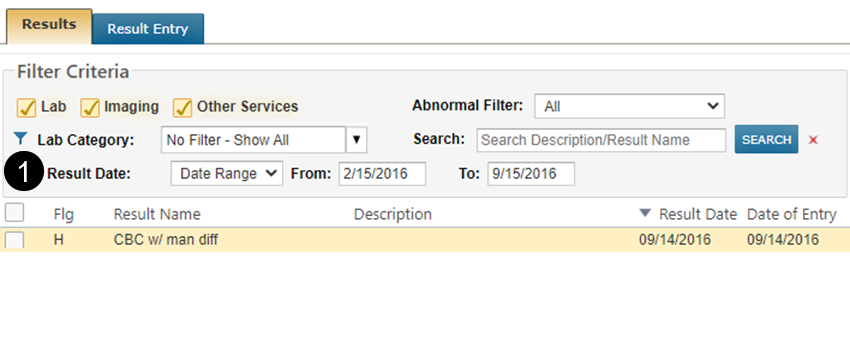
Filter and print results by date to improve workflow efficiency Copied
It is not uncommon for oncology patients to have hundreds of results over time; therefore, users often need to quickly and easily filter results to only display or print those of interest.
To meet this need, Results filtering capabilities now include a date filter (see callout 1). Use the Result Date filter to refine results by all dates, a single date, or a date range.
After filtering the list, users can view the results of interest or print them using the batch printing option on the lower left side of the screen.