Enhancements to the Unified Sign Queue Copied
Fewer clicks with updated Interpretation selection
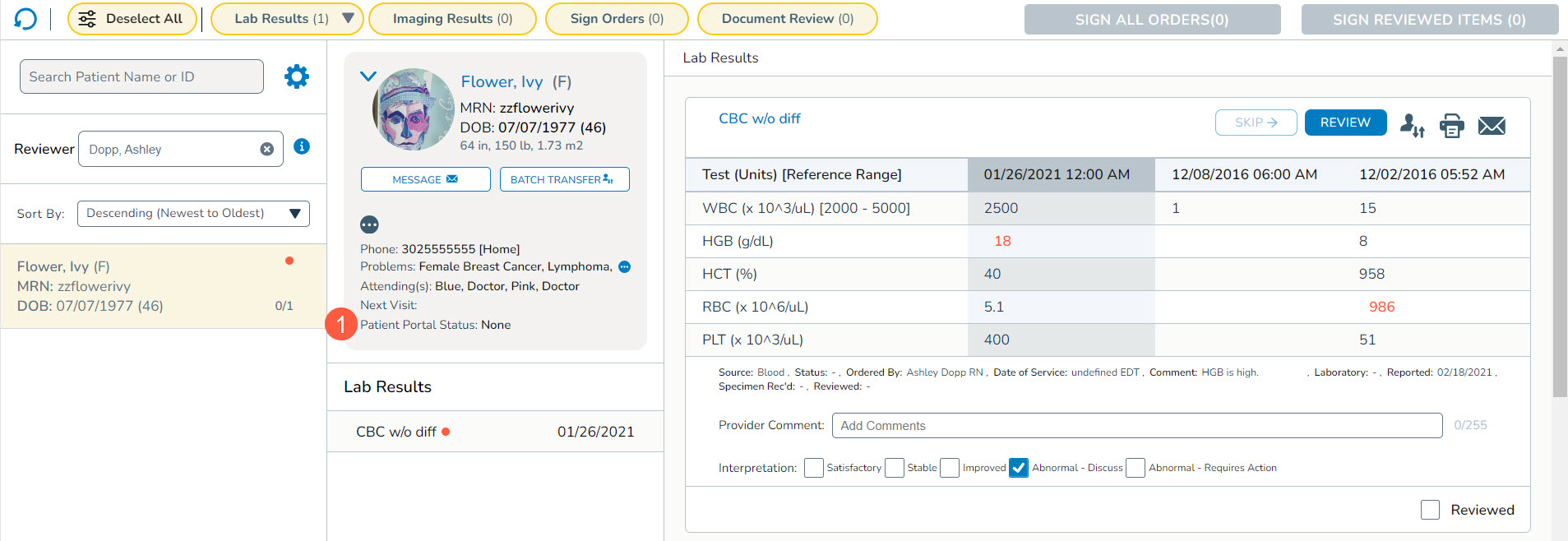
We updated the Interpretation section of each result in the queue. Instead of a drop-down box, we condensed the selections into a single line of checkboxes (callout 1). This update reduces the number of clicks required to select interpretations, making the signing process more efficient and user-friendly.

Patient portal status aligned with patient banner
The system has been updated to synchronize patient portal status across the patient banner and the Unified Sign Queue. The patient demographics section, located in the middle column of the queue, will now mirror the status displayed in the patient banner (callout 1).
New options in the Lab Results filters
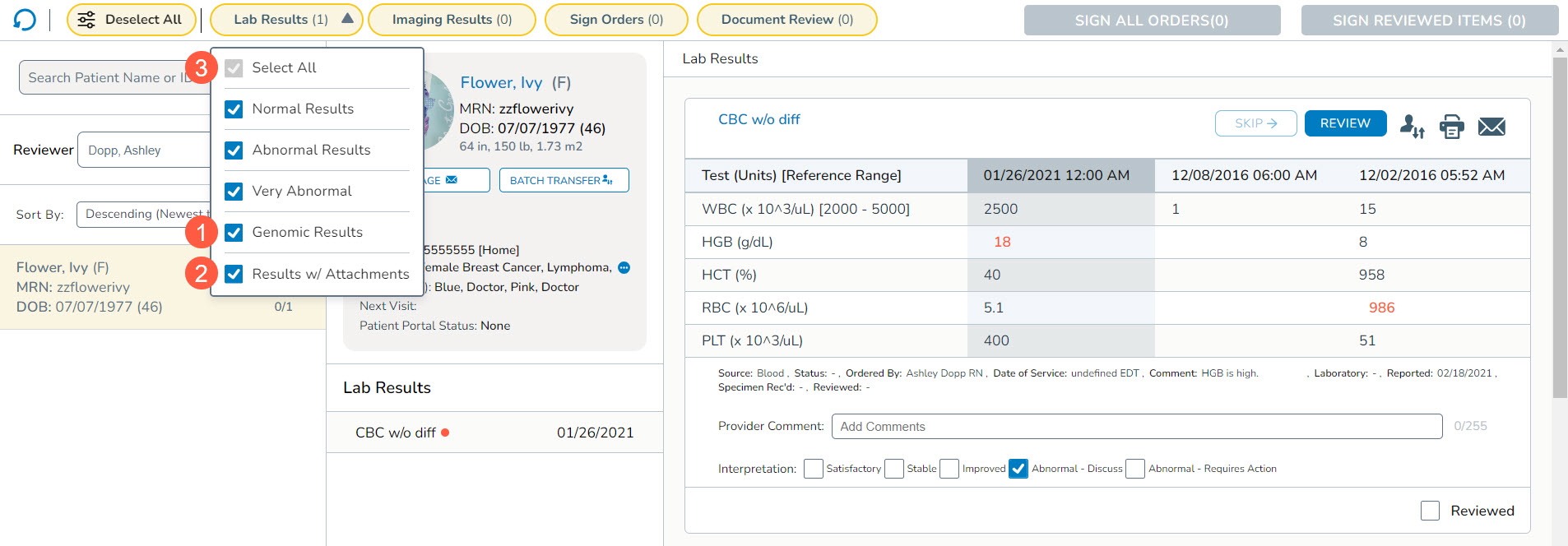
We added two new filtering options in the Lab Results section of the queue: Genomic Results and Results with Attachments. With these additions, users have more control over the results they wish to review and sign off on.
How to use the new filters
- The Genomic Results filter allows users to narrow their queue to only display patients with genomic results, making it easier to focus on genomic data analysis and interpretation (callout 1).
- The Results with Attachments filter is designed to display only patients with results that include attached documents, excluding genomics) (callout 2). This can be useful for reviewing lab results accompanied by additional documentation.
- To further enhance usability, there is also a new Select All option at the top of the filter (callout 3). This update allows for the selection or deselection of multiple filters at once, making it easier and faster to locate and review specific results requiring attention in the queue.
New Select All option in Batch Transfer
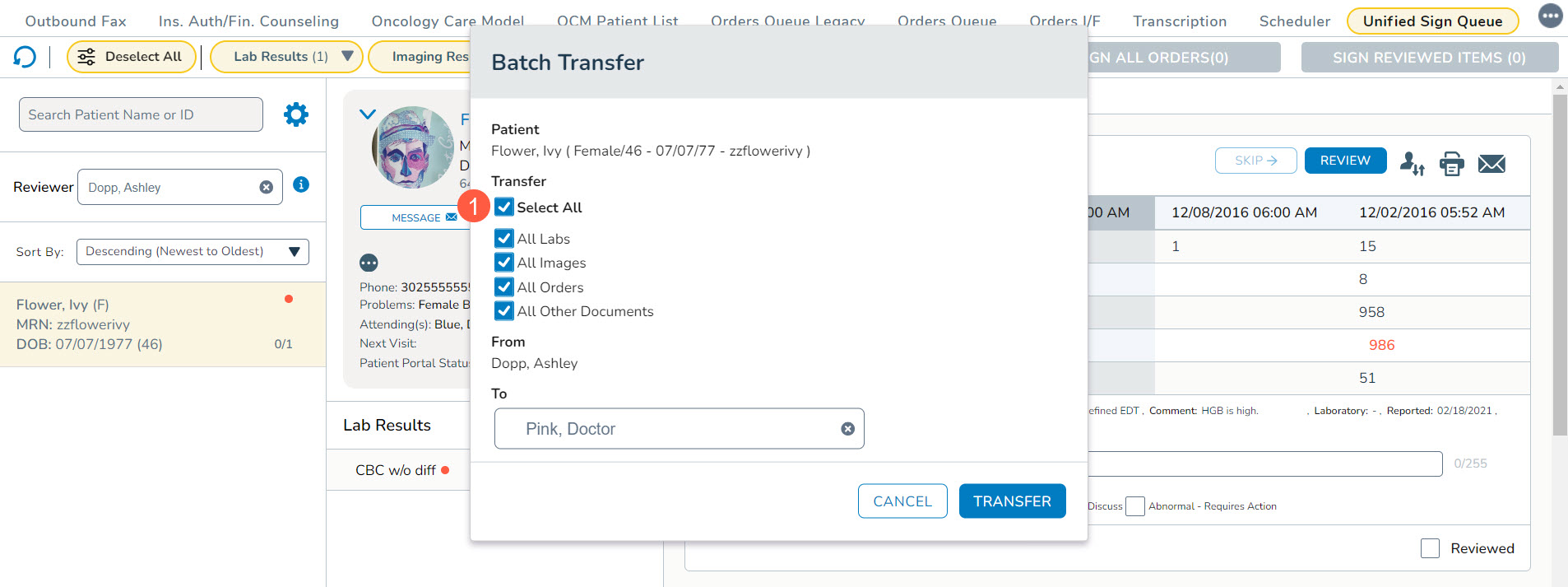
We added a new Select All option at the top of the Transfer options in the Batch Transfer window (callout 1). This option allows for the selection or deselection of multiple items at once, making it easier and faster to choose items to transfer to another user.