Enhanced security with Multi-Factor Authentication on the patient portal Copied
Starting Thursday, June 6, 2024, the Ontada Health patient portal will support Multi-Factor Authentication (MFA) to enhance the security of the login process. This update will prompt new and existing users to set up MFA for an added layer of protection, ensuring that patient and caregiver data remains secure.
By default, this will not be enabled for your practice. To enable MFA, please contact your Ontada Health Account Manager.
How users complete MFA
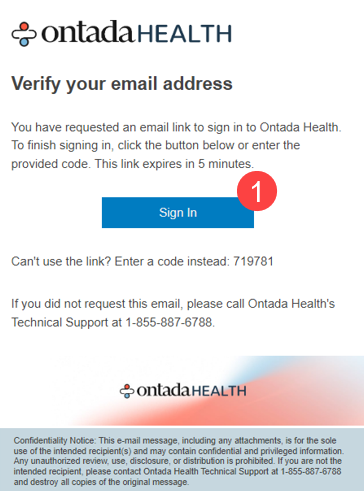
- Once MFA is turned on for your practice, both new and existing users will receive a verification email during their first login attempt post-activation.
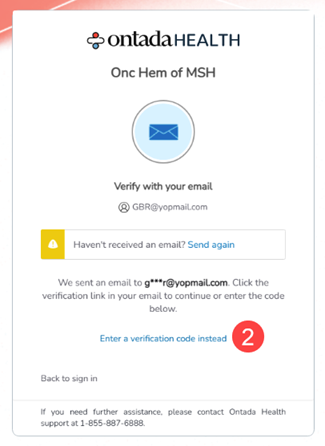
- They can confirm their identity by clicking the Sign In button (callout 1) in the email, or manually entering the verification code on the portal screen (callout 2).
- Once their identity is verified, users can access the patient portal as expected.
- Users will be prompted to verify their identity each time they log in going forward.