
Easily select note reviewer when patient has multiple attendings Copied
Users can easily select the appropriate physician reviewer for notes in a template that requires review, even when multiple attendings are assigned to a single patient.
Before this release, the system chose the reviewing attending despite patients having multiple attendings. To avoid sending notes to the wrong provider, users must now select the appropriate reviewer from the list of attendings.
Note templates with the Needs Review option turned on will display a Select Provider link in the Note Reviewer field when a patient has more than one attending (see callout 1).
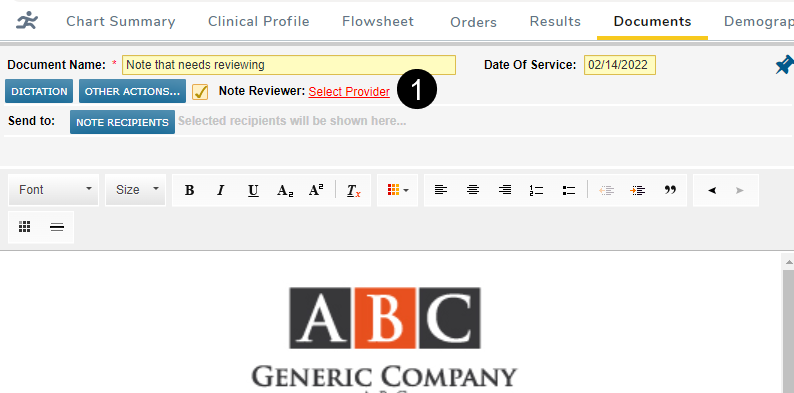
Selecting this link opens a window where users can search for a provider or choose one from the list of Attending Providers (see callouts 2 and 3).
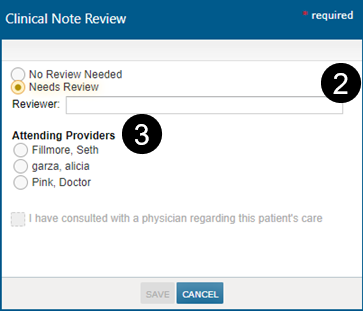
When editing these notes, users can change the assigned reviewer simply by clicking on the provider’s name in the Note Reviewer field and choosing a new attending.
Amending these notes once they’re signed clears the Note Reviewer field. Users must re-select the reviewer by checking the Note Reviewer box and choosing an attending.