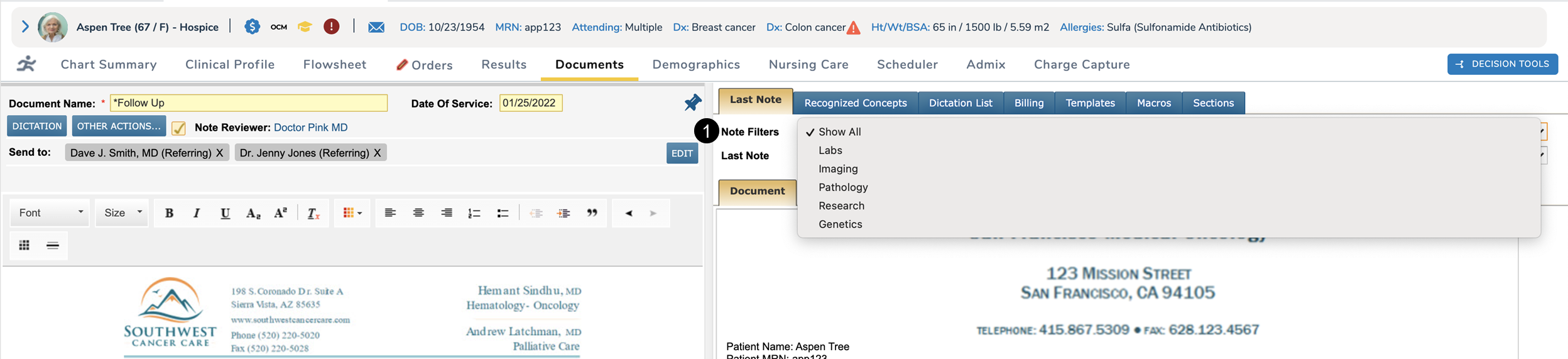
Easily filter docked or un-docked clinical notes Copied
When creating a clinical note, users can now view their document filters whether or not the note is docked.
Users will see a new Note Filters drop-down that allows them to use their personalized document tabs to filter the Last Note drop-down by document type (see callout 1).
Choosing a document type will filter the Last Note drop-down to only display notes that match the chosen category, making it easier for users to locate specific notes.
The drop-down also mimics the personalized document tabs of docked notes, meaning up to 15 document types will be present when filtering un-docked notes.