Easier viewing and printing of patient FAQs from Demographics tab Copied
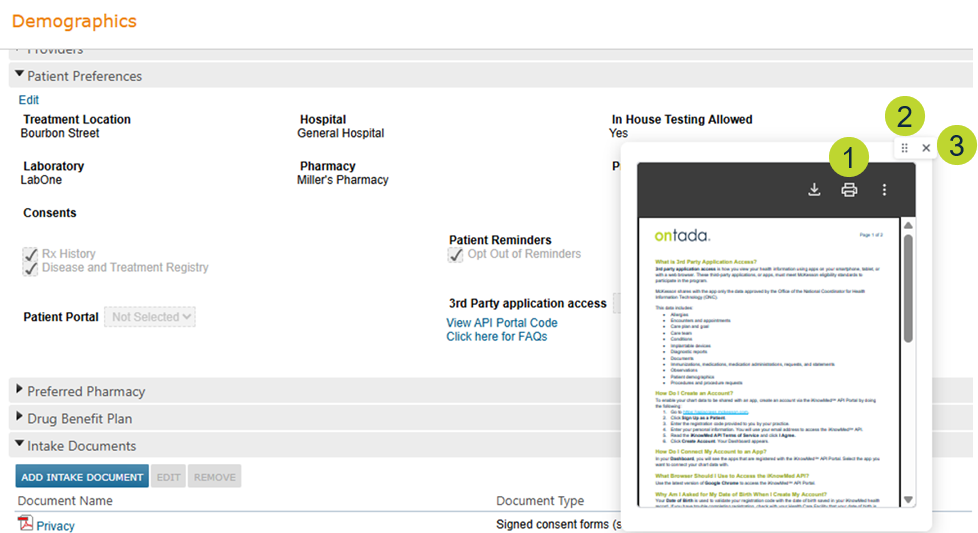
To improve the patient education experience, the Click here for FAQs link under the 3rd Party Application Access section of Demographics > Patient Preferences now opens the FAQs document in a pop-up window instead of a new browser tab.
This update helps users stay within their workflow while still easily accessing and printing the document for patients.
- Click the printer icon to print the document (callout 1).
- Click and drag the handle icon to move the window (callout 2).
- Click the X icon to close the window (callout 3).