
Document Social Determinants of Health in patient charts Copied
We’re introducing a new Social Determinants of Health section in the Clinical Profile > Patient Hx tab of the patient chart.
This feature was developed to support compliance with the 21st Century Cures Act and lays the groundwork for structured SDOH data capture within the EHR. While foundational, the current tab content does not fulfill requirements for quality measures within Value-Based Care programs such as MIPS and EOM.
It also does not provide any out of the box reporting capabilities, which limits its use for tracking or aggregating SDOH data across populations.
This is an initial step toward broader interoperability and data integration. Additional tools and enhancements will be necessary to support comprehensive documentation, reporting, and measure compliance.
For guidance on best practices and to understand how this feature aligns with Value-Based Care initiatives and measures, please contact your Transformation Lead or VBC Account Manager.
Key features
- 22 standardized categories of social determinants, each with options for:
- Assessment
- Intervention
- Comments up to 255 characters
- Interactive documentation:
- Click a category to document details (callout 1) or use the “Expand all” or “Collapse all” options at the top of the page (callout 2).
- Use radio buttons, checkboxes, or the free text Comments box depending on the category (callouts 3-5).
- A “Clear All” option is available to remove selections (callout 6).
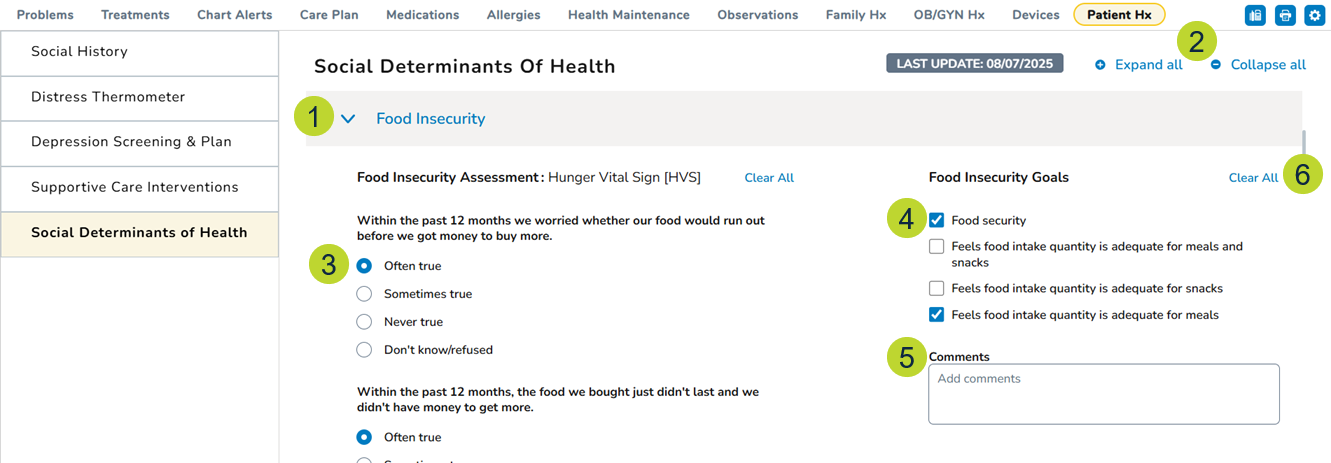
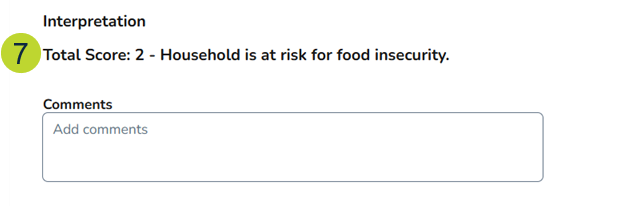
- Scoring logic in specific categories (e.g., Food Insecurity) helps determine if intervention is needed (callout 7).
- Search for an intervention or scroll through the list (callout 8).
NOTE: If a patient needs a referral as an intervention, please continue to order referrals via the Orders tab.
- Save each category individually after completing documentation (callout 9).
- Partial completion is supported; not all categories or fields are required.
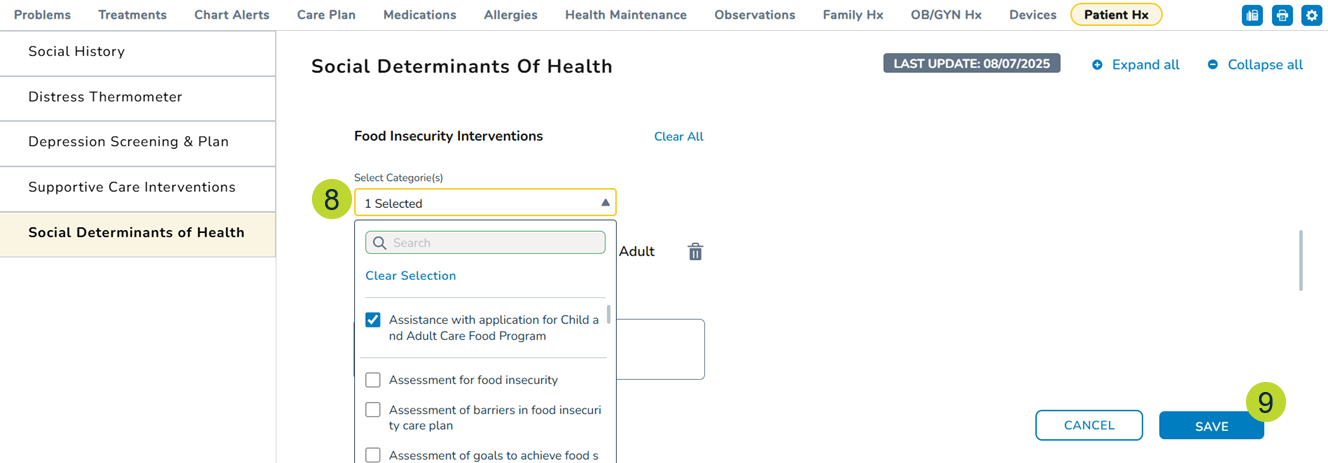
- Search for an intervention or scroll through the list (callout 8).
- Scoring logic in specific categories (e.g., Food Insecurity) helps determine if intervention is needed (callout 7).
- Audit trail
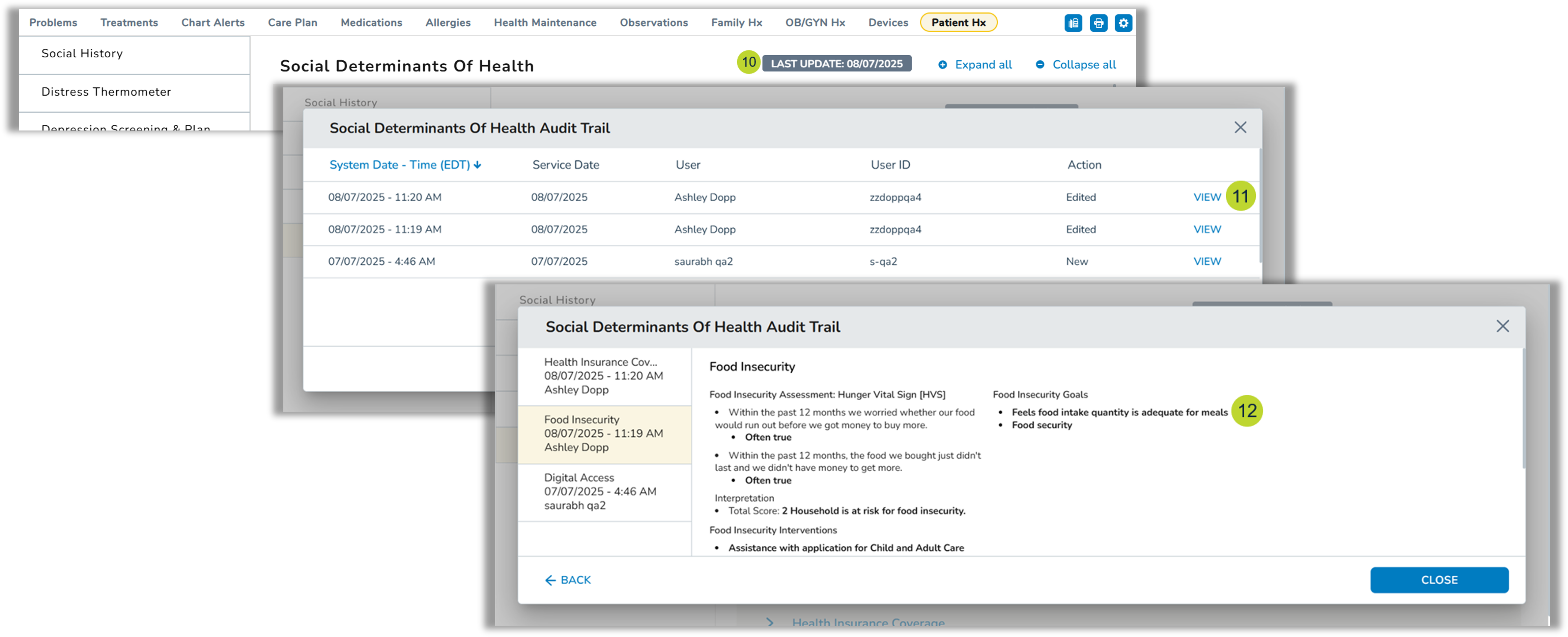
- A “Last Update” badge appears at the top of the page (callout 10). Clicking the badge opens an audit trail.
- See when updates were made, by whom, and what actions were taken.
- Click the “View” option for detailed change history (callout 11), with updated items shown in bold (callout 12).
- CCDA integration
- Any documented social determinants, interventions, and goals will be displayed in the CCDA generated for the patient.