Document patient smokeless tobacco and/or vaping status Copied
Practices can how document a patient’s smokeless and/or vaping-related tobacco use by following these steps:
-
Go to Clinical Profile > Health Maintenance or use the Smoking Status widget on the Chart Summary.
-
Select the ADD SMOKING STATUS button.
-
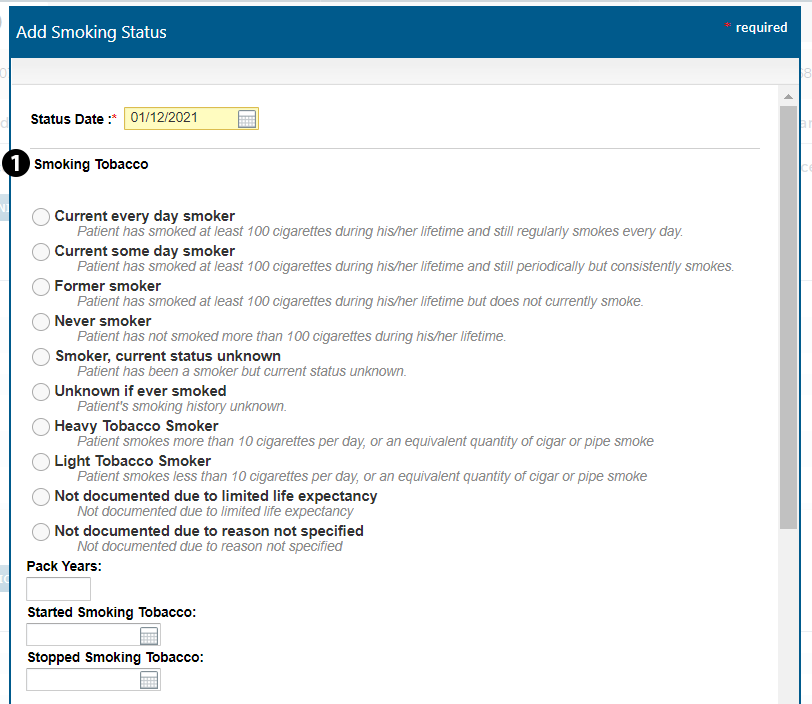
Choose an option under the Smoking Tobacco section as this is required (see callout 1).
-
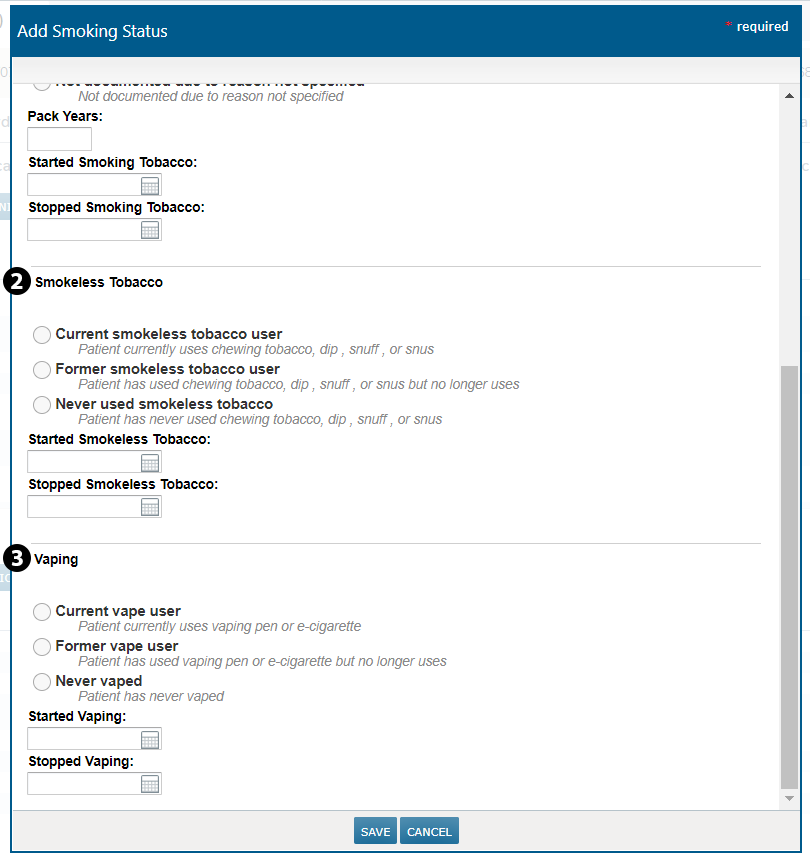
Scroll to the new Smokeless Tobacco and/or Vaping section to document the patient’s smoking history (see callouts 2 and 3).
-
SAVE your changes.
Please note that while these updates have been made to the Health Maintenance page and Smoking Status widget, the macros associated with smoking status in clinical notes templates are not. Those updates will be addressed in a future release.