Discharge Notes now available Copied
Several practices expressed the need to complete discharge notes for patients the same way they did in iKnowMed EHR. This feature is now available for all practices to document what happened during the patient’s visit, which can ensure better coordination of care among providers.
To add discharge notes to a patient’s chart:
-
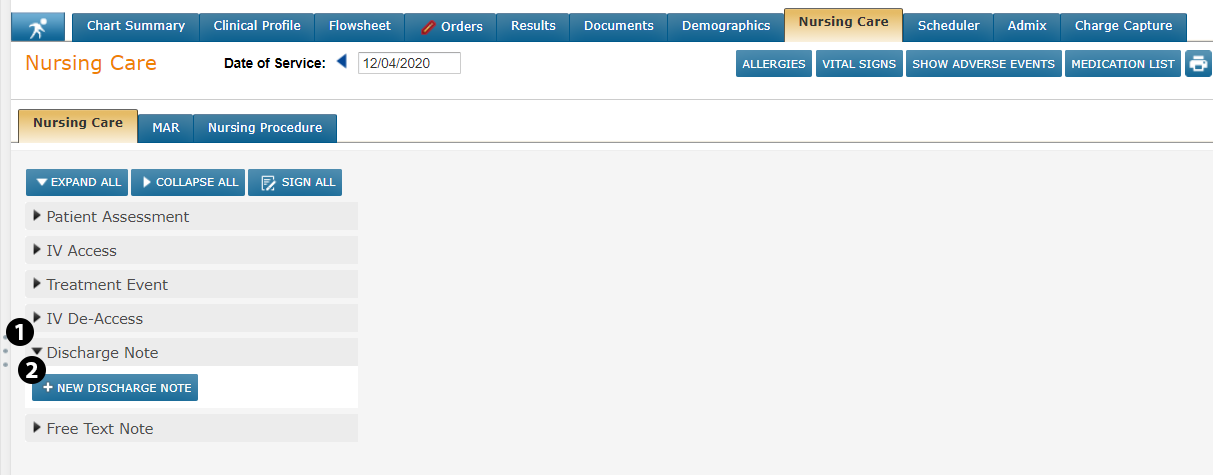
Go to the Nursing Care page and drop down the Discharge Note section (see callout 1).
-
Click the NEW DISCHARGE NOTE button (see callout 2).
-
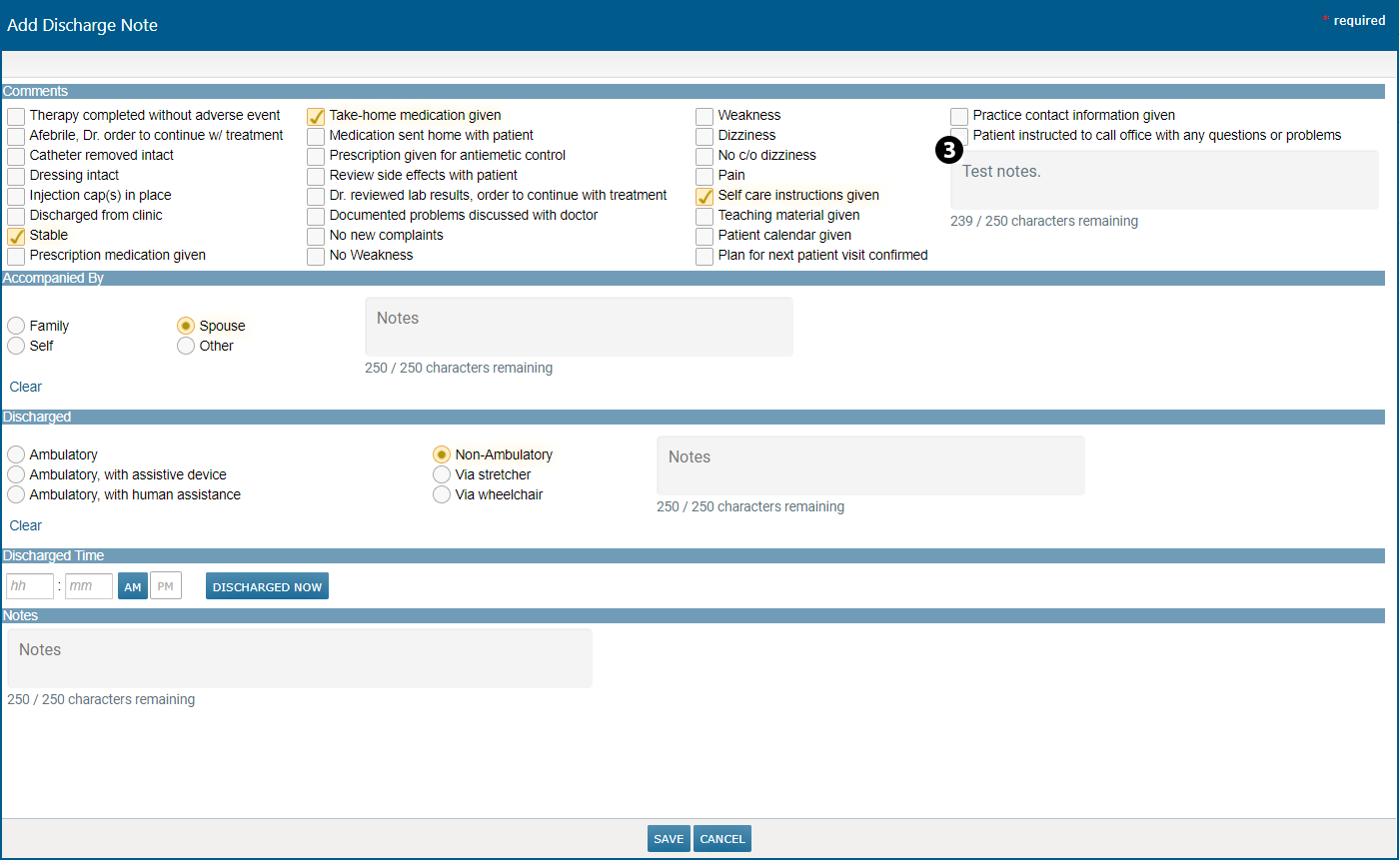
Complete the note by checking off the listed items and/or by entering your own comments in the Notes box (see callout 3).
-
SAVE your changes.
-
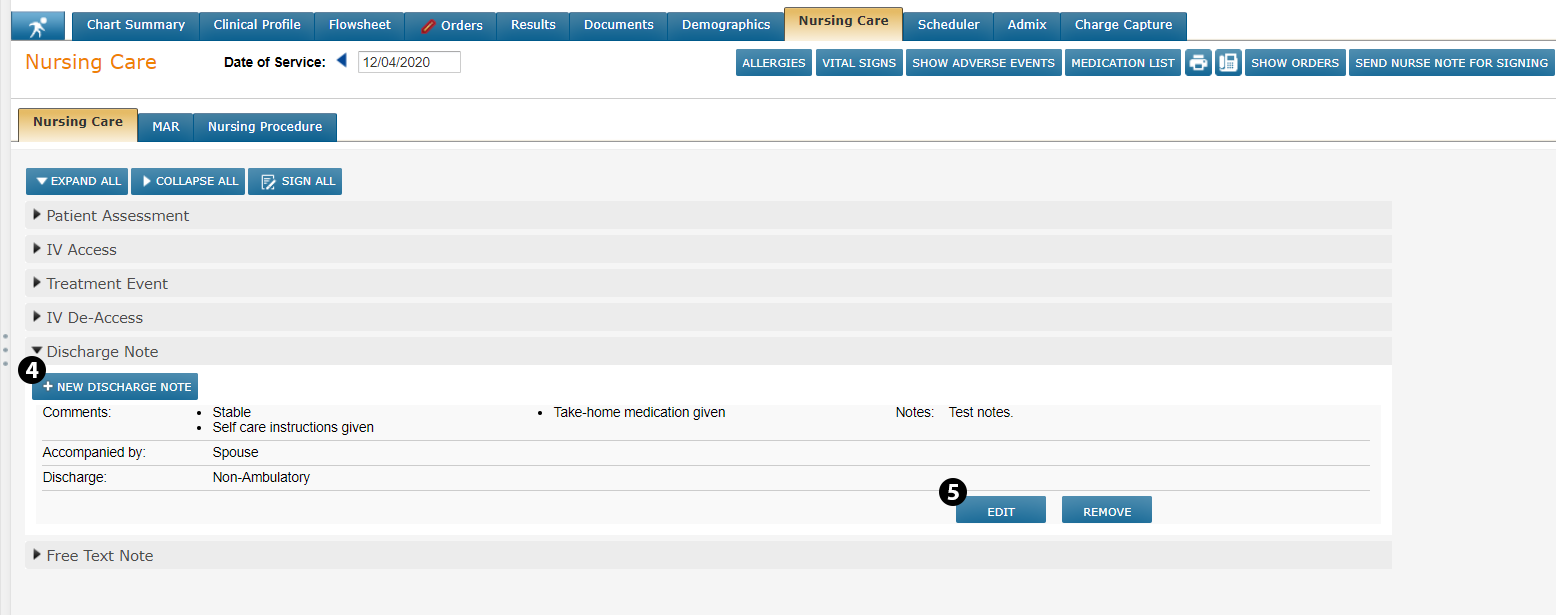
Any information selected or entered in the note will now be reflected on the Nursing Care page.
-
You will also have the option to create a NEW DISCHARGE NOTE (see callout 4) if a secondary note is needed for patients with multiple visits on the same day.
-
Lastly, you can EDIT or REMOVE a discharge note from the chart (see callout 5).