Depression Details Added to Interval Summary Copied
Depression Details Added to Interval Summary
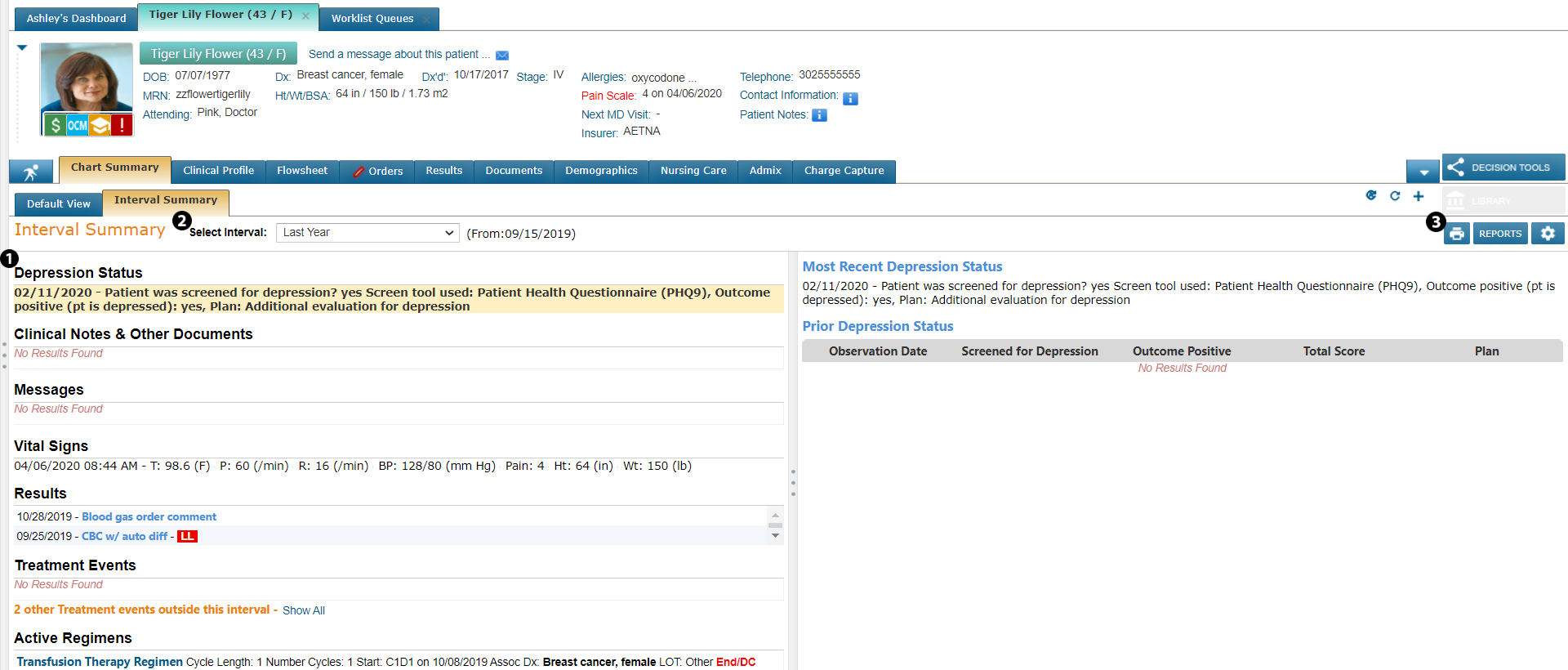
To increase the visibility of a patient’s depression status, a new section for Depression Status has been added to the Interval Summary (see callout 1). This section will display the Depression Status based on the time period selected from the Select Interval drop-down (see callout 2).
This new section will display the date of the screening, which screening tool was used, the outcome of the screening, the total depression score, and the follow up plan if any was recorded.
When you click on this section, you will see more details on the status in the right-hand column. If more than one Depression Status has been documented during the interval selected, items will divide into Most Recent Depression Status and Prior Depression Status.
You can print this information using the PRINT button (see callout 3). The items that will appear in the print view are the same ones seen in the right-hand column.
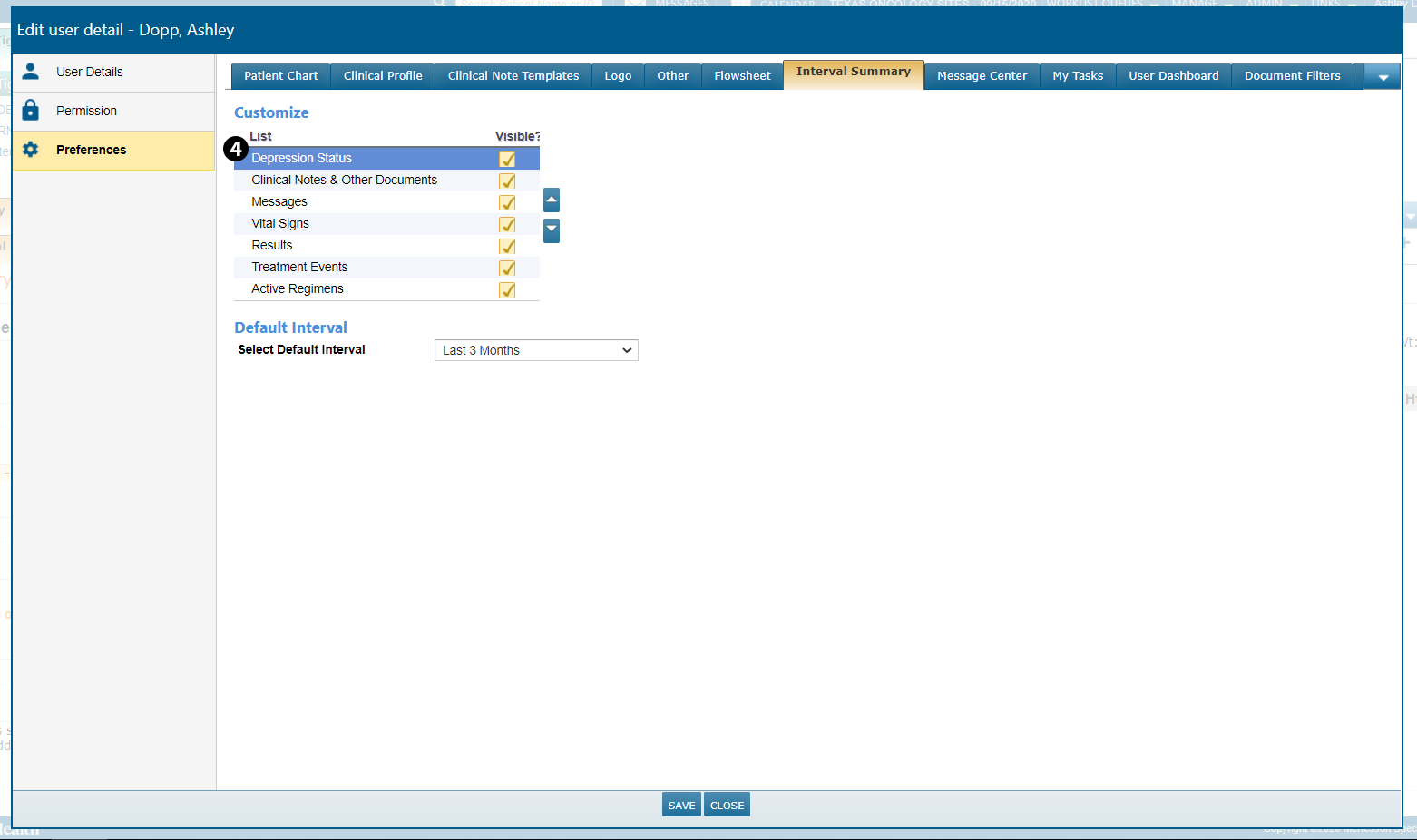
Lastly, you can choose where the Depression Status section displays in the Interval Summary by clicking on the gear icon in the top navigation. Under Preferences > Interval Summary you can choose whether you want this section to appear by checking or unchecking the box under the Visible column. You can also use the blue arrows to move this section above or below others (see callout 4).