
Deceased Patient Protections Expanded Across Ontada Health Copied
What’s changing
Ontada has expanded protections for deceased patients’ accounts and information, building on the earlier change that deactivated deceased patients’ accounts to prevent anyone from logging in or accessing their information.
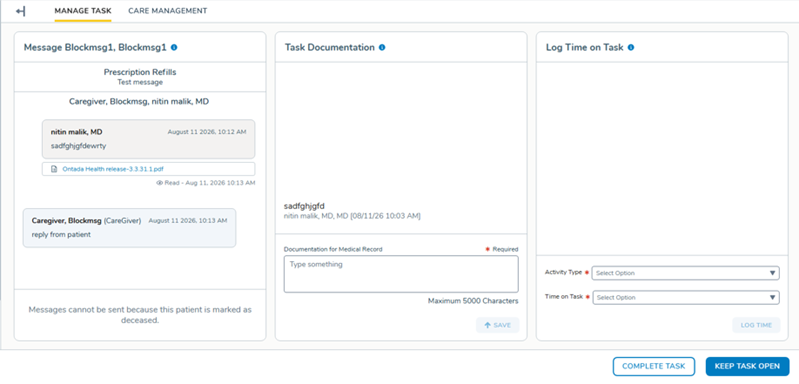
General Queue messaging blocked
When a patient is marked as deceased in the Demographics tab of their iKnowMed Generation 2 chart, the Message box in the General Queue displays a notice that the patient cannot be messaged. Staff can no longer start a new message or send a follow-up on an existing thread for that patient.
Account Locked in Support Tools
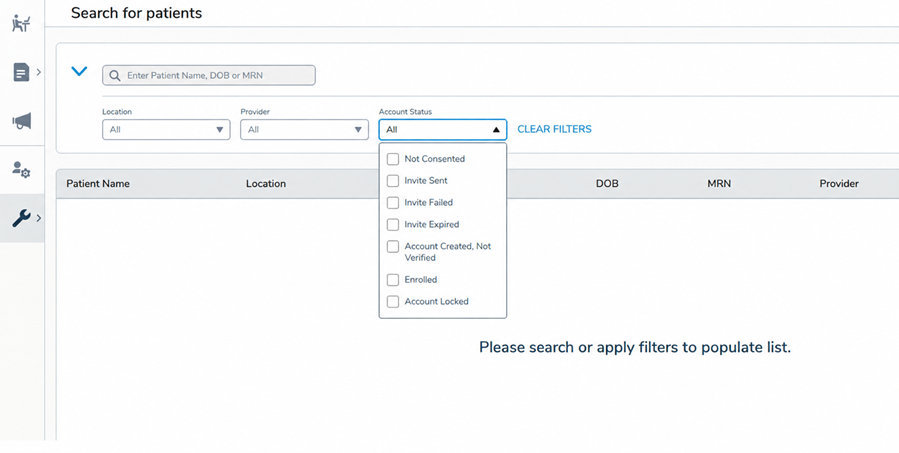
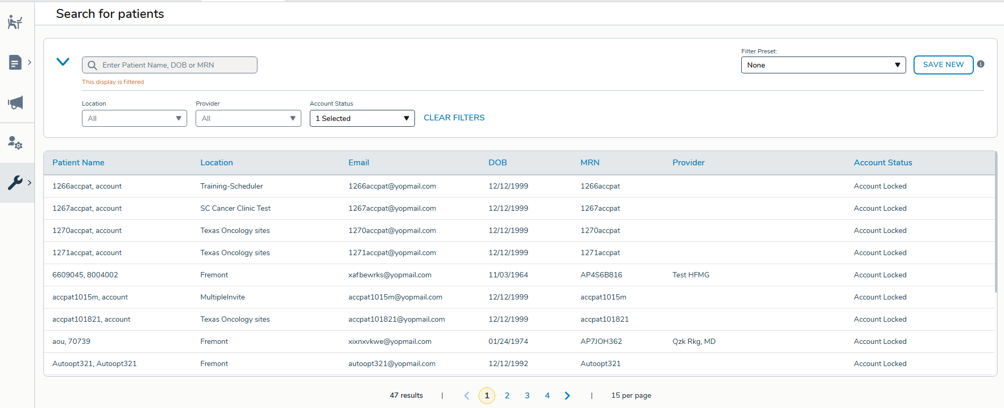
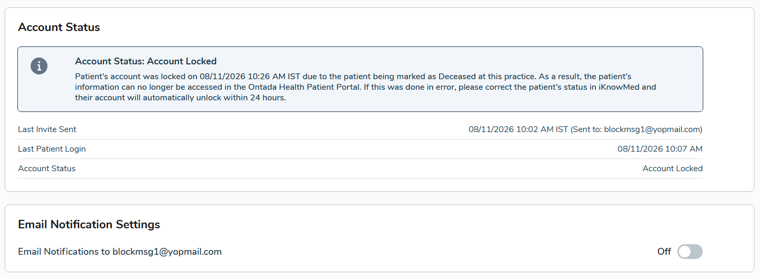
The Account Status filter on the Support Tools page now includes an “Account Locked” option. Checking this box filters the table to locked accounts. Selecting a result displays a message under Account Status noting the account is locked because the patient was marked as deceased in their iKnowMed chart.
How to use it
- In Support Tools, open the Account Status filter and check Account Locked.
- The table filters to show all patients with locked accounts.
- Click into a patient’s record to view the Account Status message confirming the account is locked and why.
Email address locked
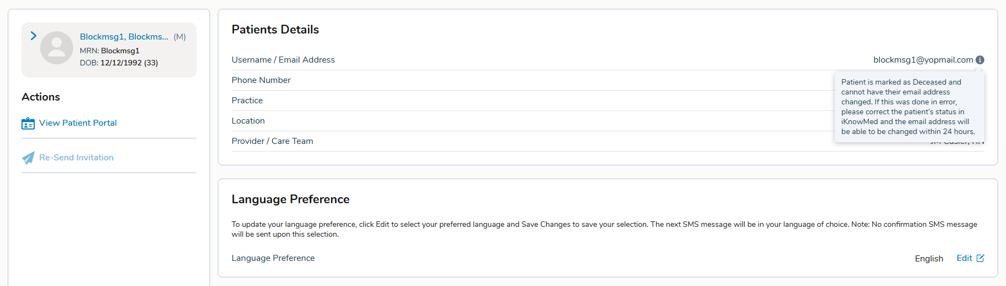
The patient’s email address field becomes uneditable, with a tooltip explaining on hover that it can’t be updated because the patient was marked as deceased. The system also prevents that email address from being used to create a new account.
Why this matters
Together, these changes close the remaining gaps around deceased patient records: these patients can’t be accidentally messaged, staff can quickly identify and understand locked accounts in Support Tools without guesswork, and a deceased patient’s email can’t be repurposed or edited, protecting their information and preventing confusion for both staff and any future account holders.