Customize Weight Change Alerts for Formula-based Medication Orders Copied
Customize Weight Change Alerts for Formula-based Medication Orders
Your practice now has more control over the threshold of weight change before being alerted about impacts to medication orders based on formula doses. This will prevent unnecessary order changes that can result in a significant amount of re-work, especially for the pharmacy.
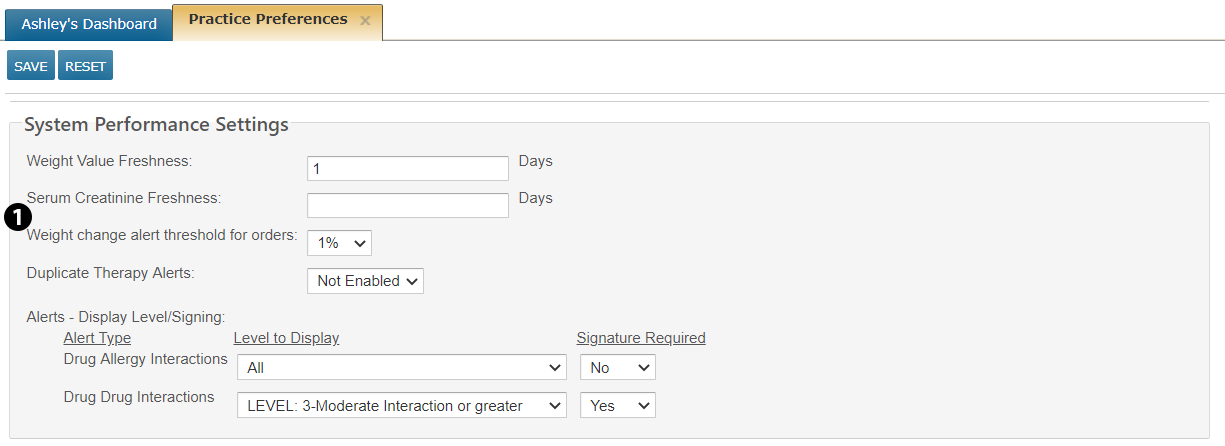
Prior to this release, an alert would appear when approving a regimen treatment day or editing an order for patients with a weight gain or loss greater than 1%. Now your practice administrator can set the alerting threshold to either 1%, 5%, or 10% (with the default setting to 1%).
To customize this threshold:
- Go to ADMIN > Practice Preferences.
- Under System Performance Settings, change the new Weight change alert threshold for orders to your preferred threshold (see callout 1).
- SAVE your changes.
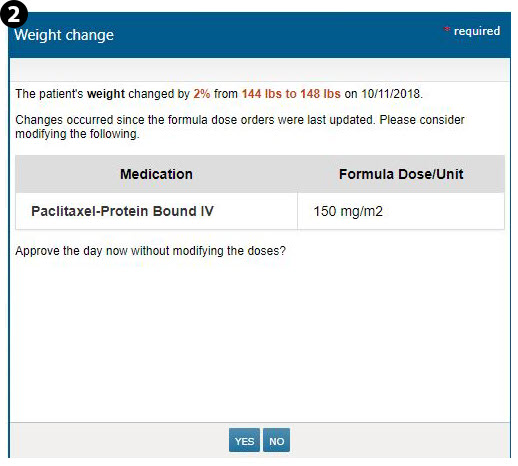
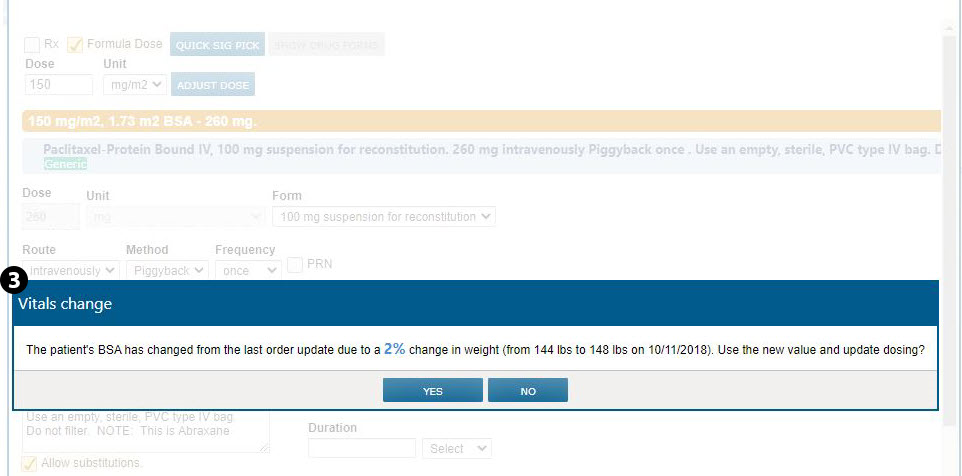
- Now when a patient’s weight changes beyond your preferred threshold, you will receive an alert when approving or editing a regimen that contains at least one order that is weight based in the patient’s Flowsheet (see callouts 2 and 3).
- Please note that these messages display to confirm any significant changes in vitals and the potential impact on medication dosing. It is extremely important to look at this message and confirm the changes in vitals. Not verifying potential changes in vitals and accepting a recalculation based on the new values can result in an incorrect dosing based on the original vitals information.