Customize experience to send forms to PMS or attach to patient’s chart Copied
You can now configure your setup to allow forms to be sent to your PMS or attached to the patient’s chart.
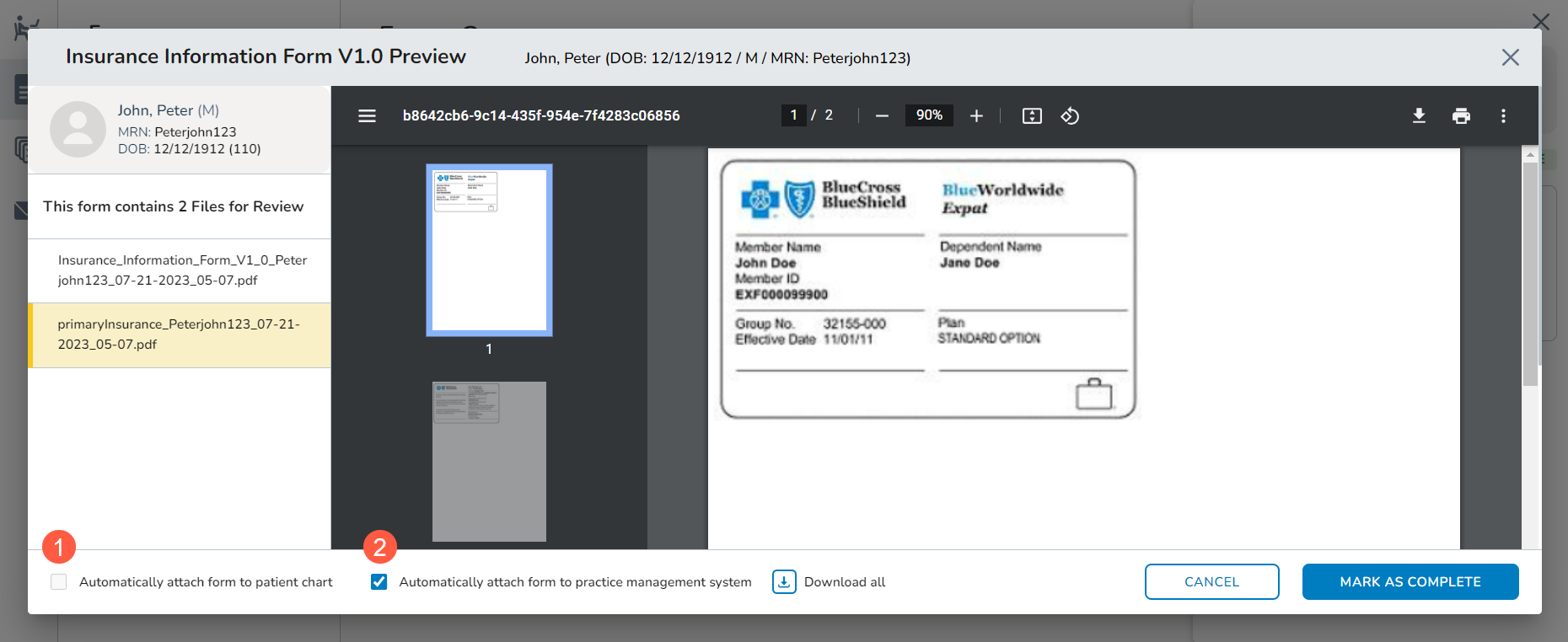
After working with your Ontada Account Manager to configure these settings, you will see one or both checkboxes when reviewing those forms in the Forms Queue:
- Attach the form to the patient’s chart by checking the box next to Automatically attach form to patient chart (callout 1).
- A copy will be routed to the Documents tab of the patient’s chart. From there, you can click on the item to preview the PDF on the screen.
- Send a copy of the form to your practice management system by checking the box next to Automatically attach to practice management system (callout 2).
This setup can also be applied to insurance forms and insurance card images, which was functionality released in Ontada Health version 1.2. For more information on insurance forms and card images, read Send and manage insurance forms and insurance cards below.