Control Ordering Provider mapping for inbound interfaced results Copied
In the May 2023 release, we introduced a PHYSICIAN_NOT_MAPPED warning message on the Interface Errors page for ordering providers not mapped for inbound interfaced results.
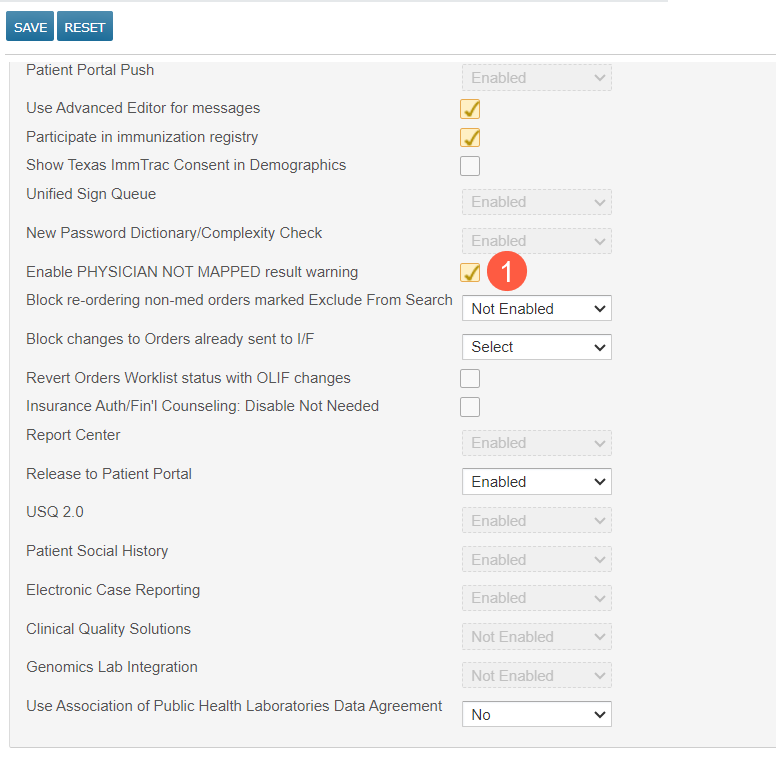
Now, you can control whether your practice sees this message using a new preference under the Other Feature section called Enable PHYSICIAN NOT MAPPED result warning (callout 1). This preference will be on by default but can be turned off if you do not wish to see these error messages going forward.
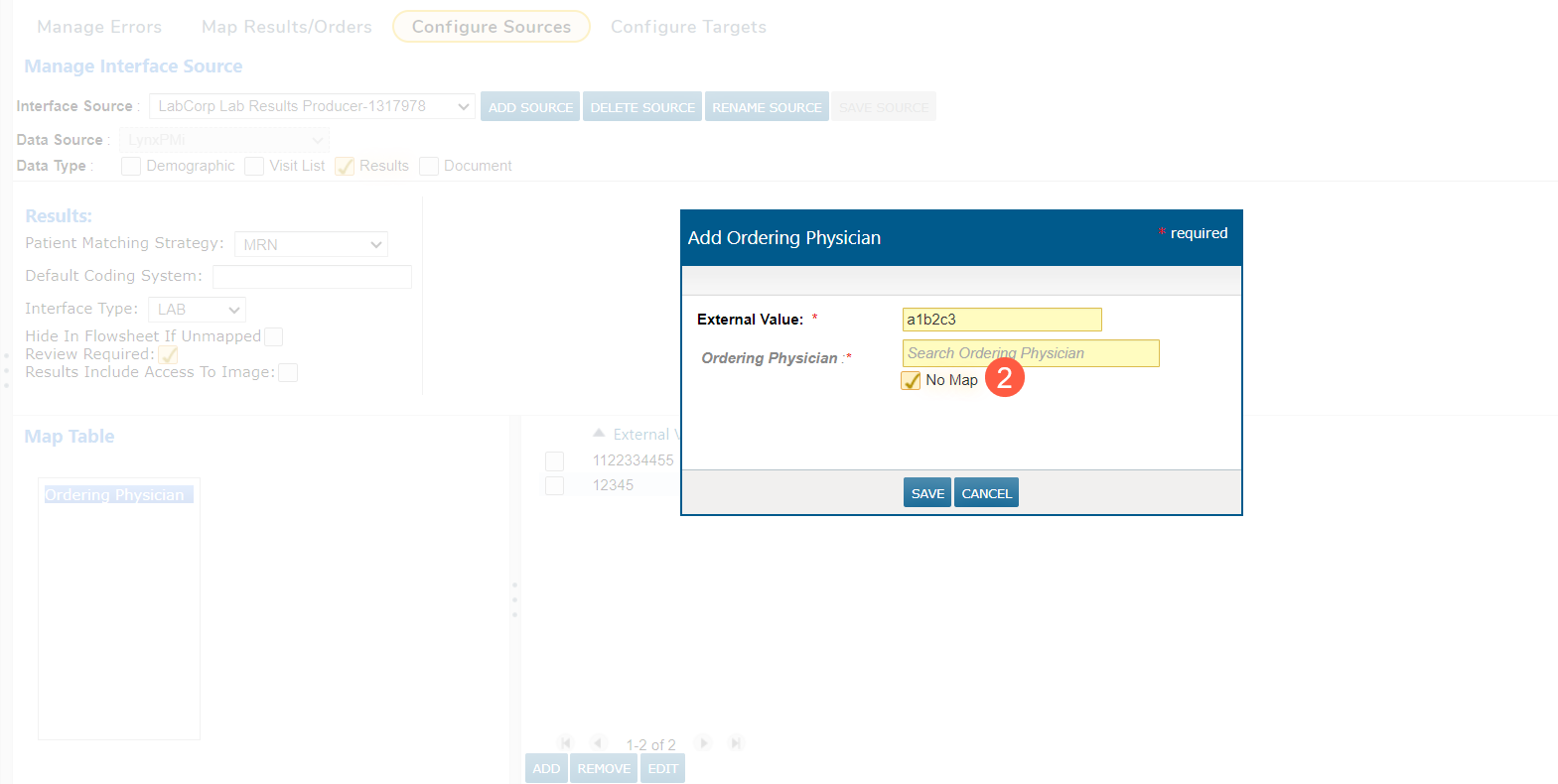
You can also enter an external value and check the new No Map box when adding or editing ordering providers on the Configure Sources page (callout 2).
This update allows transactions associated with the external value to show in iKnowMed without also showing the warning on the Manage Errors page, even if the new Enable PHYSICIAN NOT MAPPED result warning preference is turned on.
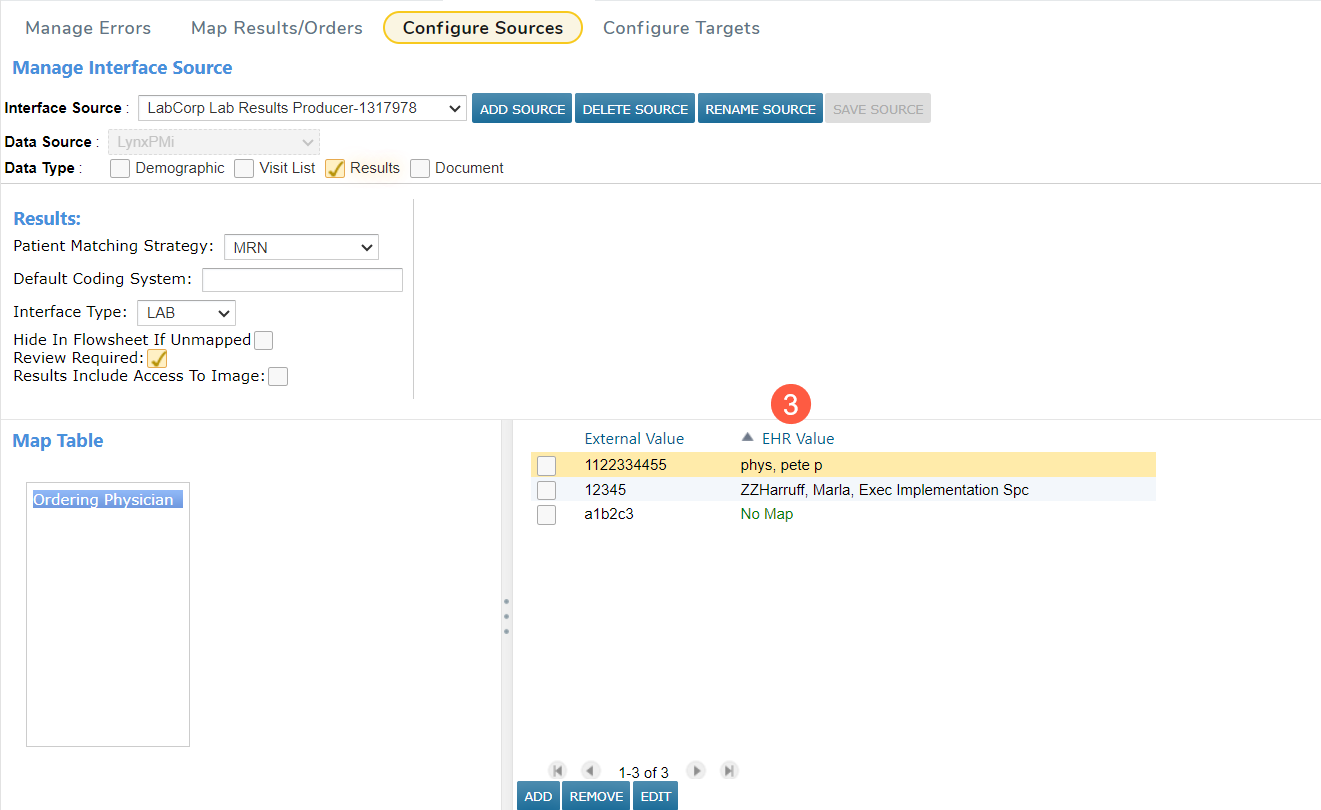
Lastly, sort the Ordering Physicians table alphanumerically by clicking on the External Values or EHR Value headers (callout 3) to view which ordering providers are mapped and which are not.