Continued improvements to the enhanced Orders Queue Copied
In this release, we made several more enhancements to improve the workflow and experience of those working in the enhanced Orders Queue. Here are the key changes:
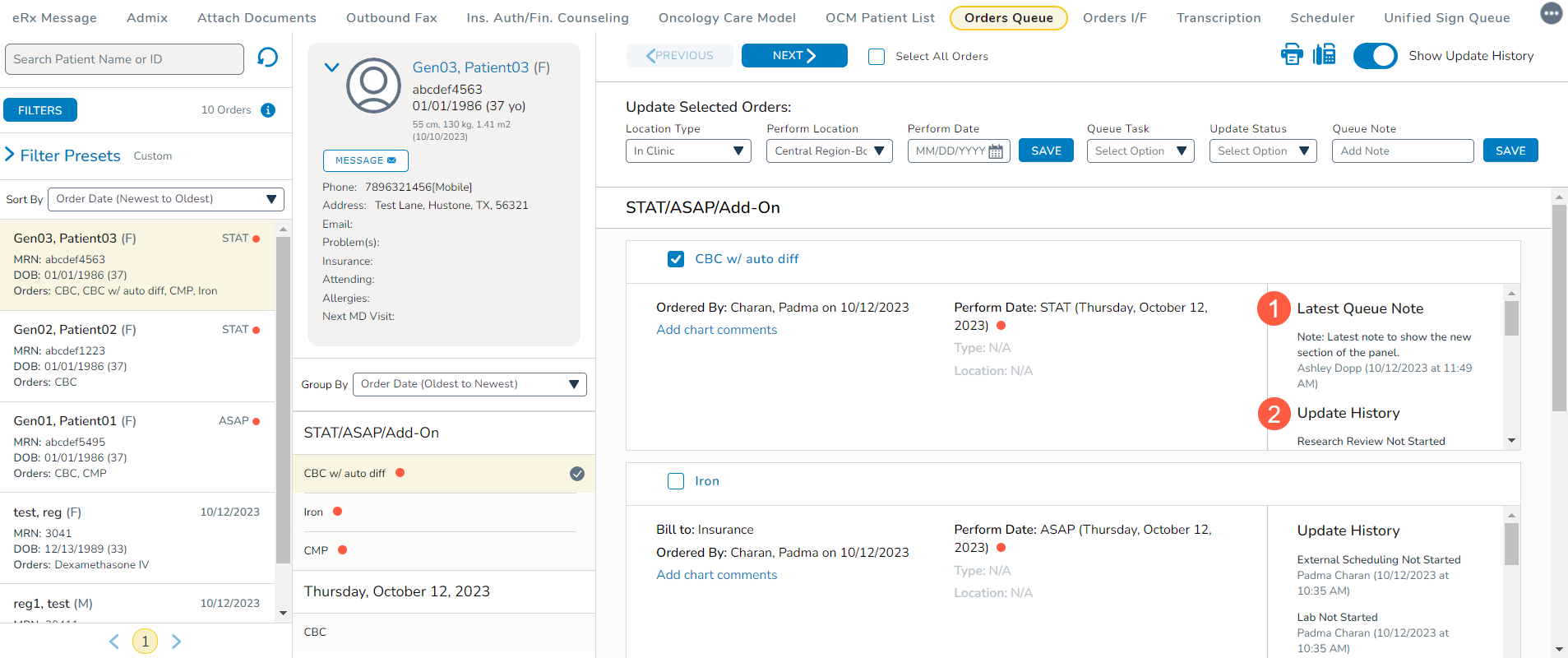
Improved visibility with Latest Queue Note
A new section called Latest Queue Note has been introduced to the Update History panel within the orders worklist. This section showcases the most recently added queue note at the top, while previous notes are displayed below it in the Update History section (callouts 1 and 2).
Improved Orders Queue filters
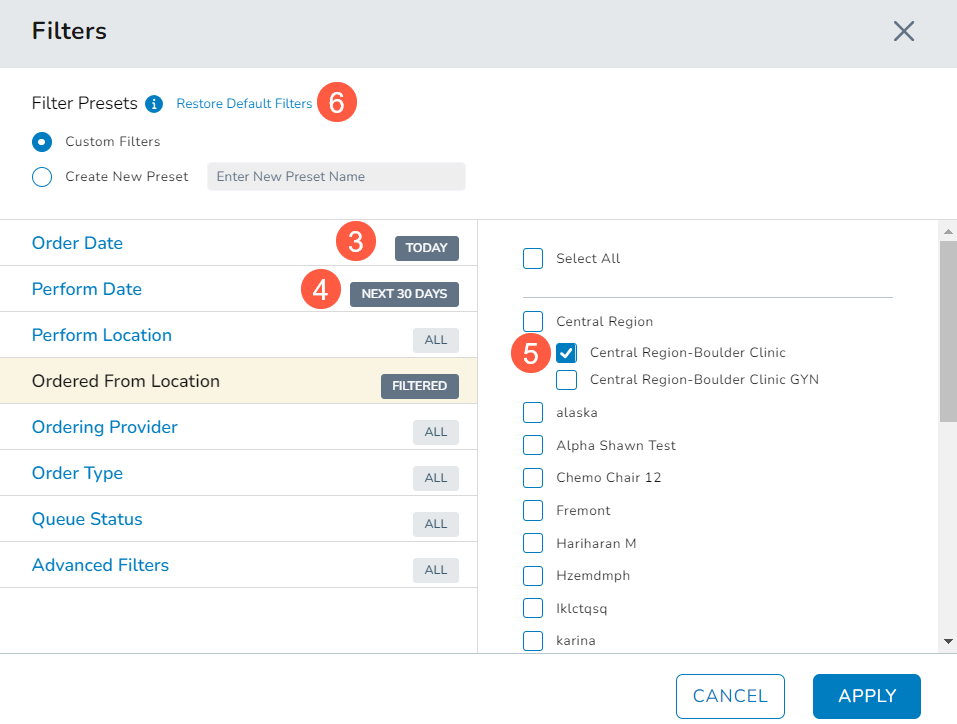
To meet the needs of larger practices using the enhanced Orders Queue, we made the following refinements to the default settings when the Filter button is selected:
- Order Date: The default Order Date filter is now set to Today instead of the last 14 days, ensuring quick access to the most current orders (callout 3).
- Perform Date: The default Perform Date filter is extended to the Next 30 Days, granting users greater flexibility in planning and executing orders (callout 4).
- Ordered From Location: The default Ordered From Location filter now aligns with the user’s logged-in location instead of displaying All locations. To further simplify the selection process, this filter now only displays In Clinic options (callout 5). External locations have been removed from this list as orders cannot originate from external locations.
- Restore Default Filters: When selecting the Restore Default Filters option, the refined settings outlined above will be automatically applied, ensuring consistency and aligning the queue with the most useful criteria for effective order management (callout 6).
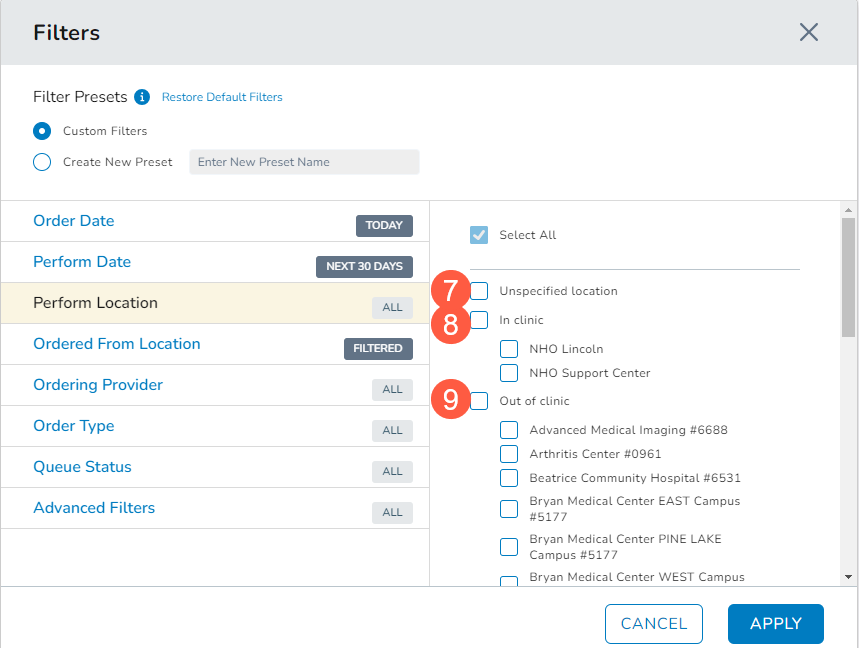
- Perform Location: The Perform Location filter list has been reorganized for ease of use. Unspecified location now appears at the top, followed by In Clinic and Out of Clinic locations. This grouping allows for convenient selection of all in-clinic or external locations at once (see callouts 7-9).
Automatic assignment of Perform Location
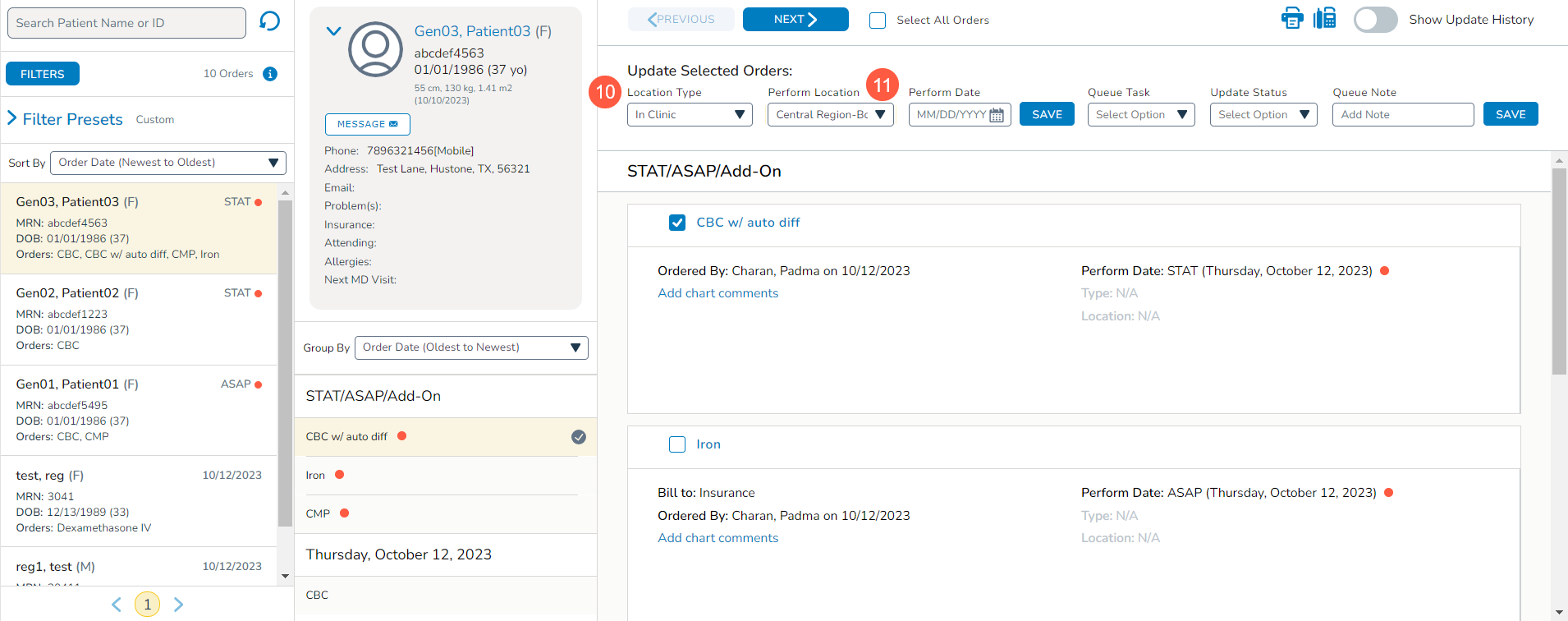
If a patient’s preferred treatment location has been designated in their Demographics tab, the queue will default to that location as the Perform Location when In Clinic is selected as the Location Type (see callouts 10 and 11).
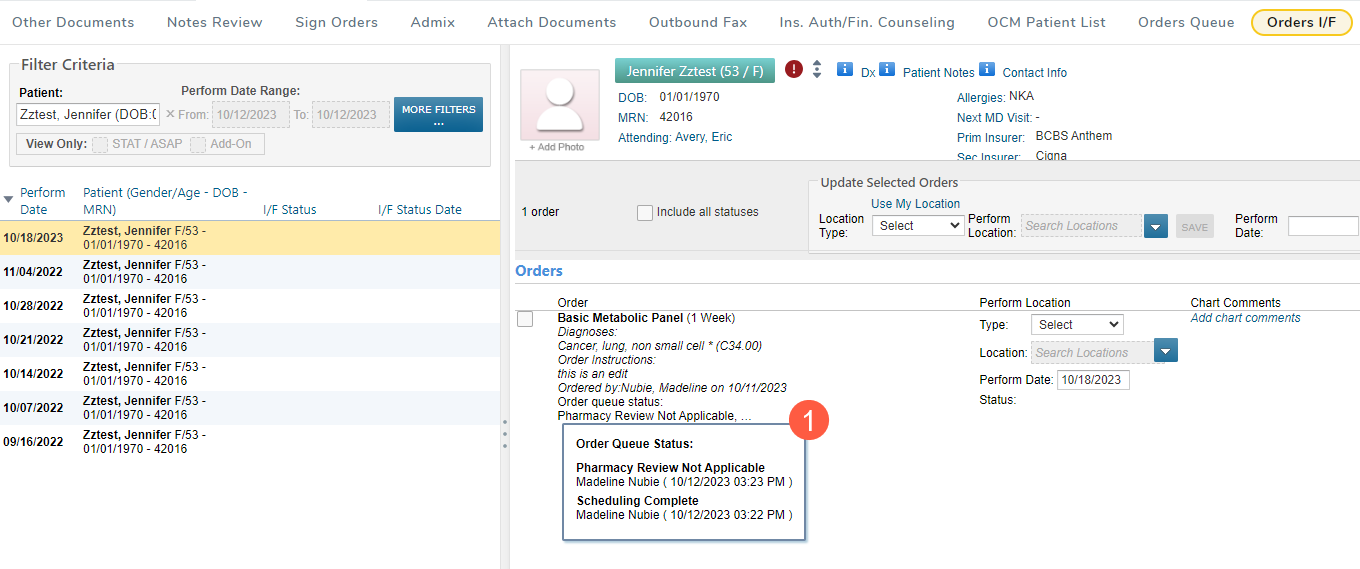
Enhanced Visibility with Order Queue Status
The Orders Queue Status from the new Orders Queue is now displayed in the Orders I/F queue to improve order handling (callout 1).