Continued enhancements to the Form Completion Report Copied
We made the following enhancements to the Form Completion Report for permissioned Ontada Health users to provide a more insightful and accurate view of patient form completion rates.
Delivery Method filter
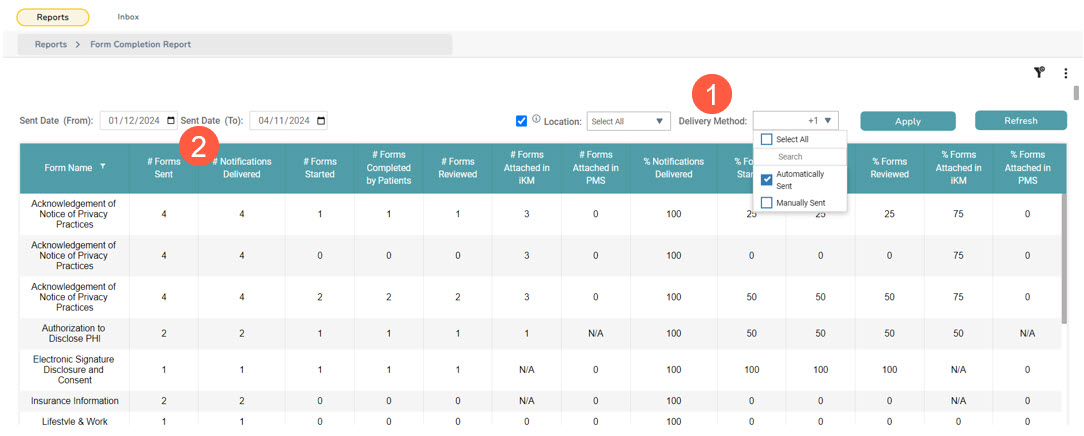
To help practices better understand how many forms are being sent manually vs how many are being sent automatically, we added a new Delivery Method filter to the report (callout 1).
Selecting either the Manually Sent or Automatically Sent options will display the number of forms sent using that method in the # Forms Sent column (callout 2).
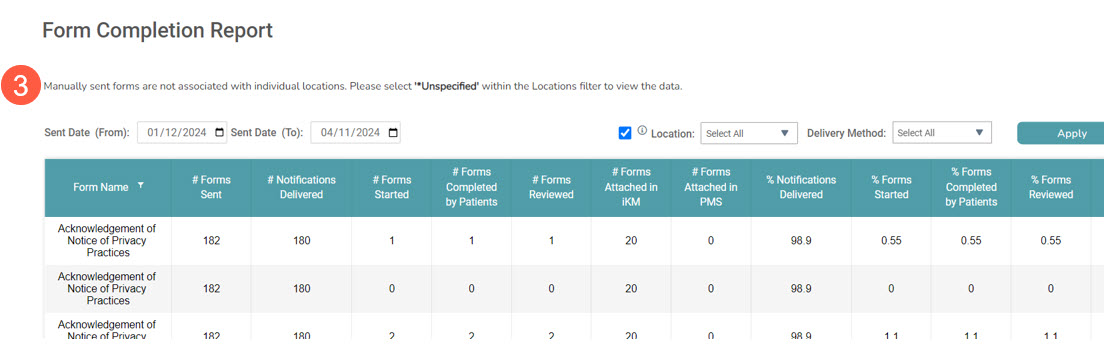
NOTE: If the Manually Sent option is selected from the drop-down, a message will display stating that, Manually sent forms are not associated with individual locations. Please select ‘*Unspecified’ within the Locations filter to view the data (callout 3). This will help guide users on how to use the report to see the correct information.
Location filter
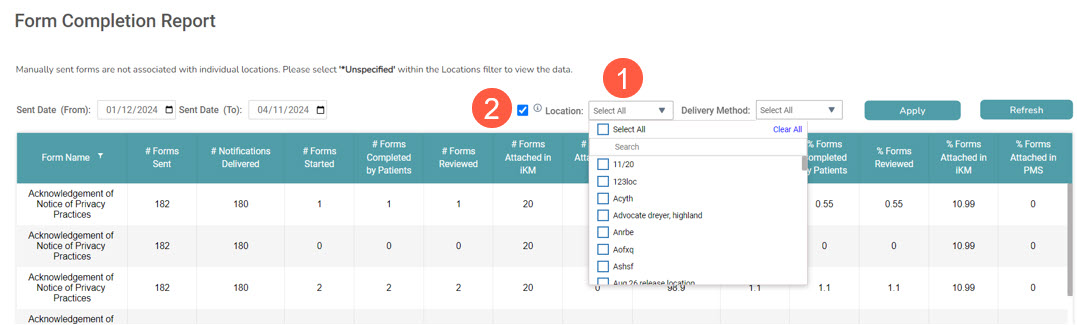
To help practices better understand their form completion rates by location, we added a new Location filter to the report (callout 1).
By default, no location will be pre-selected. If users choose to filter the table by location, more than one location can be selected.
The drop-down will display all locations listed in Admin > Locations in iKnowMed for the practice with the boxes for Active and Schedulable Location checked. If a user wants to include inactive locations, an Include Inactive checkbox is available (callout 2).