
Clearer Messaging When Deactivating a Form/Packet Sending Rule Copied
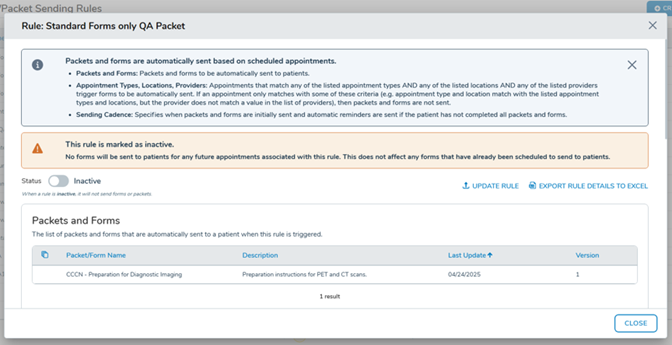
When you set a sending rule to inactive, updated alert language now explains exactly what will and won’t be affected.
What’s new
When toggling a rule to inactive, the alert banner will clearly state that no forms will be sent for future appointments associated with that rule, but that any forms already scheduled will not be affected.
Why this matters
Without clear messaging, it was easy to misinterpret what deactivating a rule would do. This update removes that ambiguity so your team can confidently manage rules without worrying about unintended impact on already-scheduled patient communications.