
Clearer Error Messages for Failed Portal Invitations in Support Tools Copied
When a portal invitation email fails to deliver, Support Tools will show a more actionable message so your team knows exactly what to do next.
What’s new
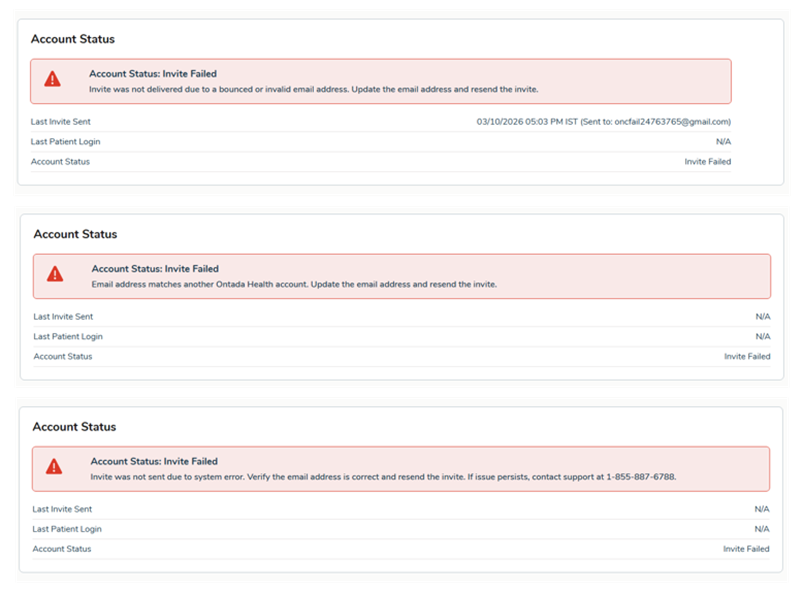
The error message displayed in Support Tools when a portal invitation fails to deliver has been updated to clearly indicate what went wrong and what action to take.
The red banner now specifies that the invite was not sent due to a system error, prompts you to verify the patient’s email address and resend, and directs you to call support if the issue continues.
Why this matters
Support Tools already surfaced error messages when a portal invitation failed, but the messaging didn’t provide clear next steps. This update makes those messages more specific so your team can quickly determine whether to update the patient’s email address or escalate to support without having to guess.