Capture patient COVID-19 vaccine status and bill for administered COVID-19 vaccines Copied
Practices can now document a patient’s COVID-19 vaccination status in the Clinical Profile, including the option to choose between the Pfizer or Moderna vaccine, where the patient received the vaccine, whether the patient is ineligible to receive the vaccine, or when they received the vaccine. iKnowMed Generation 2
To document a patient’s COVID-19 vaccination status:
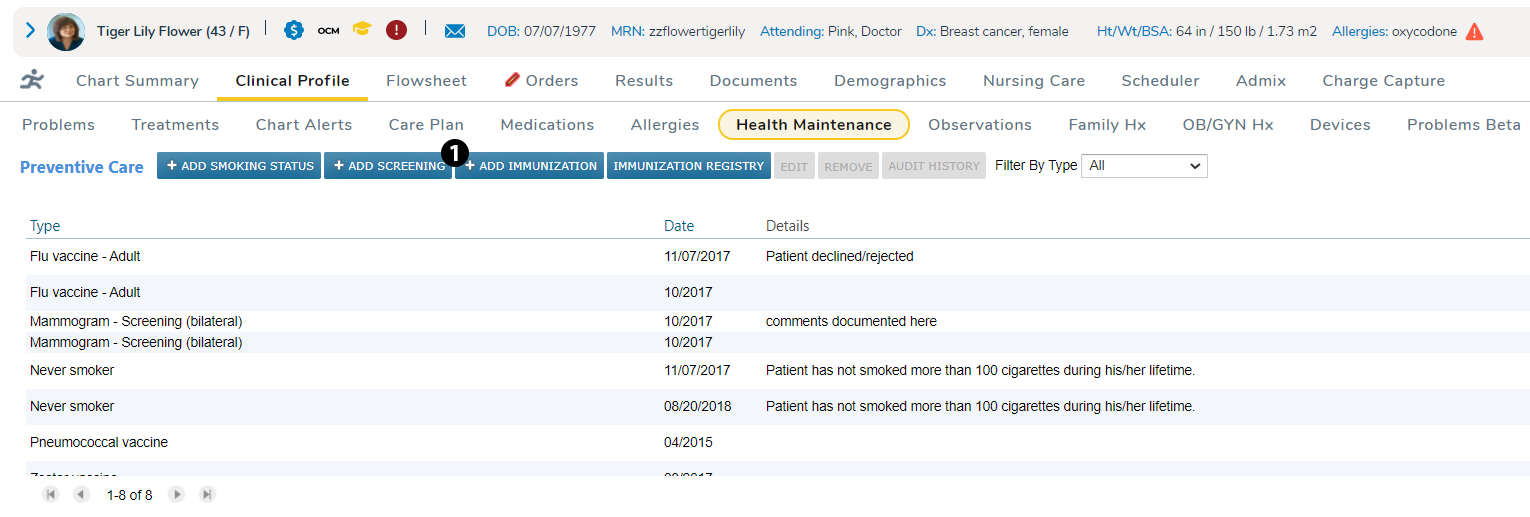
- Go to Clinical Profile > Health Maintenance.
- Select ADD IMMUNIZATION (see callout 1).
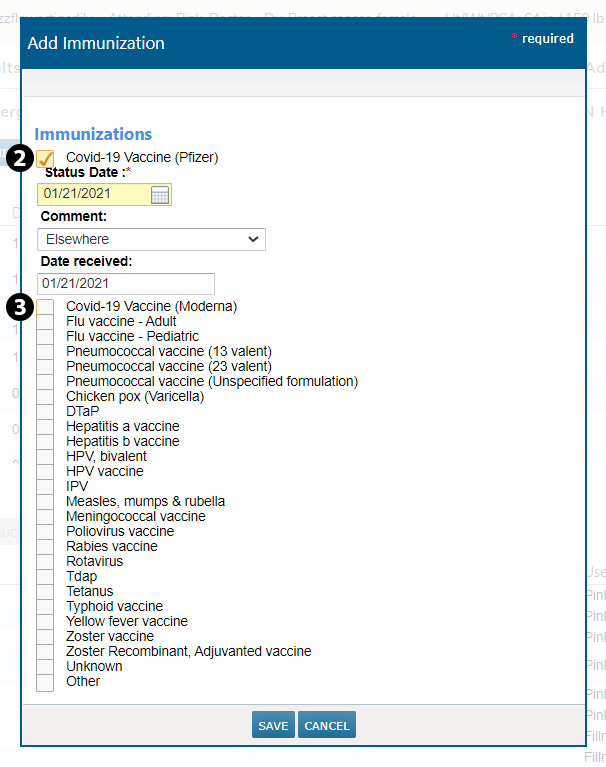
- Choose the vaccine brand (see callouts 2 and 3).
- Fill out the Status Date as well as Comment and Date Received, if needed.
NOTE: The Health Maintenance section is used primarily to capture immunizations that were administered elsewhere. Practices will document the administration of vaccines given in the clinic in the nursing MAR.