Capture COVID-19 Vaccination Information in Screening Tool Copied
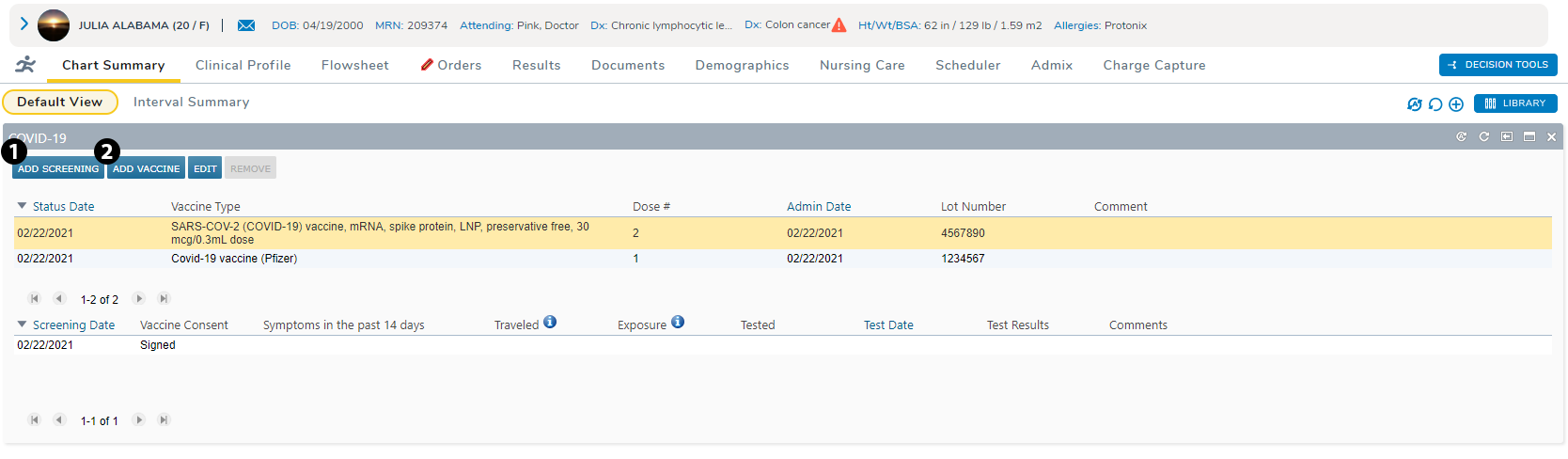
You can now capture COVID-19 vaccine administration information in the screening tool on the Chart Summary using the ADD VACCINE and ADD SCREENING buttons (see callouts 1 and 2).
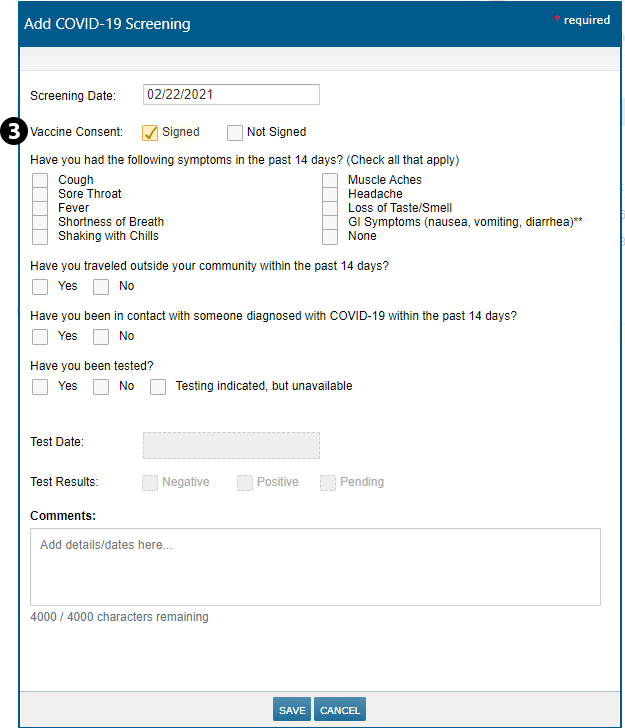
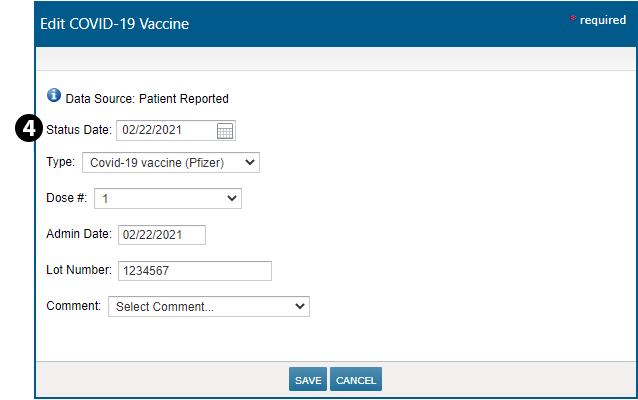
Select ADD SCREENING to record whether patient has consented to the vaccine as part of the screening process (see callout 3). Select ADD VACCINE to record offsite vaccine administration details, such as Status Date, Type, and Dose # (see callout 4).
Please note that offsite vaccination information entered in the screening tool will flow to the Health Maintenance page and vice versa. However, onsite vaccination information must be captured in the MAR before it will flow to the screening tool on the Chart Summary.