Can Add Chaperone To Visit Copied
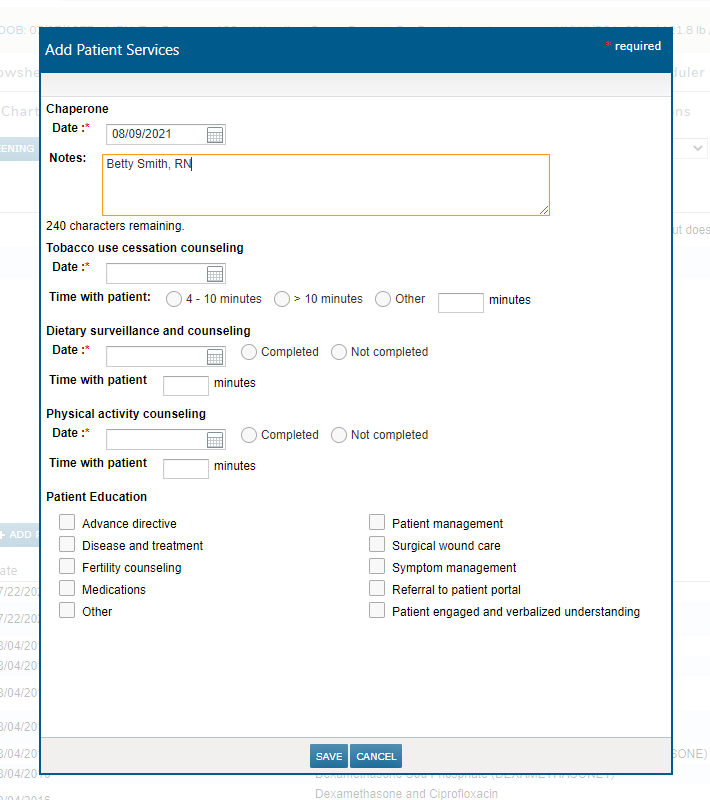
Practices can now add a chaperone note to a patient’s chart when one was present during an exam, as requested. To add chaperone information:
-
Go to a patient’s Clinical Profile and select the Health Maintenance page.
-
Under Counseling & Education, click the ADD PATIENT SERVICE button.
-
In the modal window, users can add the Date of the exam and any other information, such as the name of the chaperone, in the Notes box (see image below).
Any chaperone information saved in this window will appear on under the Counseling & Education section, as well as on the clinical profile report.