Avoid discontinuing the incorrect order Copied
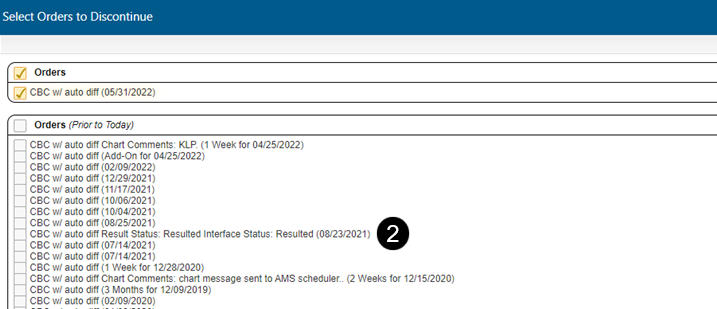
More details are now displayed for each order when a chart contains multiple orders for the same drug, lab test, imaging, or other orders. This enhancement helps ensure that the correct order is selected (see callout 1).
If your practice uses the outbound lab interface, the details also include the status of the lab order, such as delivered (which means the order was delivered to the lab system) or resulted (see callout 2).