Automatically add ICD-10 Z00.6 to lab orders for patients participating in clinical trials Copied
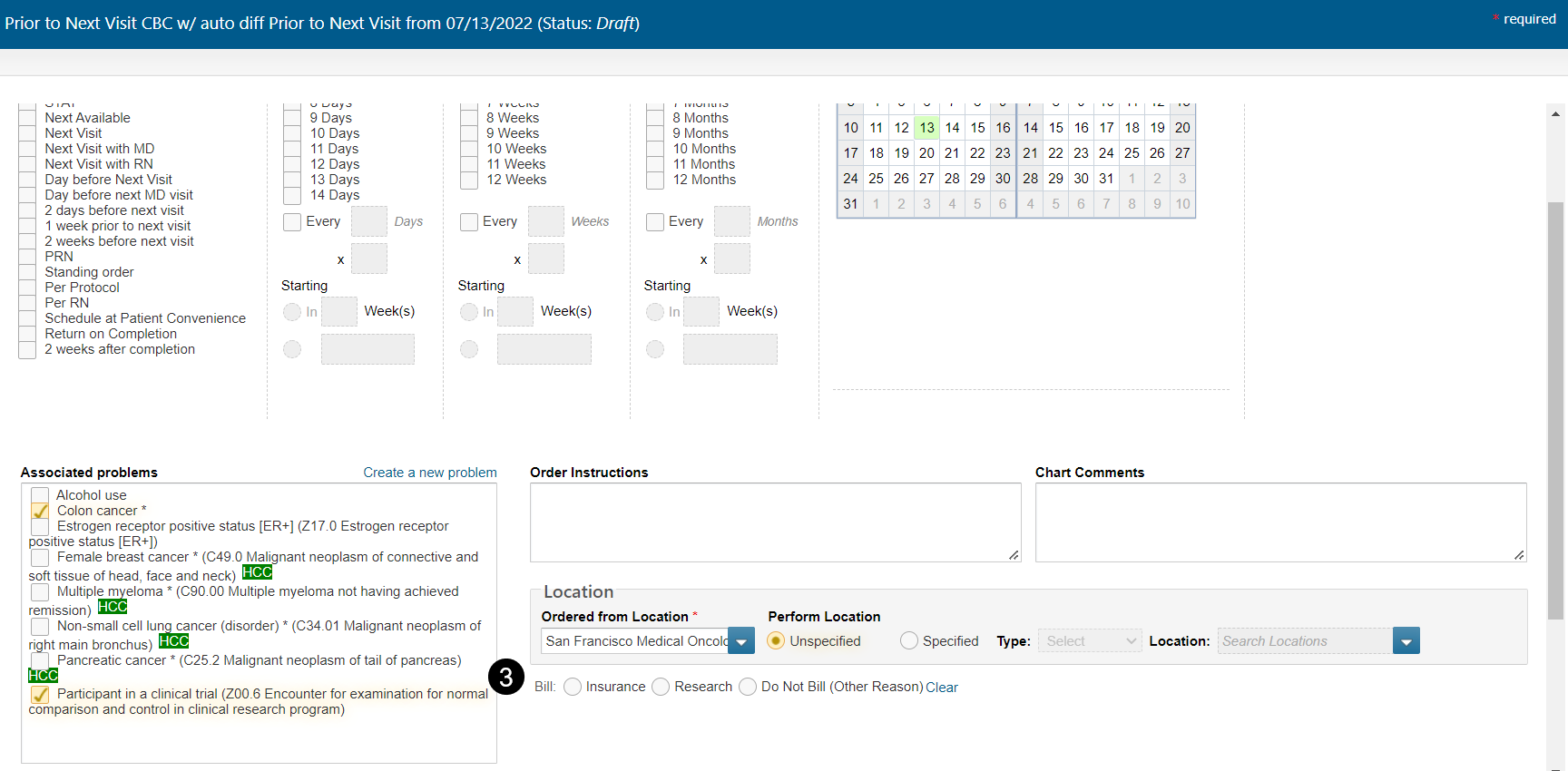
We know that most payers require practices to add ICD-10 code Z00.6 to claims for labs when a patient is participating in a clinical trial. To reduce errors and ensure more accurate billing, practices can now opt to have the Z00.6 code automatically checked in the Associated Problems sections of these orders.
To turn on this feature:
- Go to Admin > Practice Preferences.
- Under Order Settings, check the box next to the new Study patients: precheck ICD 10 Z00.6 for lab orders option (see callout 1).

- Save your changes.
- Log out and back in for the update to take effect.
To use this feature:
- Open the chart for a patient participating in a clinical trial.
- Navigate to Clinical Profile > Problems.
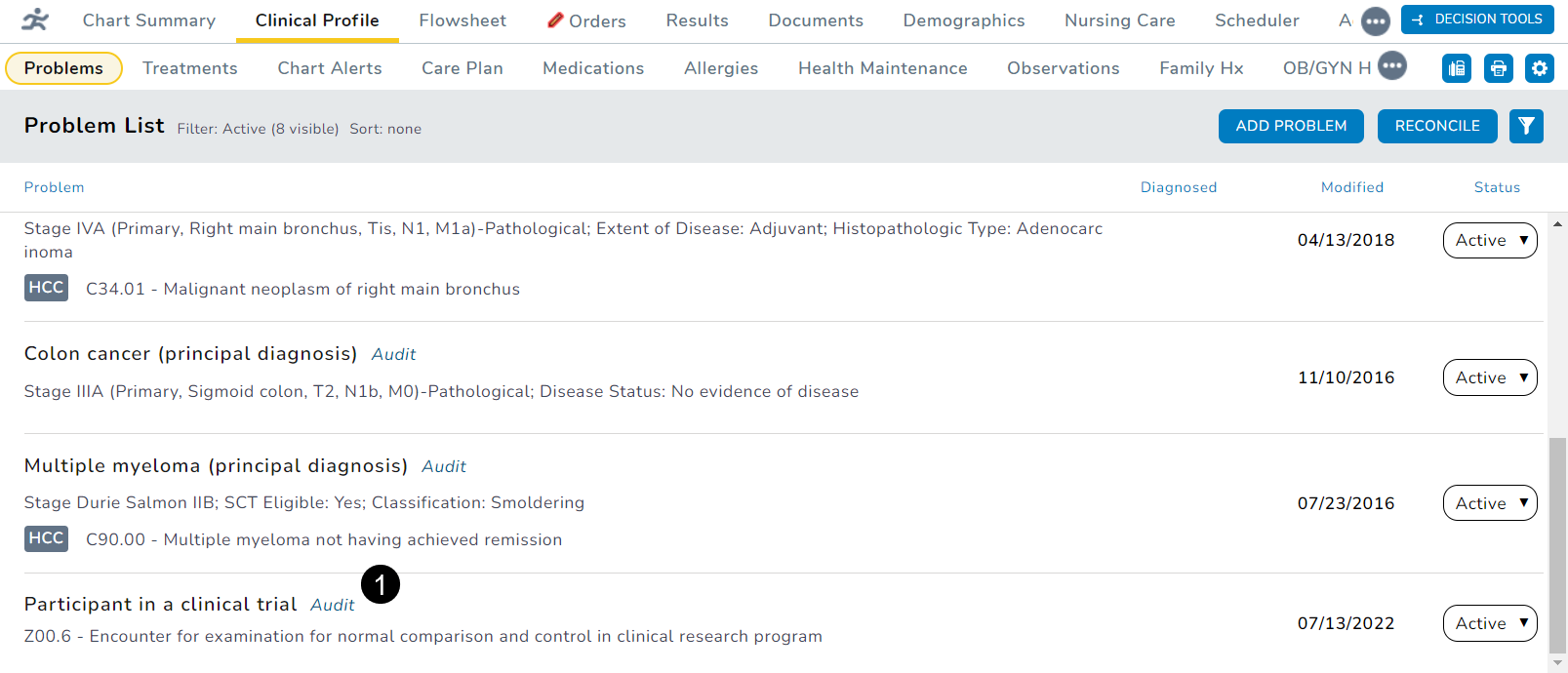
- Add the Z00.6 code to the patient’s Problem List (see callout 1).
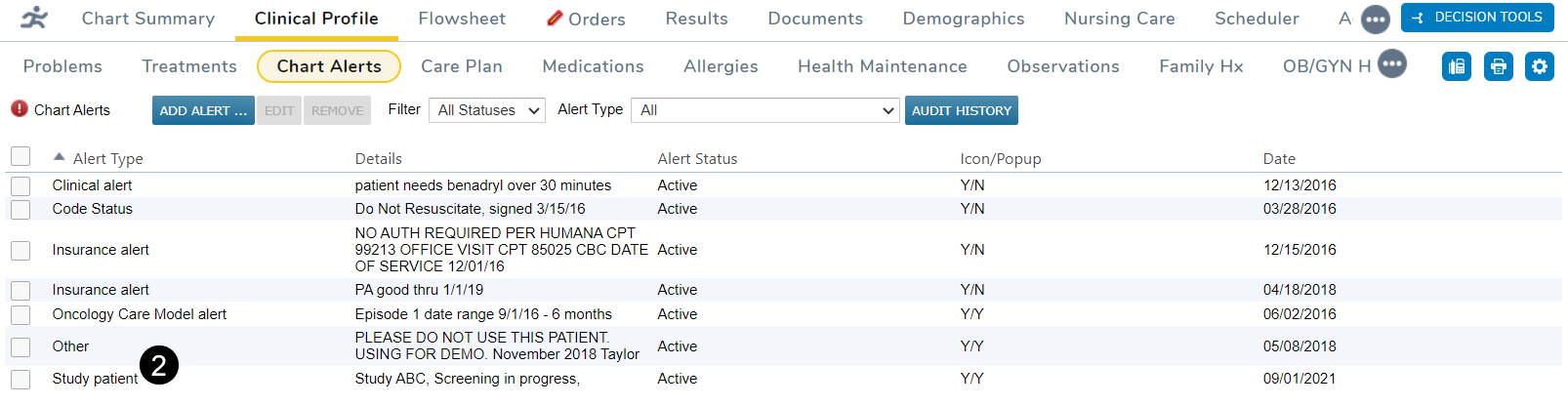
- Ensure that the patient also has an active study patient chart alert (see callout 2).
- Navigate to the Orders tab and place an order for any lab.
- Notice that the Z00.6 code is now automatically added to the Associated problems section (see callout 3).