
Auto-calculate drug volume for admix orders Copied
iKnowMed can now automatically calculate the volume of drug needed for a patient, eliminating the need for manual calculation when preparing orders.
This feature auto-calculates the drug volume based on the concentration of the drug available and the dose ordered. It also supports drugs available in multiple concentrations, automatically accounting for the appropriate concentration when calculating volume.
However, ordering clinicians can still manually override the auto-calculated dose when an adjustment is needed.
What’s new
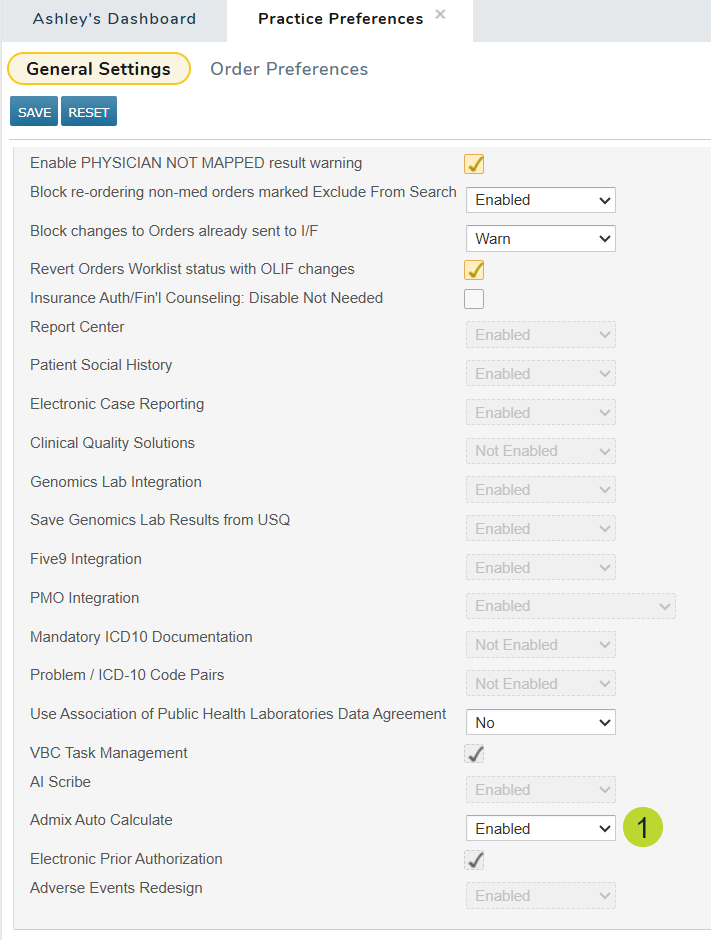
Practice administrators must first enable the new Admix Auto Calculate practice preference under Practice Preferences > Other Features and enabling the Admix Auto Calculate setting (callout 1).
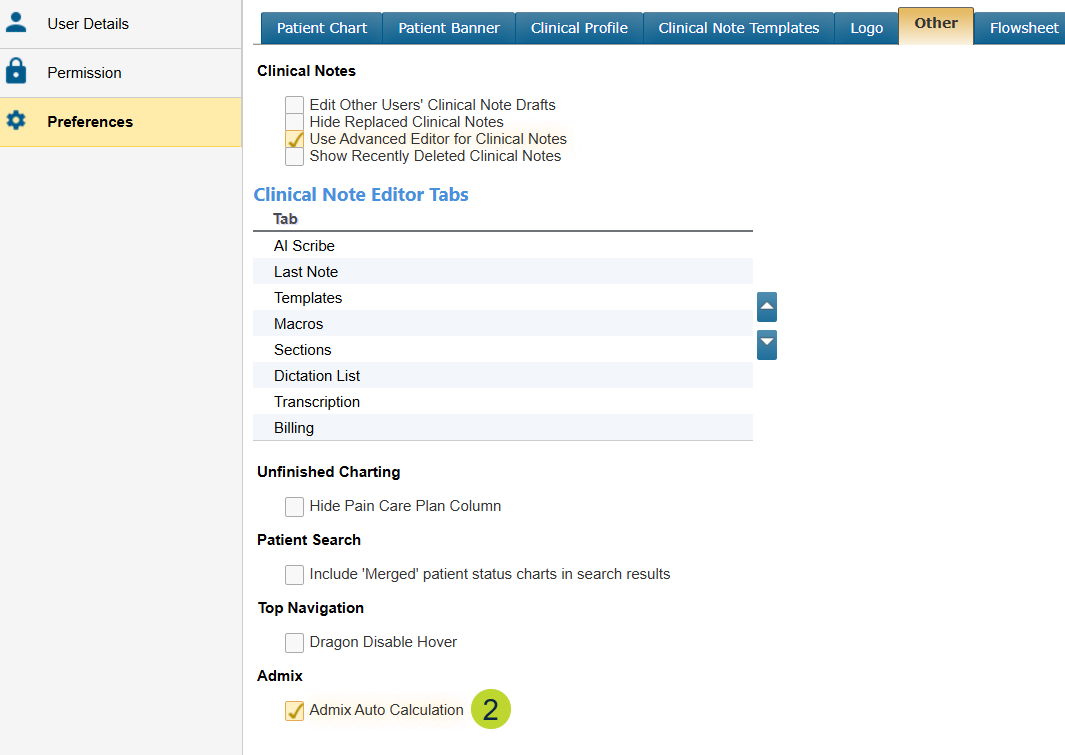
Then, activate the feature for each appropriate user via the new Admix Auto Calculation user preference, found under Other > Admix (callout 2).
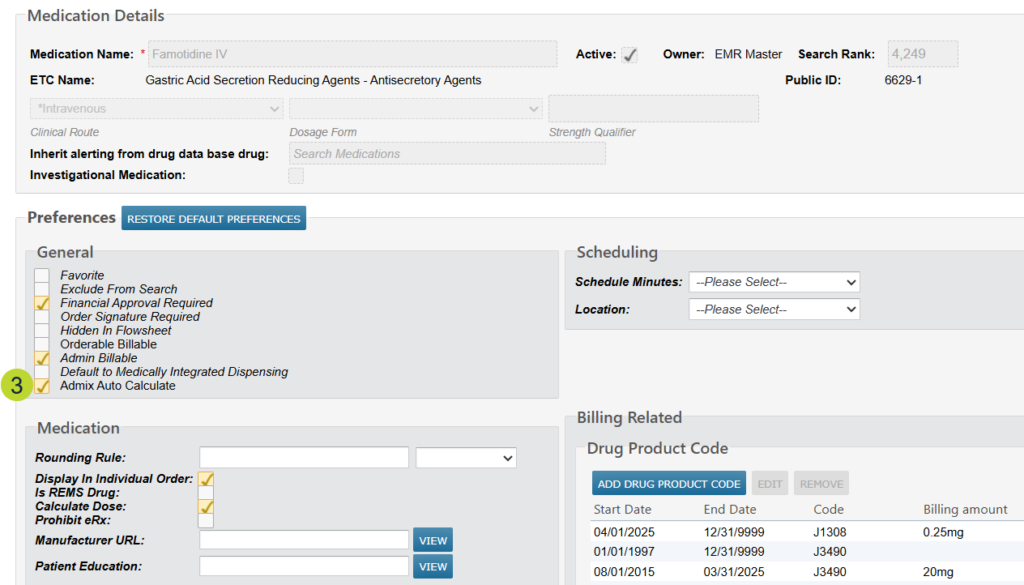
Once both settings are enabled, those with permission can go to Manage > Medications, select a medication, and enable the Admix Auto Calculate preference for that drug (callout 3). After saving, the system will automatically calculate the drug volume when that medication is selected in the Admix tab.
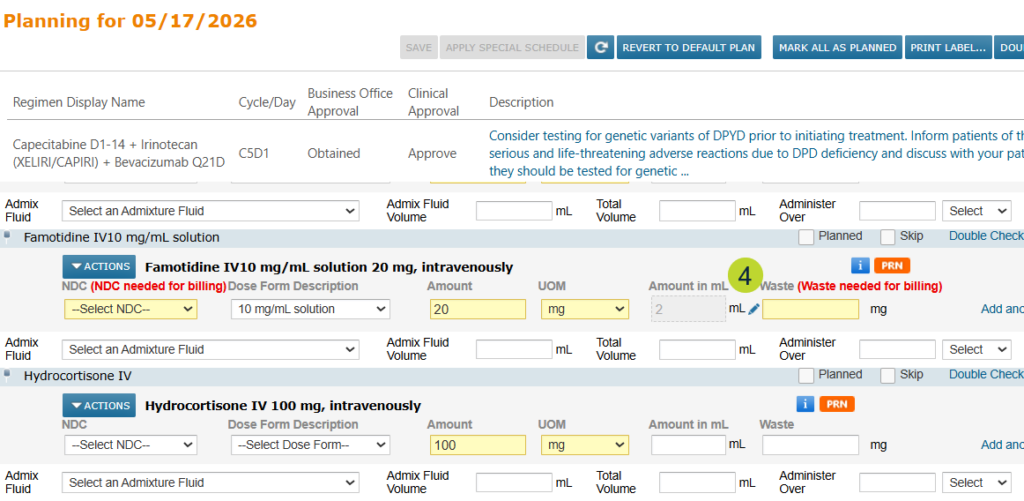
The dose field will appear grayed out; however, a pencil icon will be displayed next to the field if the ordering clinician needs to make a manual adjustment. Simply click the icon to override the auto-calculated dose (callout 4).
Why this matters
Manually calculating drug volumes introduces risk for human error. This feature reduces that risk by automating the calculation, helping ensure patients receive the correct dose and supporting safer, more efficient admixture preparation.