Audit history for Health Maintenance Copied
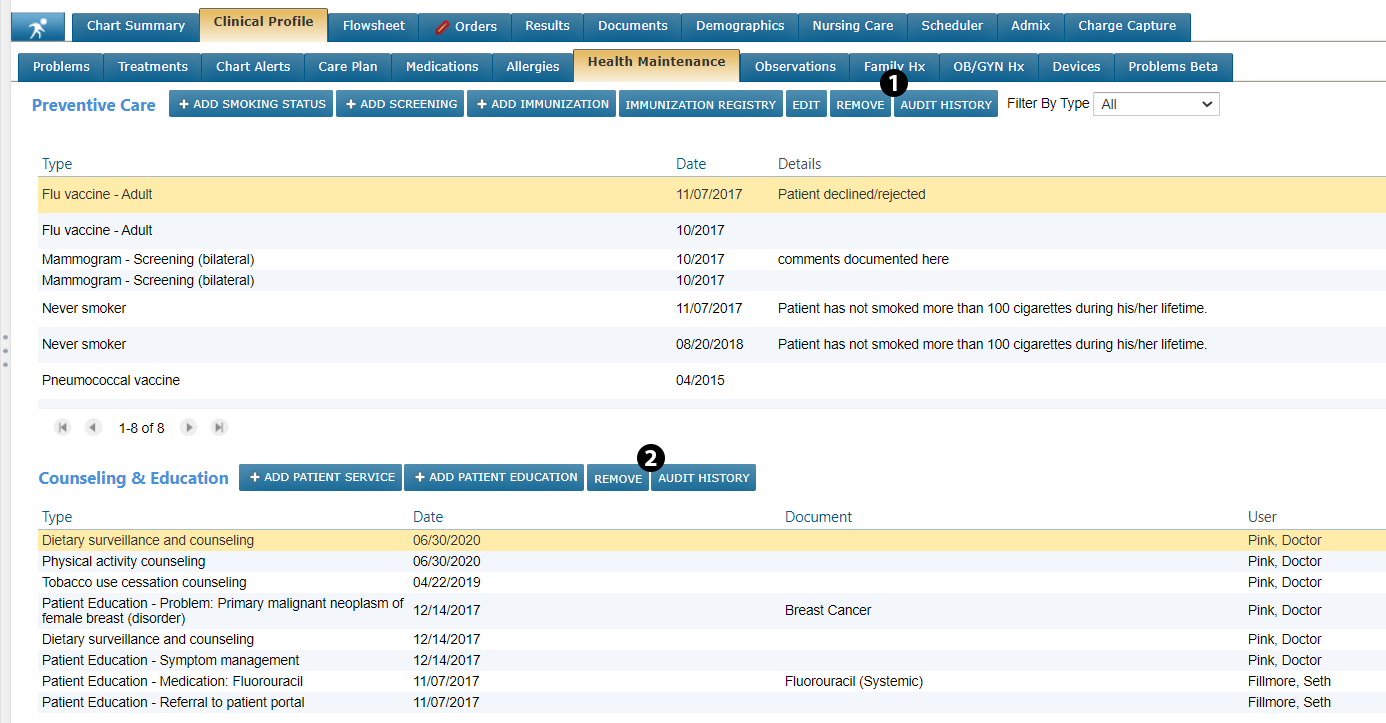
Users can now view an audit history for Preventative Care and Counseling & Education on the Health Maintenance page. This audit history captures what actions users took to support patient health and when those actions took place.
To view Health Maintenance audit history:
-
From a patient’s Clinical Profile, select the Health Maintenance page.
-
Select an item from either Preventative Care or Counseling & Education and click the new AUDIT HISTORY button (see callouts 1 and 2).
-
This will open a window detailing all actions taken by users to maintain the patient’s health.