Audit History Available for Clinical Notes Copied
Audit History Available for Clinical Notes
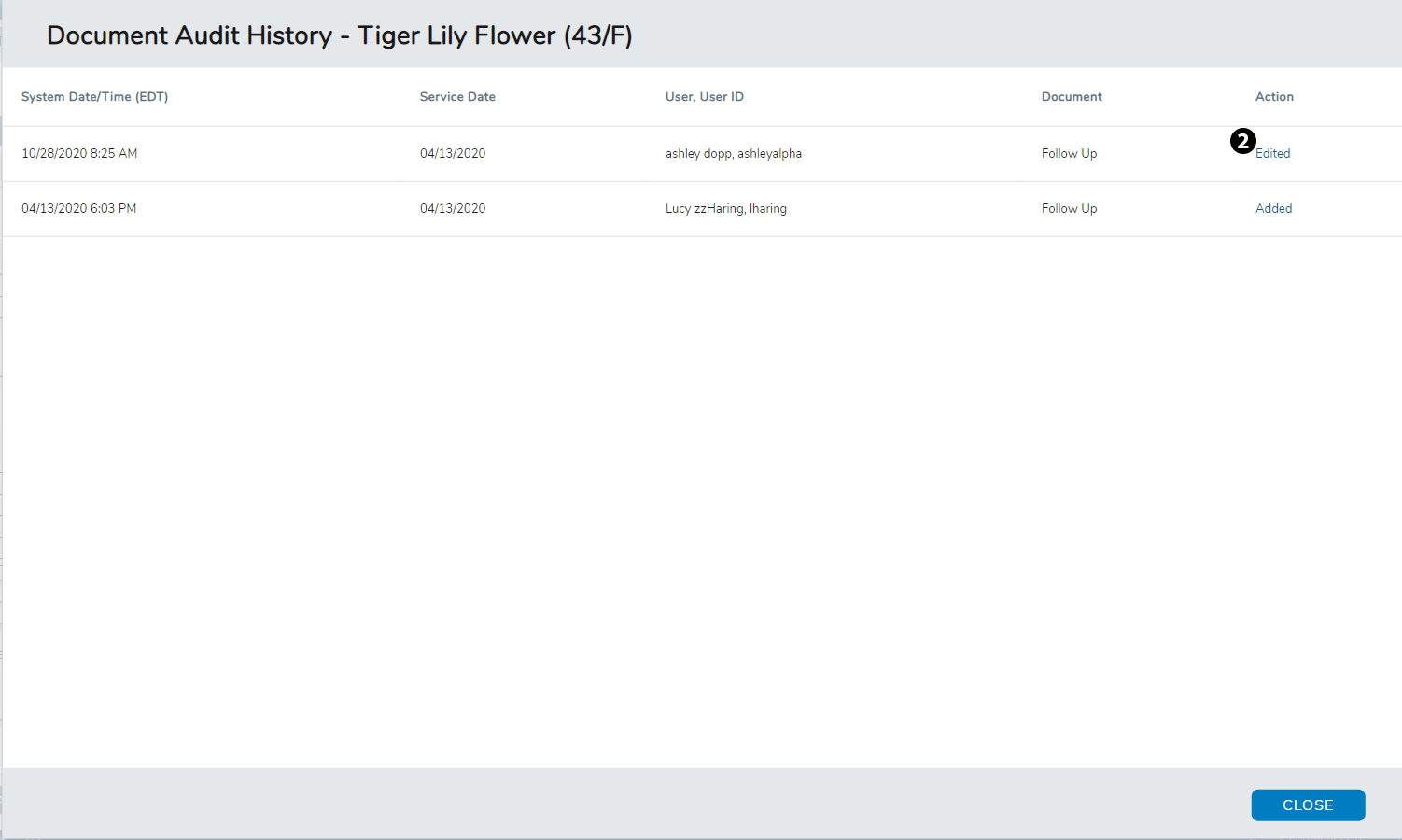
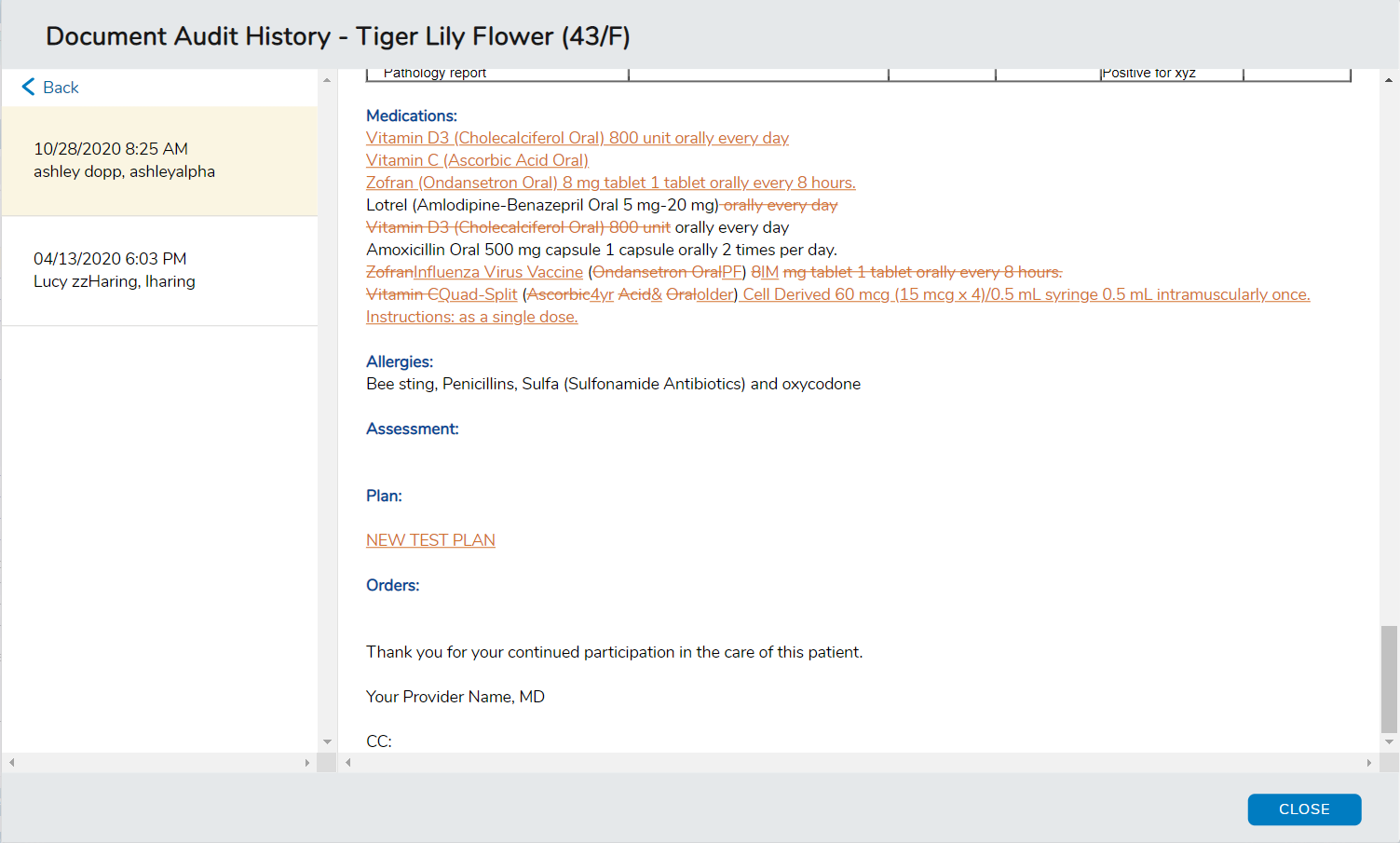
You can now view changes made to a clinical note, such as what text was added and removed, to assist tracking the document through its workflow. The new audit history feature captures the following actions: Added, Edited, Removed, Restored, Amended, Service Date Changed, Signed, Reviewer Added, Faxed, and Messaged.
To audit a clinical note:
-
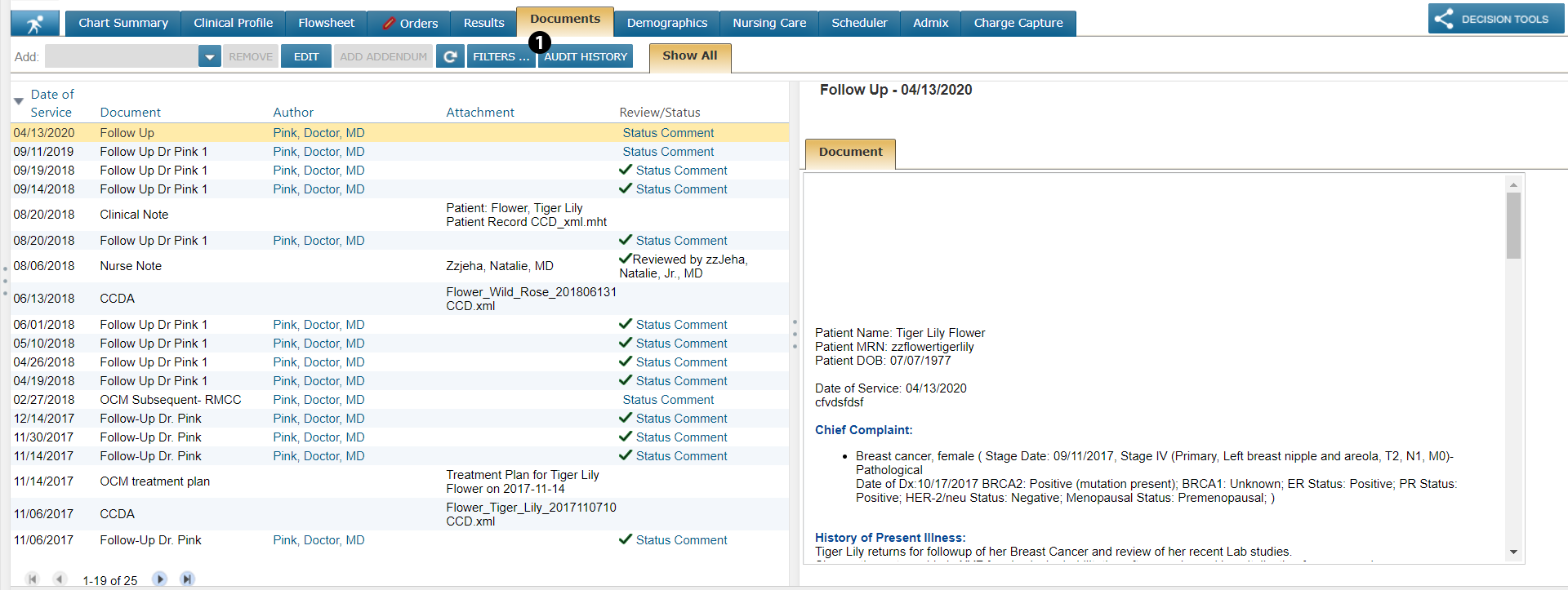
Go to a patient’s Documents page.
-
Select the new AUDIT HISTORY button (see callout 1).
-
Click on the link in the Action column for more information on the changes made to the note (see callout 2).
-
Any changed information will be denoted by orange text.