Assign Copy Forward Recipients preference to multiple templates at once Copied
In iKnowMed Generation 2 version 3.0.28, we introduced a feature to save providers a step by automatically adding recipients from the most recently sent note to the current note. However, this feature had to be turned on individually for each clinical note template. Now, we made an update to this feature that your staff and managers of your EMR will greatly appreciate.
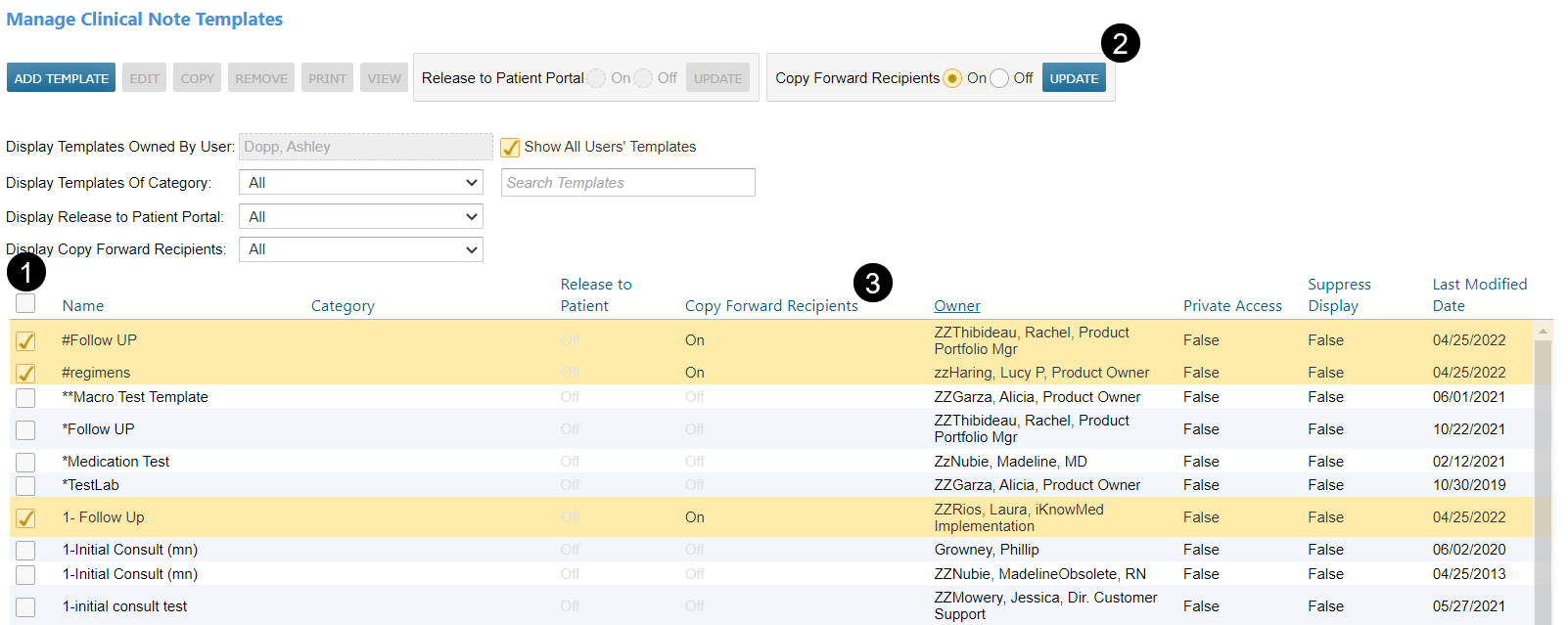
Users can assign the Copy Forward Recipients feature to multiple templates at once simply by:
- Checking the box next to the name of each template (see callout 1).
- Turning on the Copy Forward Recipients preference and clicking the Update button (see callout 2).
Users can confirm that the action was successful by viewing the Copy Forward Recipients column on the page (see callout 3). This column provides a visual indication of which templates have this feature turned on.