
Ask AI Now Available in the Help Menu Copied
Ask AI is now available from the Help menu, providing a new way to access product information, feature guidance, and training resources. Instead of searching through multiple articles, you can ask questions in natural language and receive answers based on available help content.
What’s new
- Access Ask AI directly from the Help menu.
- Ask questions using your own words.
- Receive relevant answers and links to related help articles and training materials.
- Continue the conversation to refine your search or explore related topics.
How to Use Ask AI
- Open the Help menu within the application.
- Enter a question or search term.
- Select Ask AI.
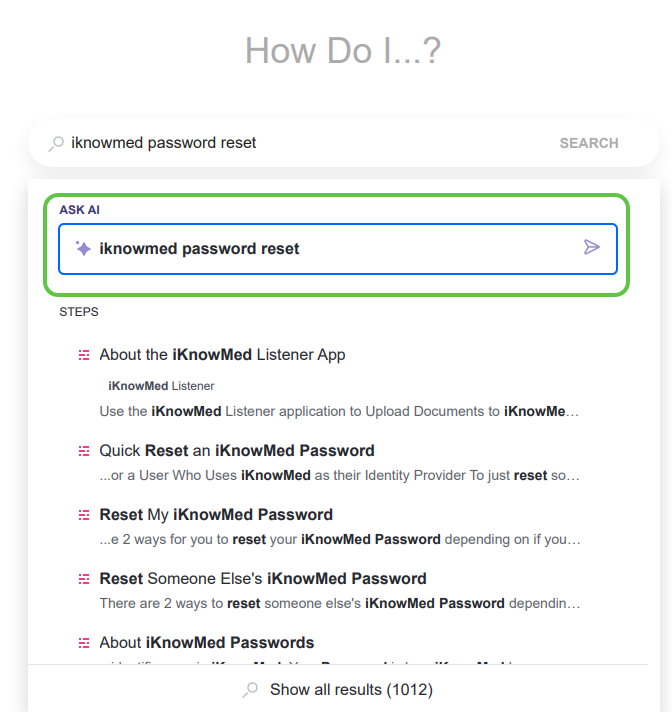
- Review the response and follow any recommended resources.
- Ask follow-up questions to learn more or refine the results.
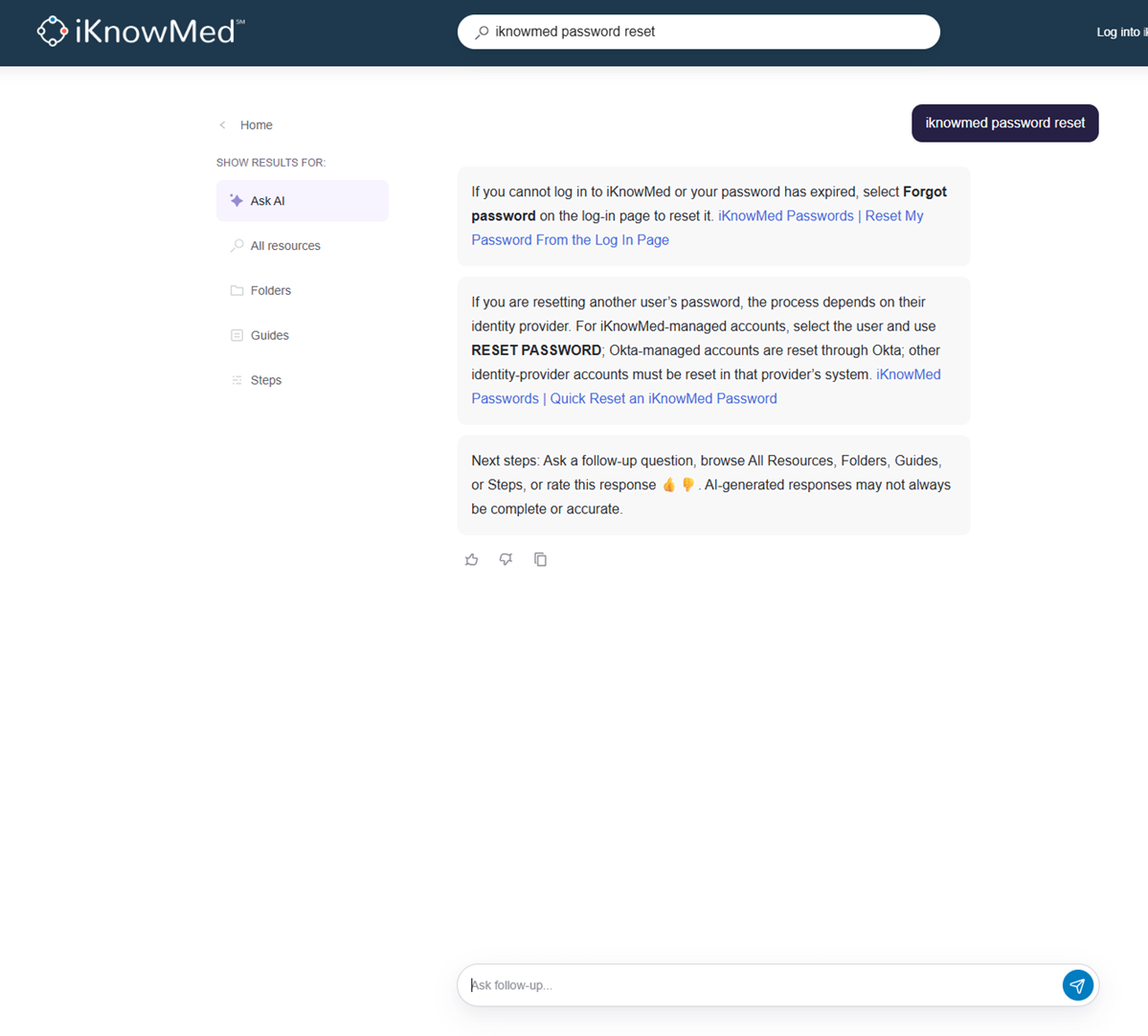
Why this matters
Ask AI provides a faster way to find answers, training resources, and product guidance. By delivering relevant information directly within the Help experience, users can spend less time searching for documentation and more time completing their work. This makes it easier to learn new features, find answers to common questions, and access educational content when it’s needed.
Resources
For more information on how to use Ask AI, visit the Help site.