Add Modifiers to Procedures Copied
Add Modifiers to Procedures
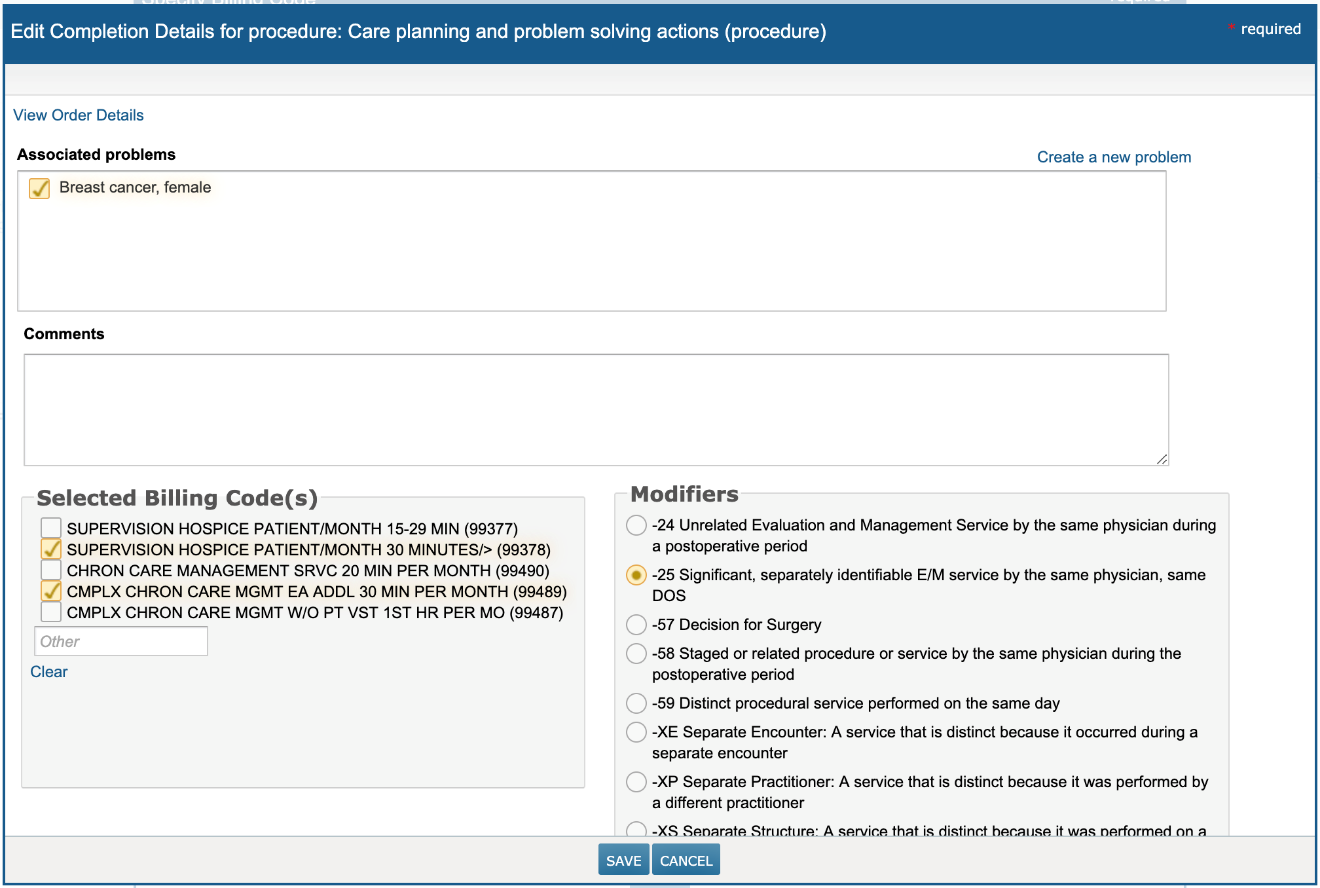
Previously, only items in the E/M Code section of the Specify Billing Code screen could have a modifier attached to them. This was an issue if you needed to bill for services that were in the Procedures section.
Now, you can add a modifier to your services in the Procedure section by choosing Selected Billing Code(s) on the left and a Modifier on the right. The Modifier applies to all billing codes selected in this screen. It does not apply to codes selected on other procedure searches, nor does it apply to codes selected in the E/M Code section.
In this release, only one modifier may be chosen for your billing codes. However, the next release will provide you with the option to choose up to 4 modifiers for both the E/M Code and Procedure sections.