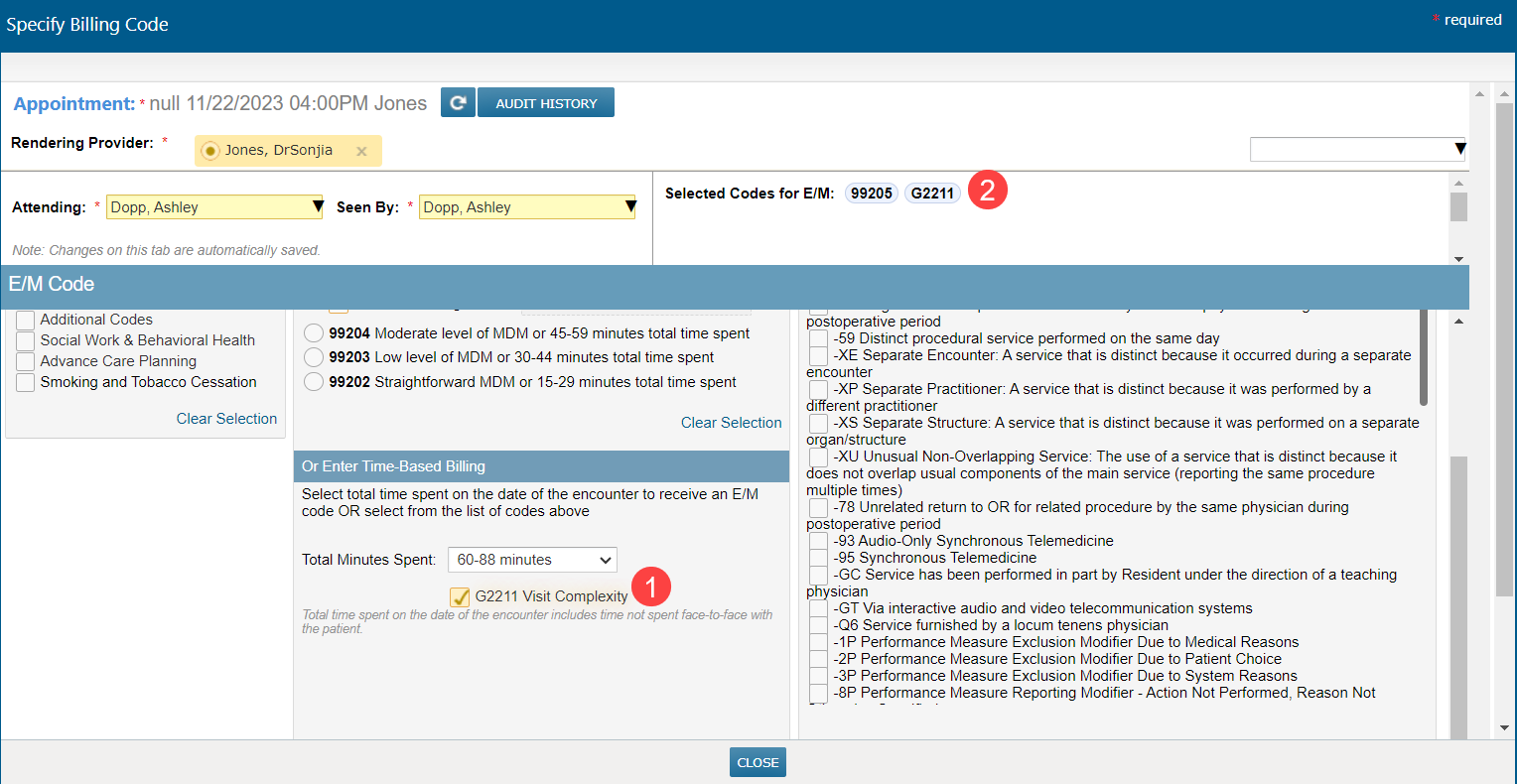
Add G2211 from the Time-Based Billing drop-down Copied
You can now quickly add G2211 for additional reimbursement from the Time-Based Billing drop-down for New Patient and Established Patient visit types on the Billing screen.
To add G2211 to your visit:
- Open the Billing screen and select New Patient or Established Patient visit type.
- Scroll down to the Time-Based Billing section of the screen.
- Select the number of minutes you wish to bill for.
- A checkbox to add G2211 will become visible after you have selected it from the drop-down. Check the box to add G2211 to your visit (callout 1).
All codes will be saved, including prolonged visit codes automatically added based on your drop-down selection.
Any selections you make in time-based billing will also be auto-selected at the top of the screen under Select a Code and will show in Selected Codes at the top right of the screen (callout 2).