Access full molecular results for more in-depth biomarker analysis Copied
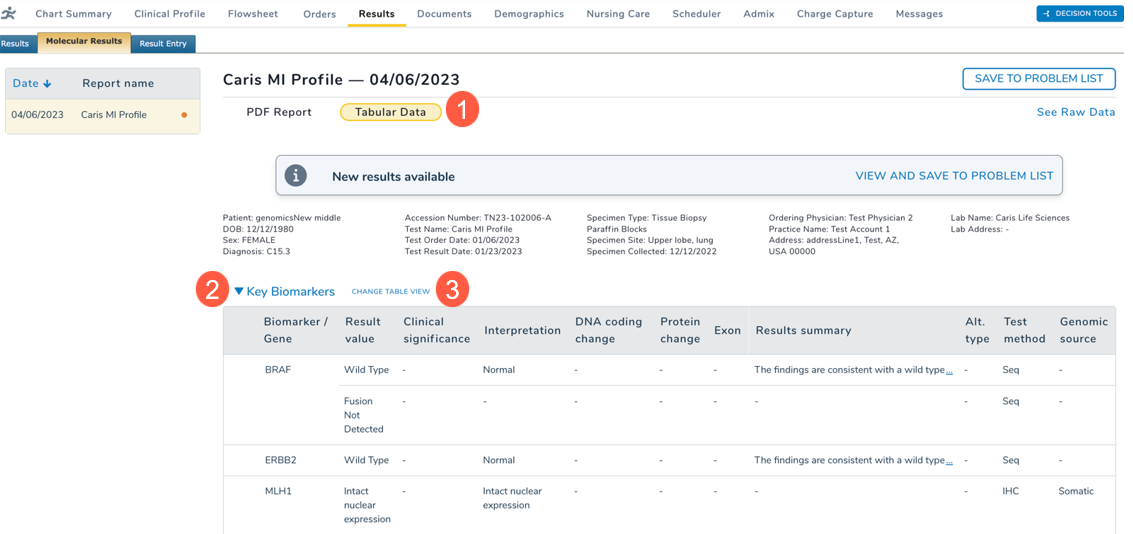
After this release, users accessing the Molecular Results sub-tab and selecting the Tabular Data option (callout 1), will be presented with a comprehensive view of all biomarker results obtained from the lab vendor, including key biomarkers.
By default, users are directed to the Key Biomarkers view (callout 2), ensuring quick access to essential data. For a more detailed examination, users can switch to the full results view by simply clicking on Change Table View (callout 3).
This enhancement provides access to the analysis of more biomarker data for a more insightful experience.