Billing code enhancements Copied
Billing code enhancements
This release includes several enhancements that align with standard billing practices, simplify billing workflows, and allow for more flexibility when adding modifiers to billing codes.
The full list of enhancements includes:
-
Determining whether your practice allows users to select more than 1 modifier per billing code. To do this:
-
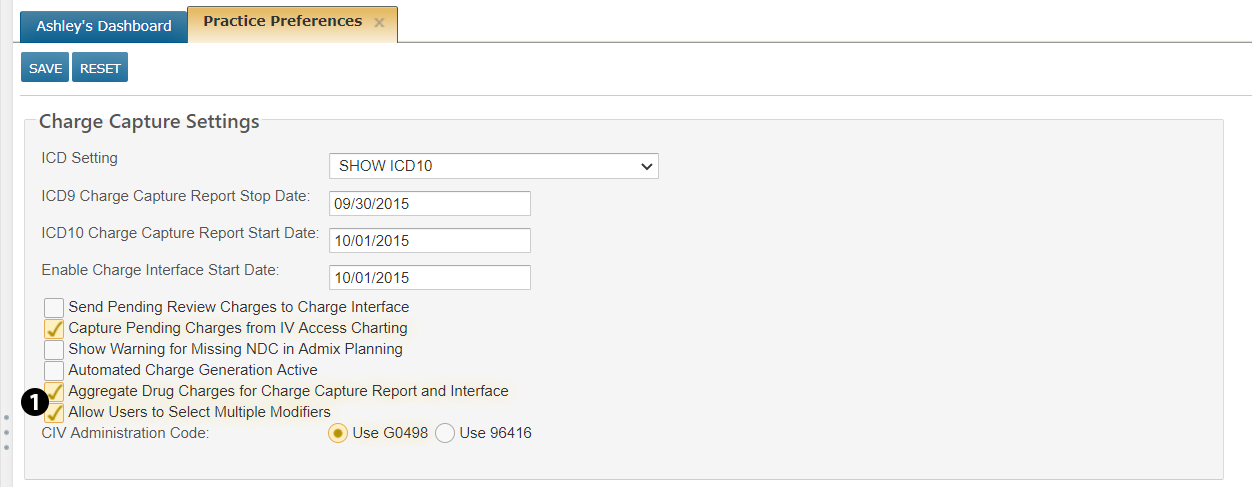
Go to ADMIN > Practice Preferences
-
Under Charge Capture Settings, turn on the new Allow Users to Select Multiple Modifiers preference (see callout 1).
-
SAVE your changes.
NOTE: If this preference is not turned on, users will only be allowed to select 1 modifier per billing code.
-
-
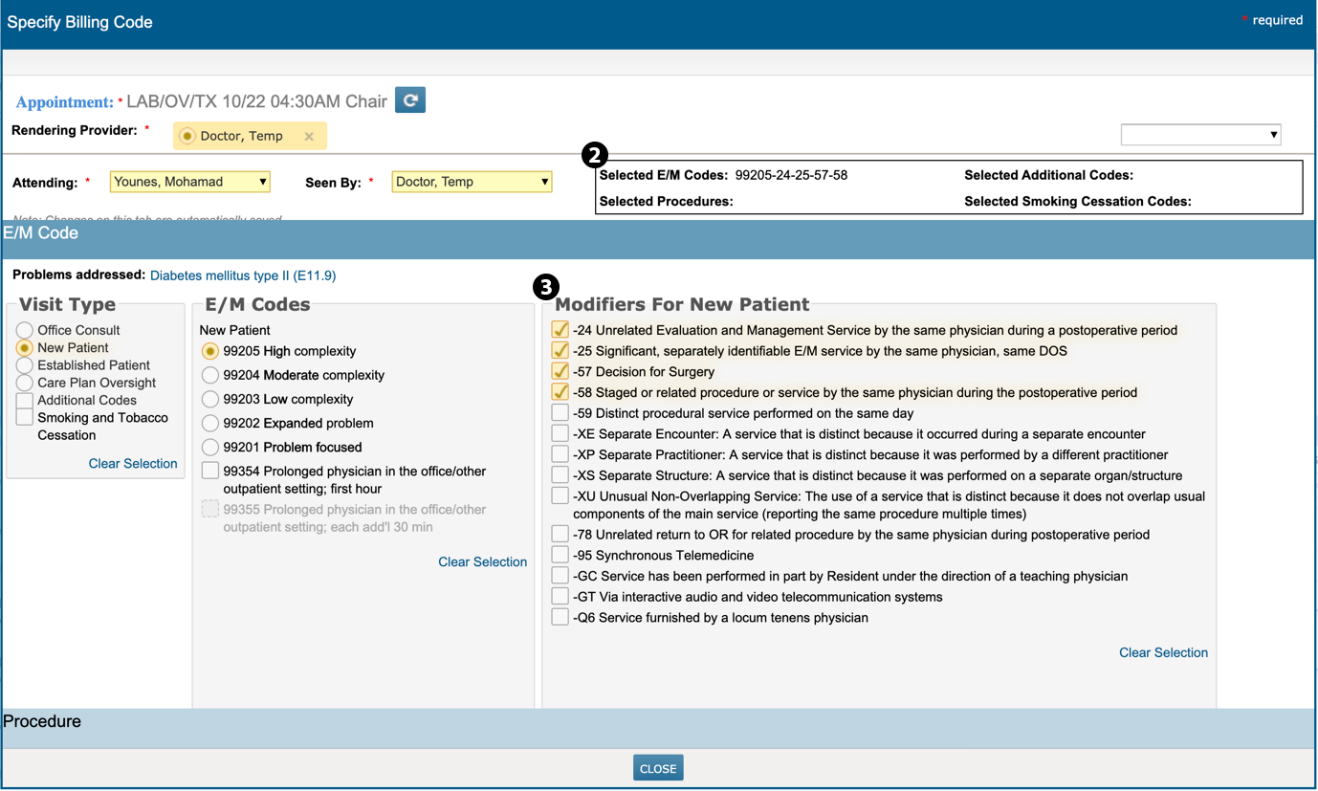
Viewing which codes users selected for E/M Codes and Procedures without having to scroll (see callout 2) and displaying the modifiers section automatically instead of having to click the modifiers checkbox that used to appear beneath Visit Type (see callout 3).
-
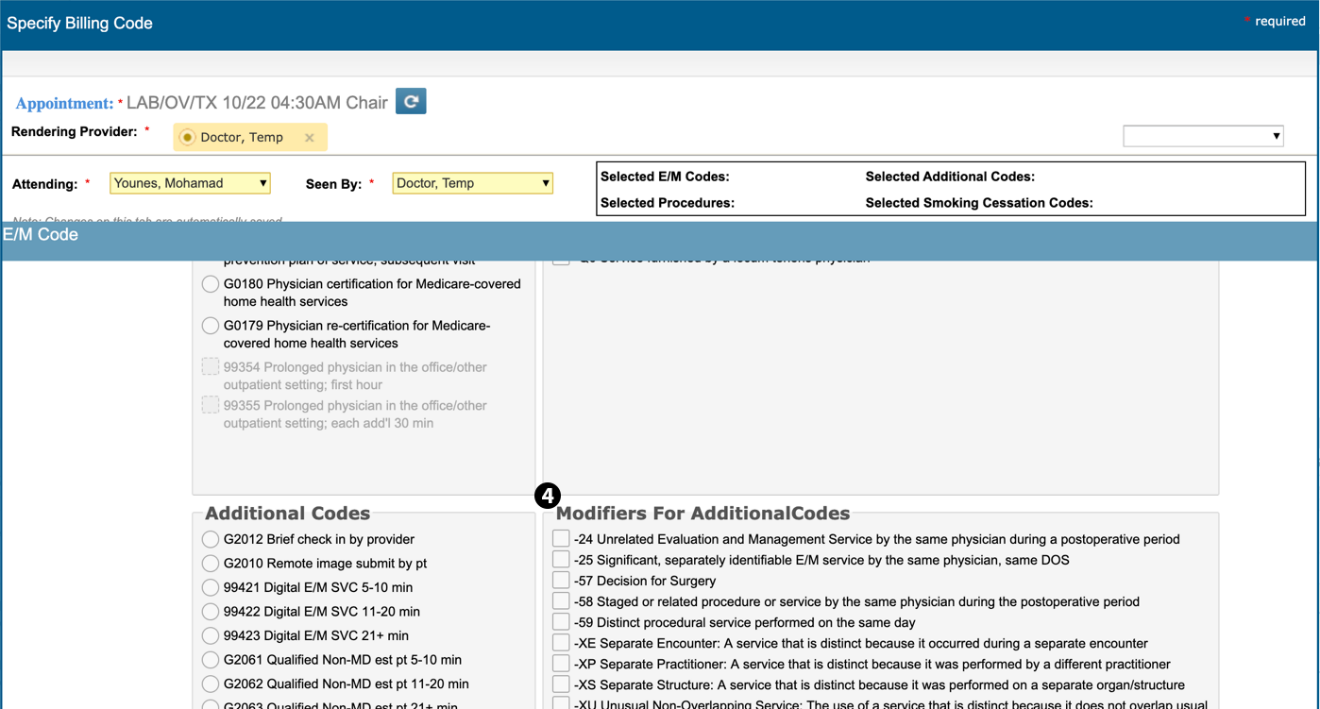
Applying modifiers to visit types individually opposed to modifiers being applied to all visits, giving you the ability to add different modifiers to different codes (see callout 4).
-
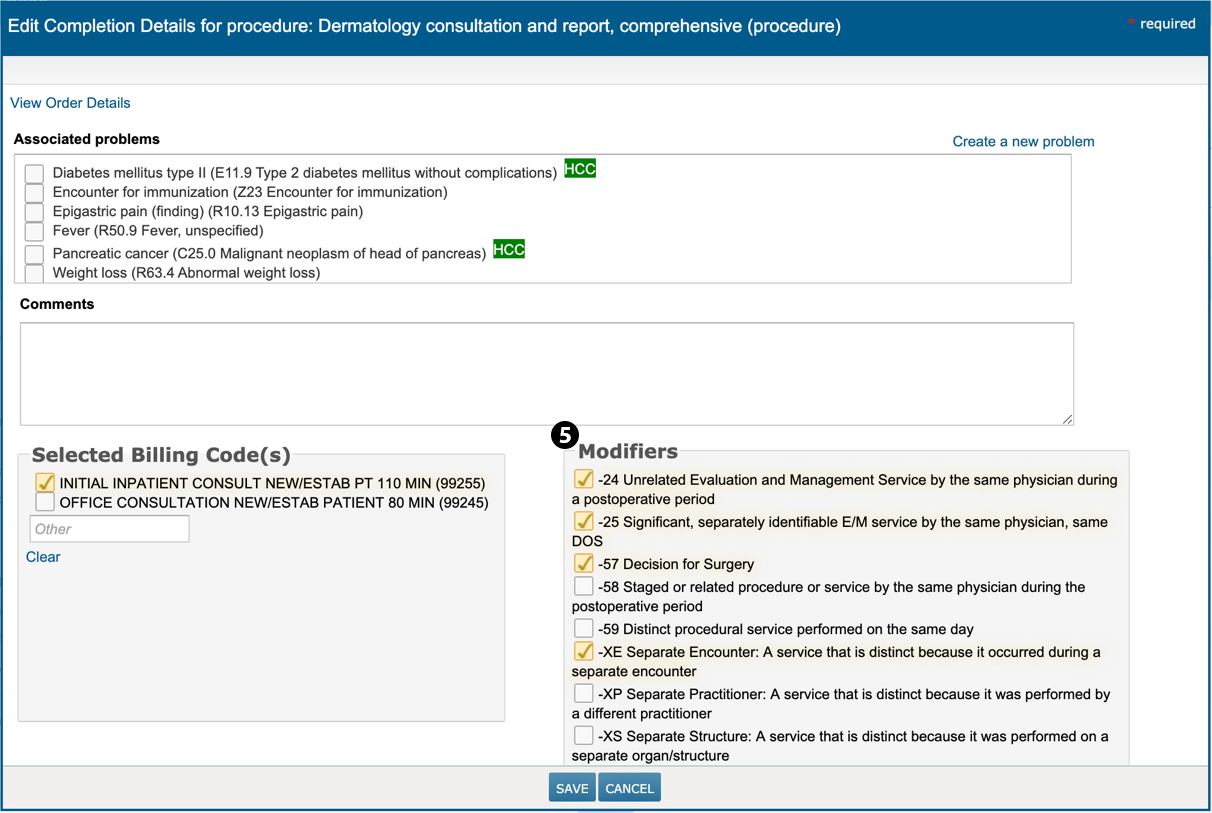
Applying multiple modifiers to codes found in the Procedure section after turning on the Allow Users to Select Multiple Modifiers preference (see callout 5).