APP Supervisor Selection Copied
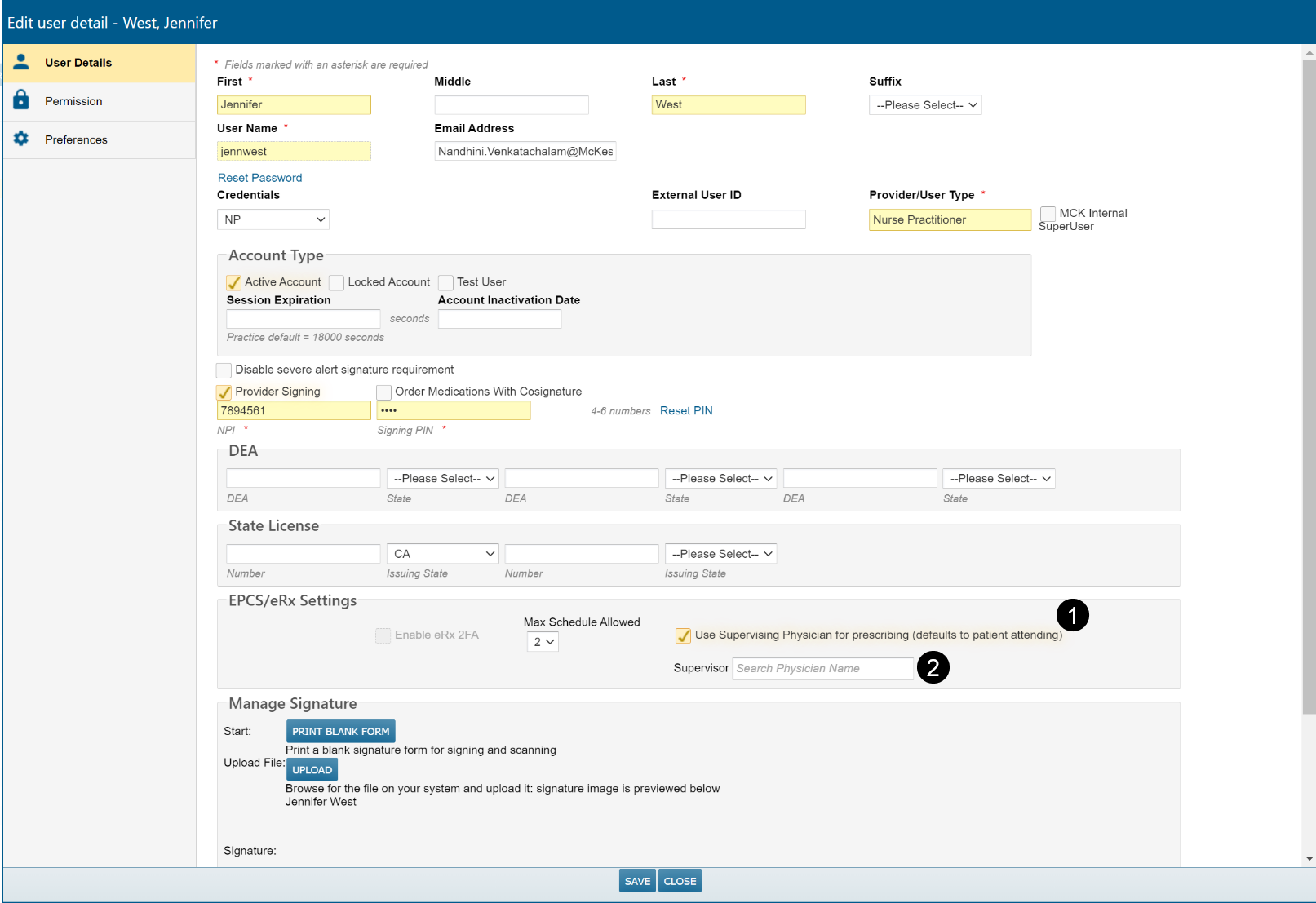
Some states in US require APPs to include a supervising physician on prescriptions. The system has been enhanced to allow an APP to designate a specific physician, who must be eRx registered and EPCS registered, for controlled drugs. APPs requiring a supervising physician are designated by the checkbox for Use Supervising Physician for prescribing (defaults to patient attending) in the user’s profile (see callout 1).
In the search box for Supervisor, enter enough characters to find the correct physician and SAVE your selection (see callout 2).
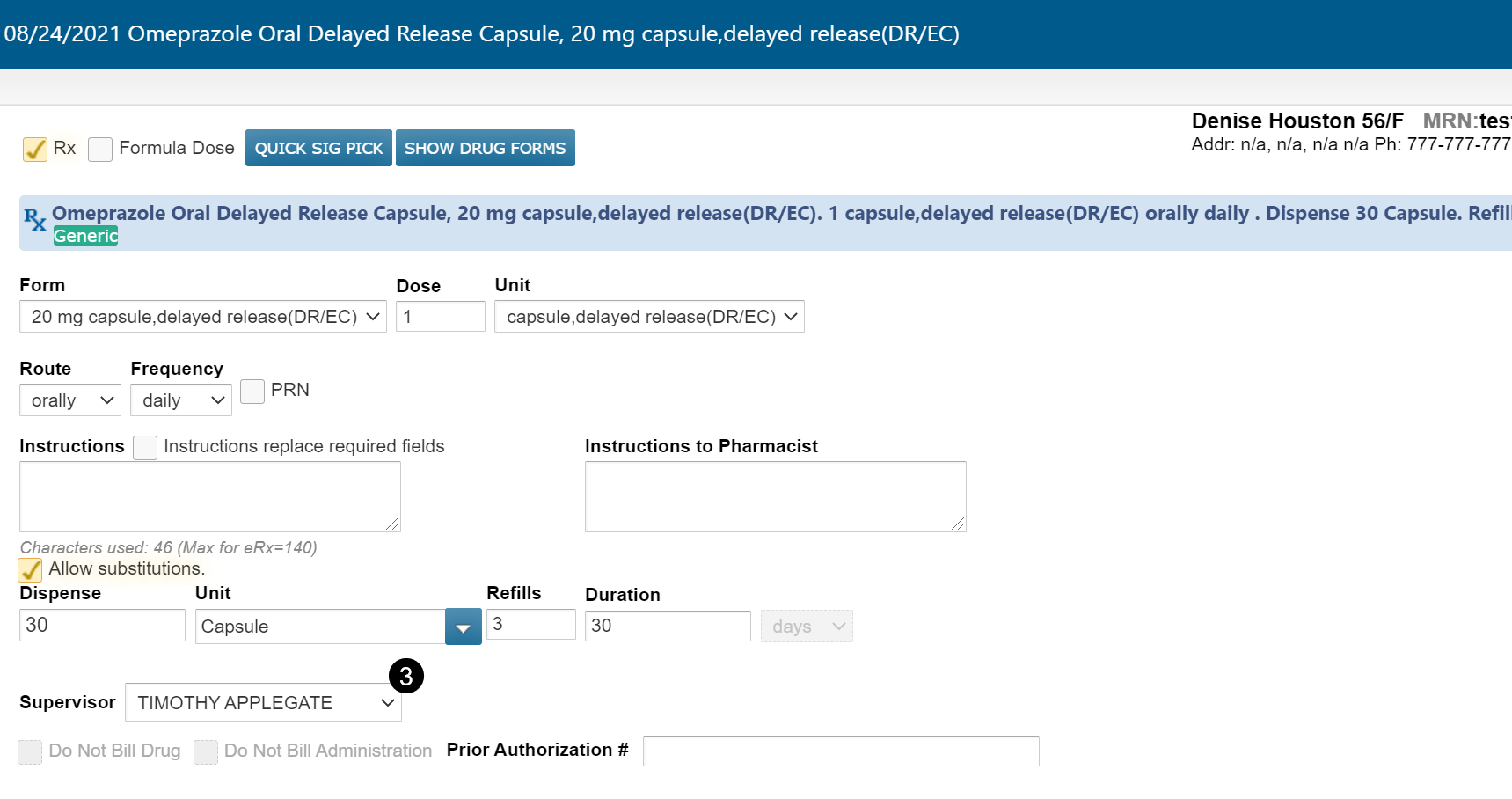
Now when entering a prescription, the chosen physician is displayed as the Supervisor (see callout 3). If no physician is chosen, the patient’s attending is displayed as the supervisor.
If there is more than one attending, or if the chosen physician is displayed, a different attending can be chosen as supervisor from the dropdown. Selecting Other (see callout 4) opens a search box to choose a different supervisor (eRx and EPCS registered).

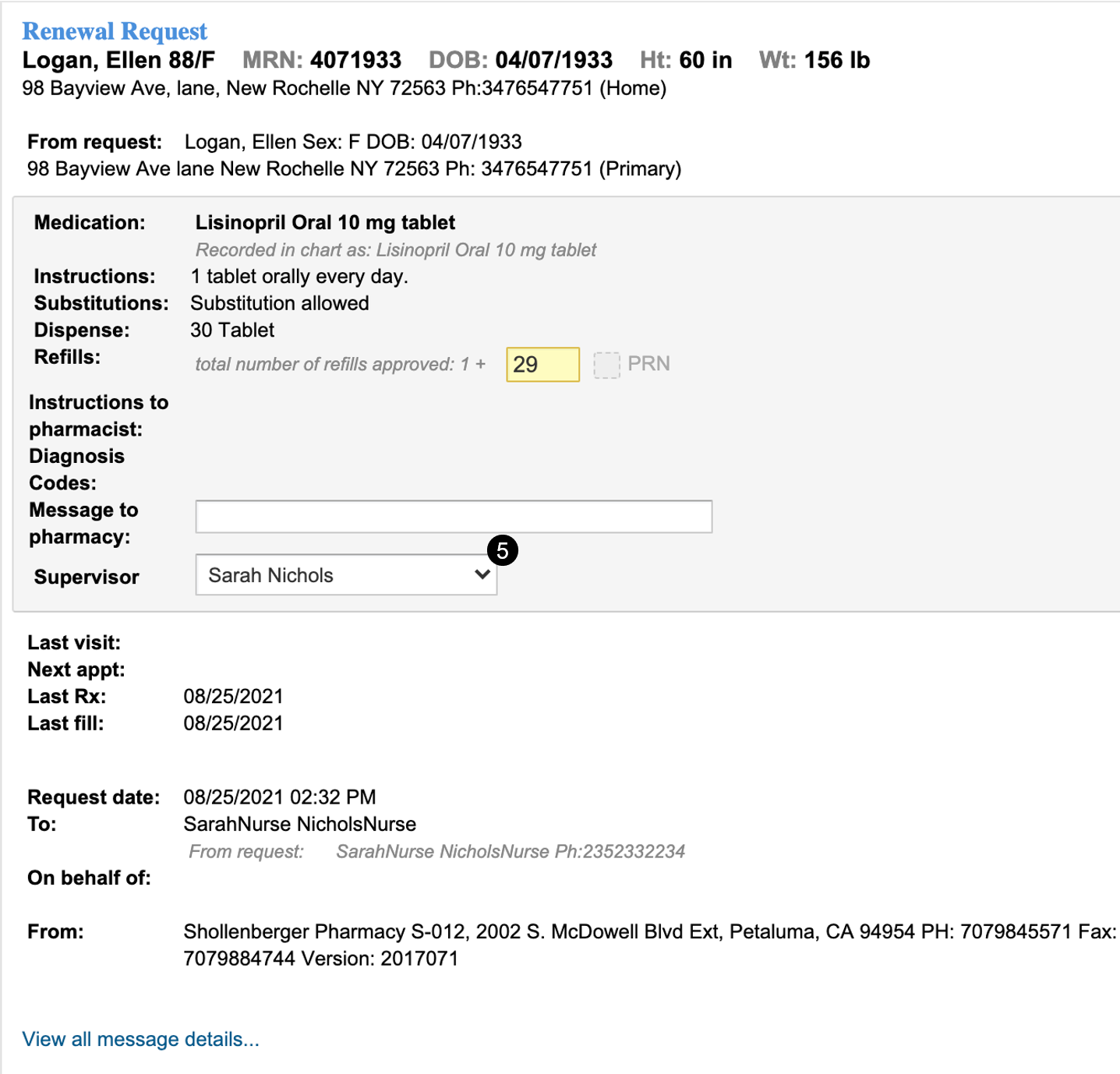
Similarly, when responding to Renewal Requests in the eRx Message Queue, approving a renewal requires the selection of a supervising physician (see callout 5).
When a non-prescriber is writing a prescription on behalf of an APP, the supervisor defaults in the same way and is required to be used, or an alternative chosen.