Associate clinical trials with one or more practices, regions, or locations Copied
Before this release, iKnowMed Generation 2 did not provide a way to associate a clinical trial at a level lower than the practice level. We know that larger practices require a designation at a lower level, such as at the region or site level.
In version 3.0.30, practices can now update the clinical trial details to designate which locations are enrolled in the trial, including the ability to associate a trial with one or more practices, regions, or locations.
To refine which locations are associated with a trial:
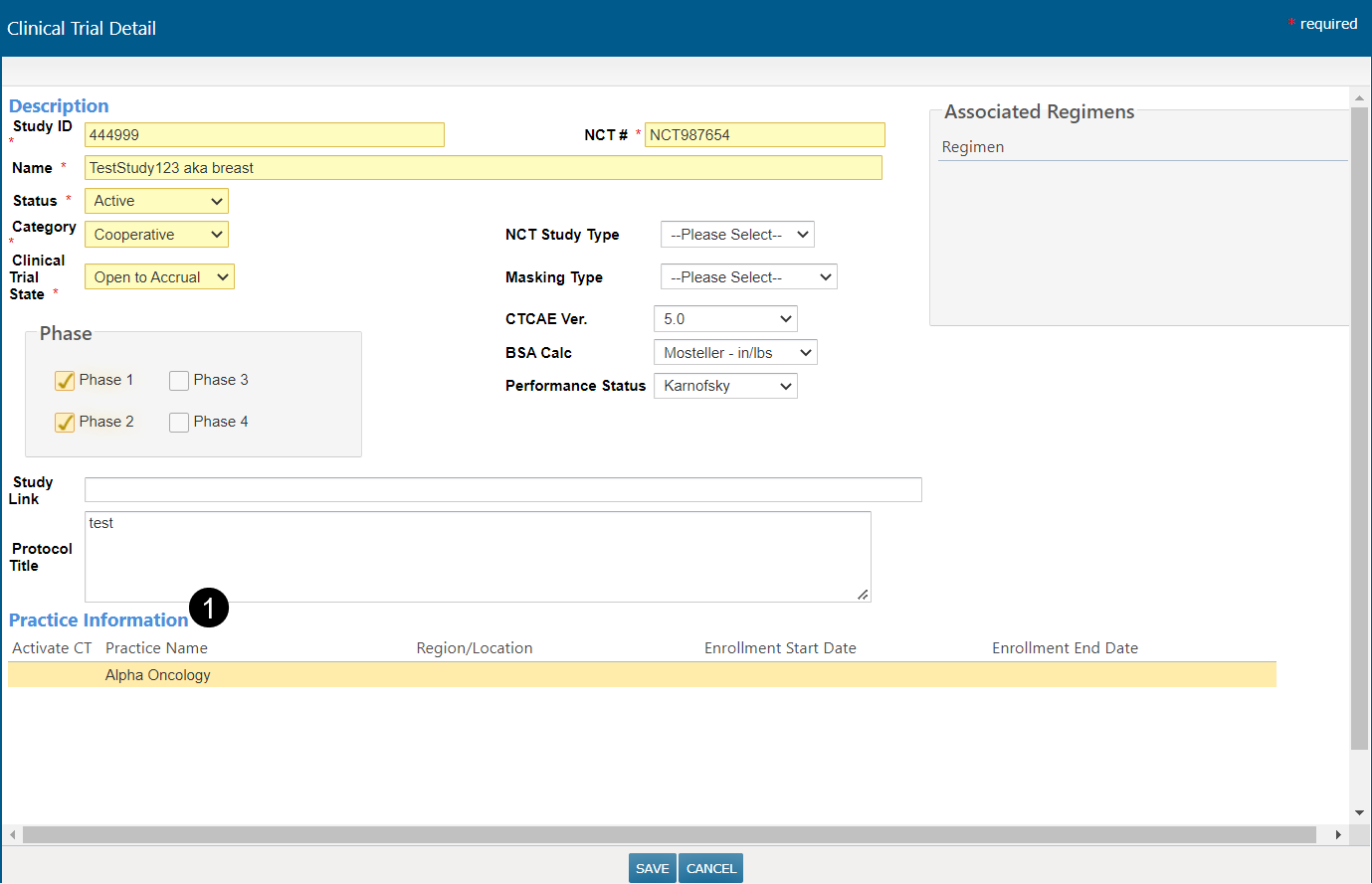
- Go to Manage > Clinical Trials.
- Choose to edit an existing one.
- Click on the practice name under the Practice Information section (see callout 1).
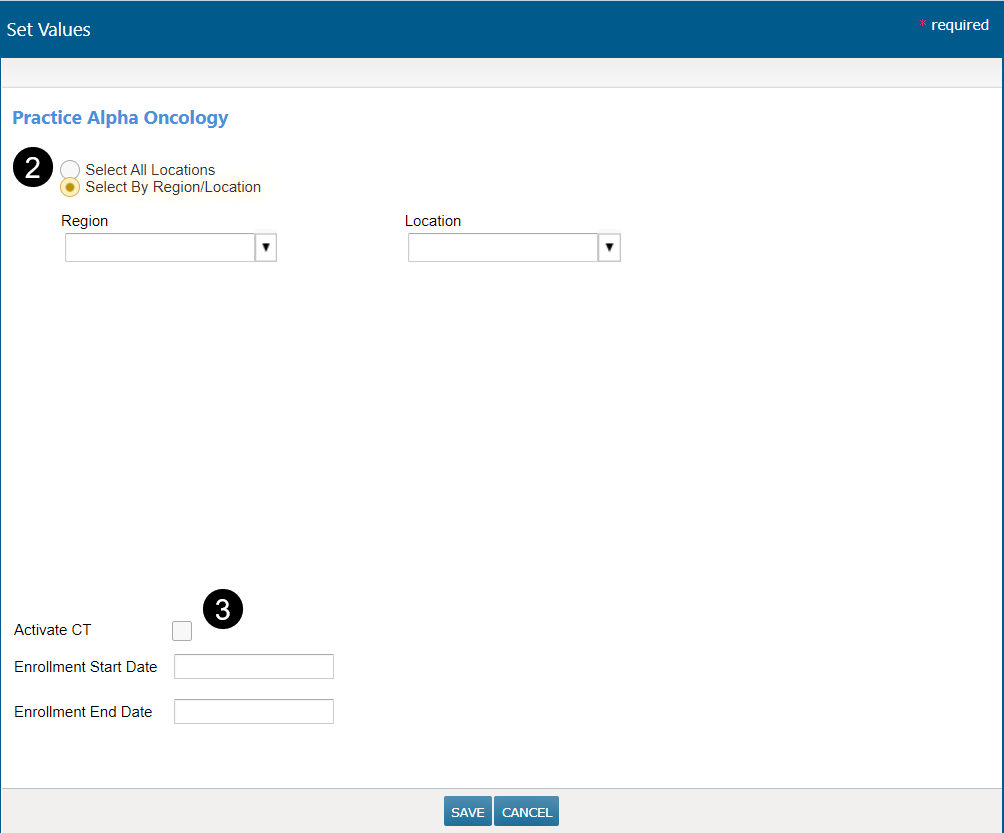
- In the dialog box, choose to add all sites associated with that practice to the trial, or choose specific sites (see callout 2).
- Activate the trial and/or enter enrollment start and end dates (see callout 3).
- Save your changes.