Capture Total Depression Score on Clinical Profile Copied
Capture Total Depression Score on Clinical Profile
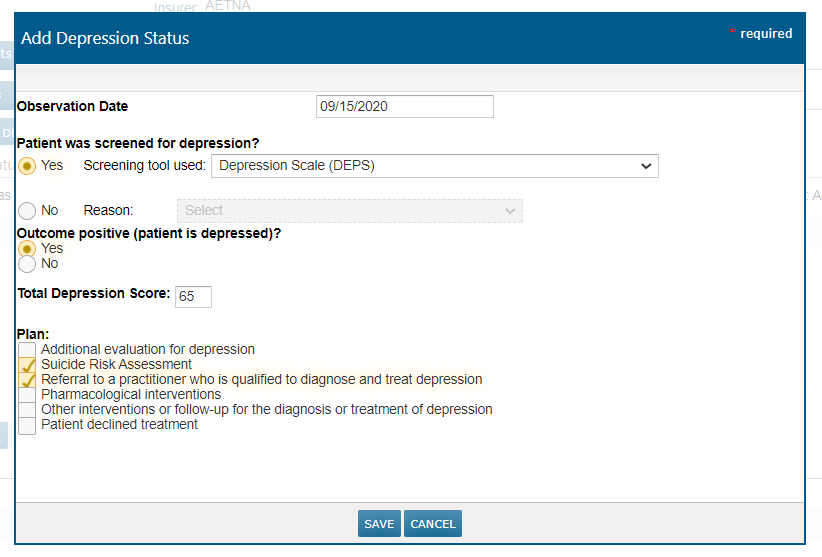
You can now capture the Total Depression Score in the Add Depression Status window of the patient’s chart. Previously, you could only document which depression screening tool was used with the patient, the outcome, and the plan.
Now, when you go to Clinical Profile > Observations you can capture the score from the screening tool in the new Total Depression Score field. You may enter a score from 0 to 100. If you attempt to enter a score higher than 100 in this field, an error message will display, and you will be unable to SAVE your changes.
This enhancement can be used when conducting a new screening for a patient by clicking the Add Depression Status button, or it can be used on previously screened patients by selecting the previous screening and clicking on the EDIT button. This will not change the Observation Date of the original screening.
These enhancements will also appear if you access the Add Depression Status option from the Quick Action or running man menu.