Printing treatment day approval as an order to reduce claim denials Copied
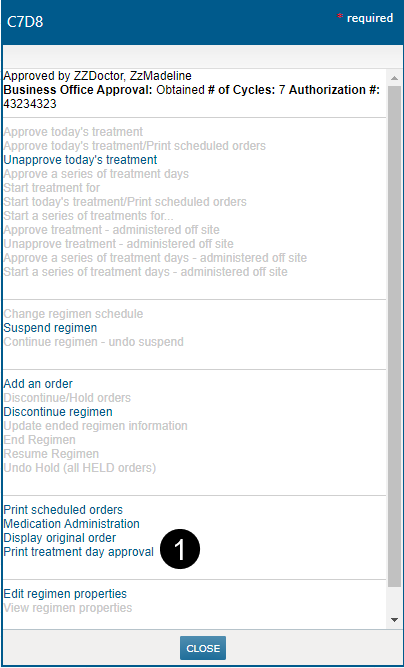
You can now print the details of a treatment day’s approval as an order using the Print treatment day approval option in the regimen management menu (see callout 1).
Practices can use this printed order to support claims denials where the payor expects evidence of a recently signed order. This report may fulfill other use cases related to communicating specific orders for a single regimen cycle day.
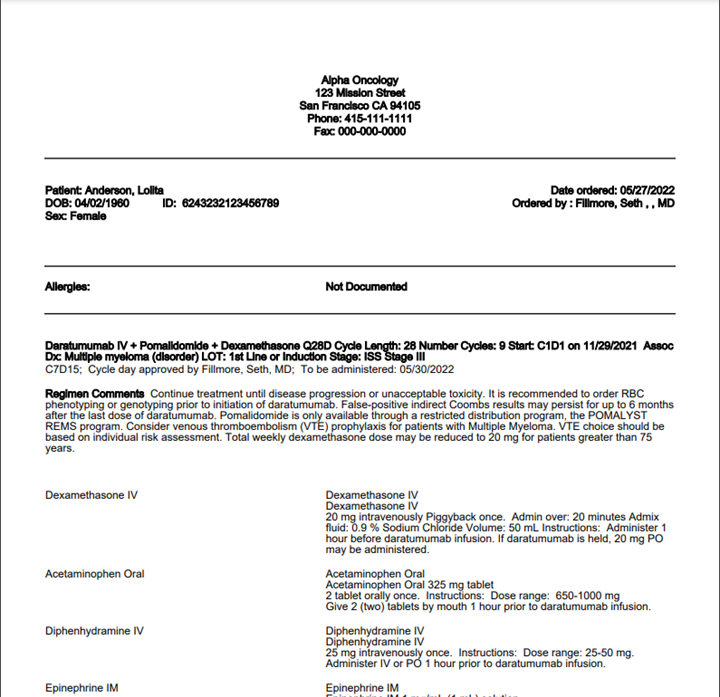
The report contains the following information:
- The name of the regimen.
- The cycle day that was approved, i.e., C7D8.
- The name of the user who approved or started the treatment day and the date the treatment day is to be administered:
- When the day was approved by a physician, the line will read: Cycle day approved by Dr. Y; To be administered DATE.
- When the day was started by a user such as a nurse, on behalf of the physician, the line will read: Cycle day started by Nurse X on behalf of Dr. Y; To be administered DATE.
- When the day was approved by a physician to be administered offsite, the line will read: Cycle day approved to be administered offsite by Dr. Y; To be administered DATE.
- When the day was started by a nurse on behalf of a physician to be administered offsite, the line will read: Cycle day started to be administered offsite by Nurse X on behalf of Dr. Y; To be administered DATE.
- Regimen comments.
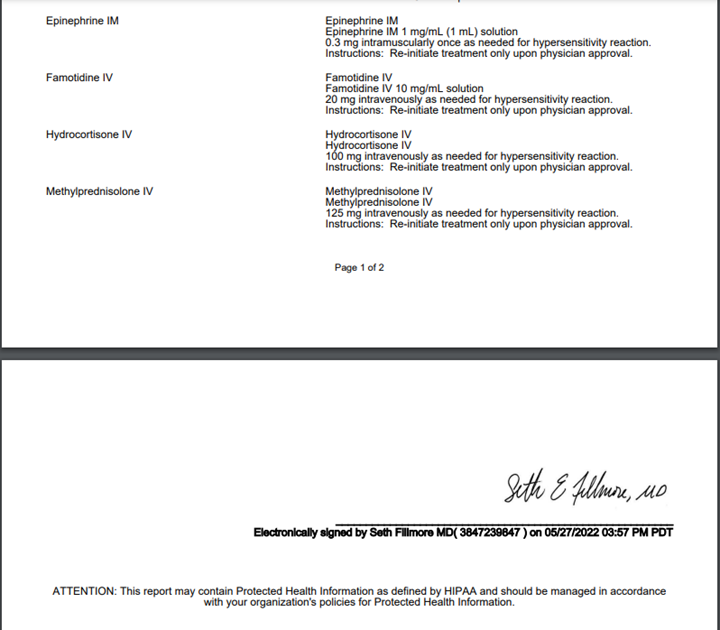
- The orders for the specific cycle date, including prescriptions.
- A signature line:
- When the cycle day approval was done by a physician, the signature line will include the electronically signed verbiage, including the physician’s name and the date/time the cycle day approval was done.
- When the treatment day was started by a nurse on behalf of a physician, the display on the signature line will vary depending on whether the physician has cosigned the orders yet:
- If the treatment day approval has not been cosigned, the physician’s name will appear on the line, without the electronic signature verbiage, and without a signing timestamp.
- If the entire treatment day was cosigned, the signature line will include the electronically signed verbiage, including the physician’s name and the date/time the physician cosigned the treatment day approval order.
- In the rare cases where orders for the treatment day were cosigned at separate times or some are not yet signed, the orders will be grouped in the report according to the signing time. Each group will have a signature line with the correct physician and signing timestamp information.