
Associate multiple problems with orders more easily Copied
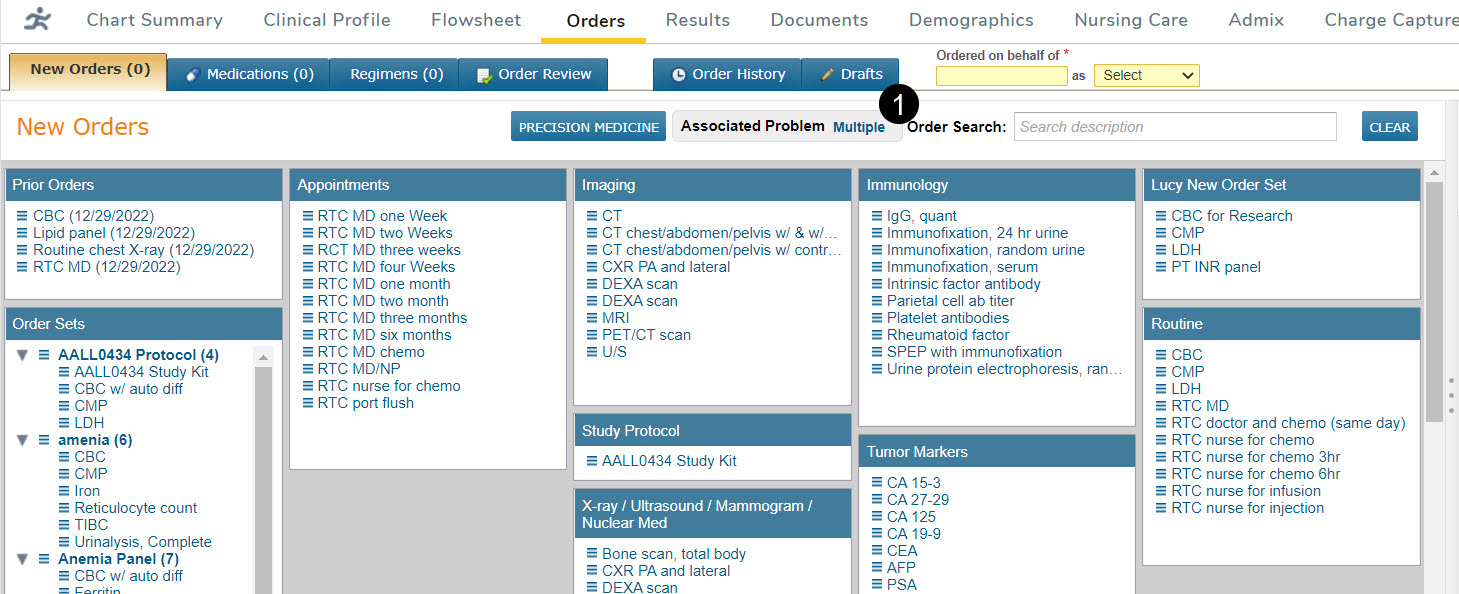
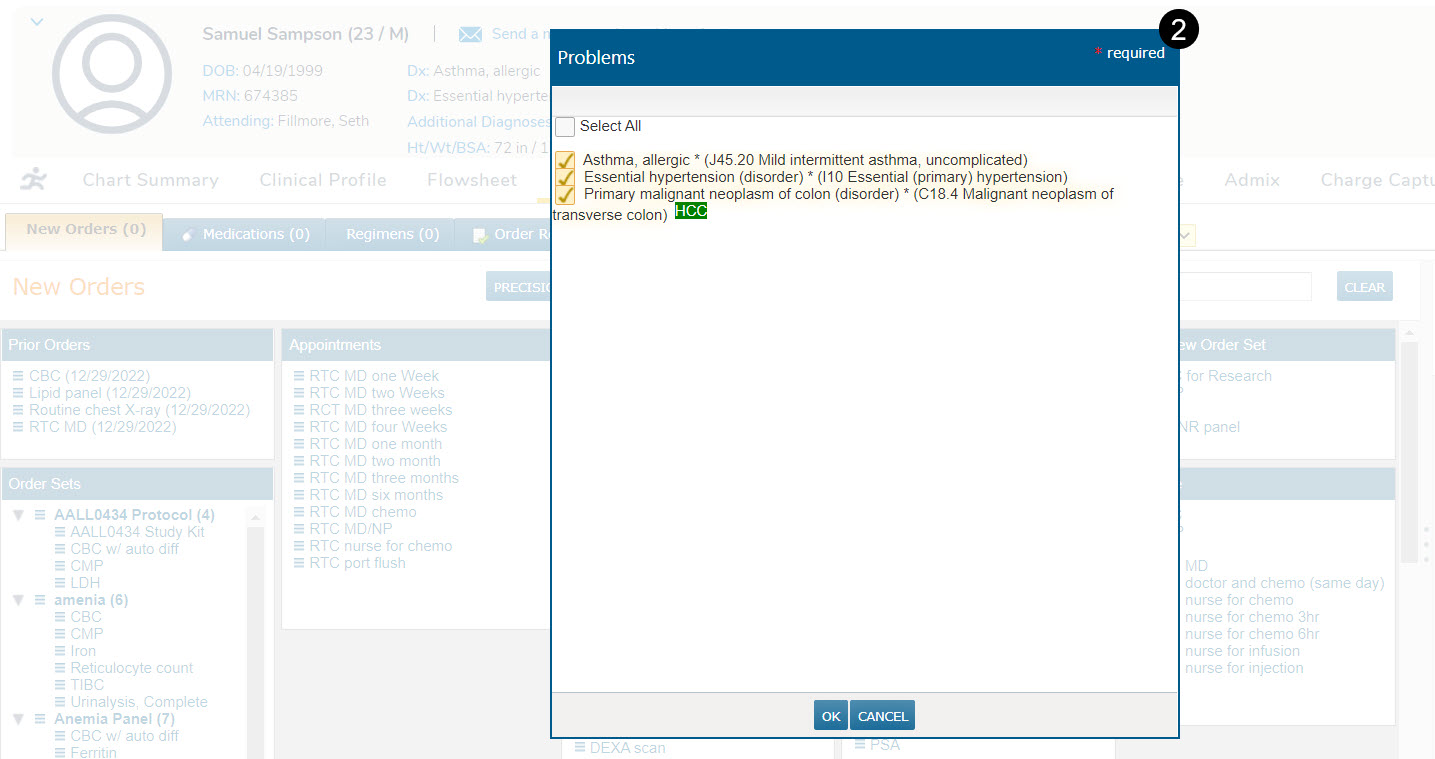
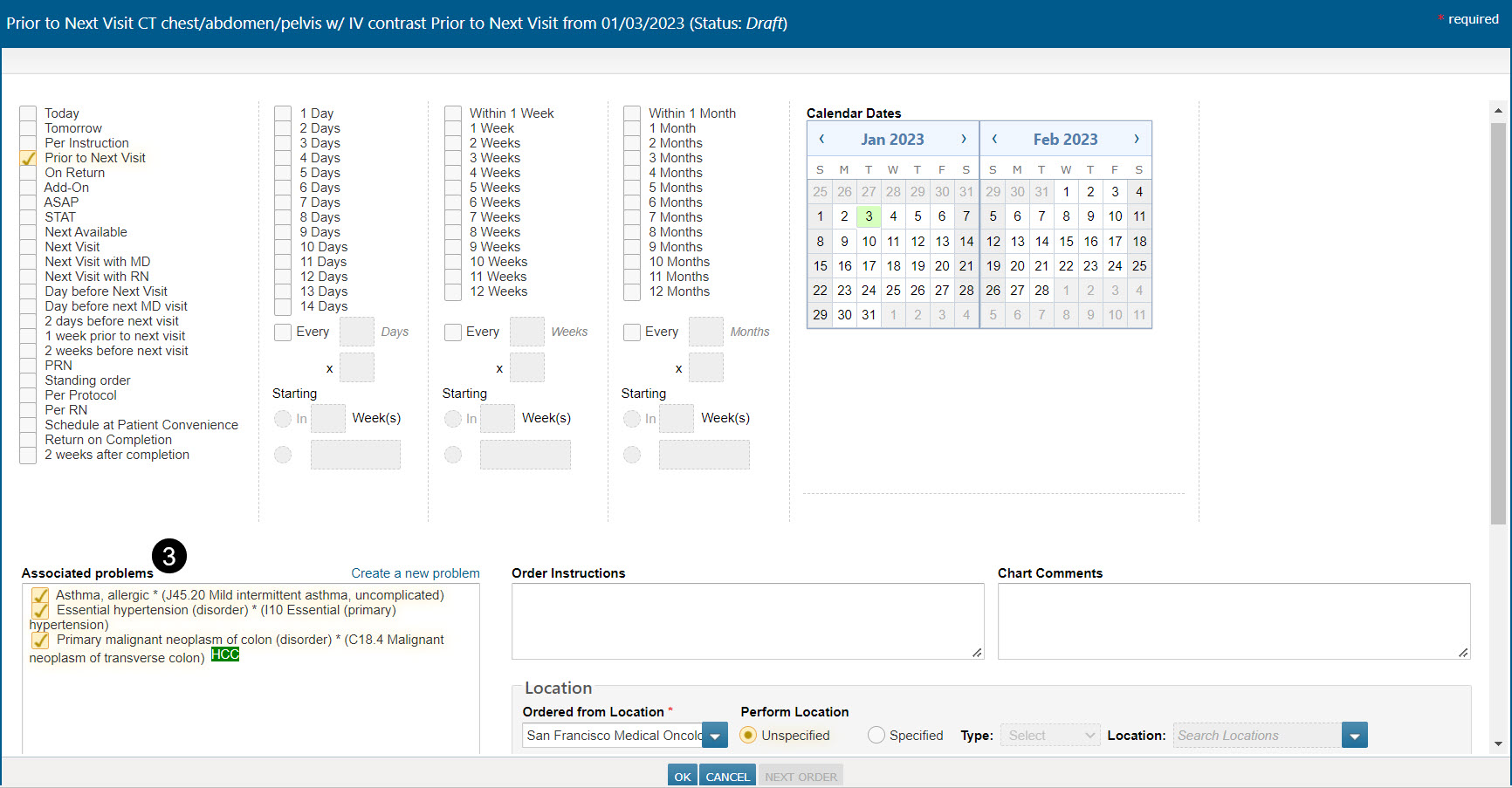
When creating orders on the New Orders tab, all the patient’s principal diagnoses will be automatically included in the new order (callout 1). This can be changed as needed by either updating the problems selected in the Associated Problems widget (callout 2) or the individual order editor (callout 3).
When adding medication orders, if the patient has just one principal diagnosis, then that one will be used automatically (callout 4).
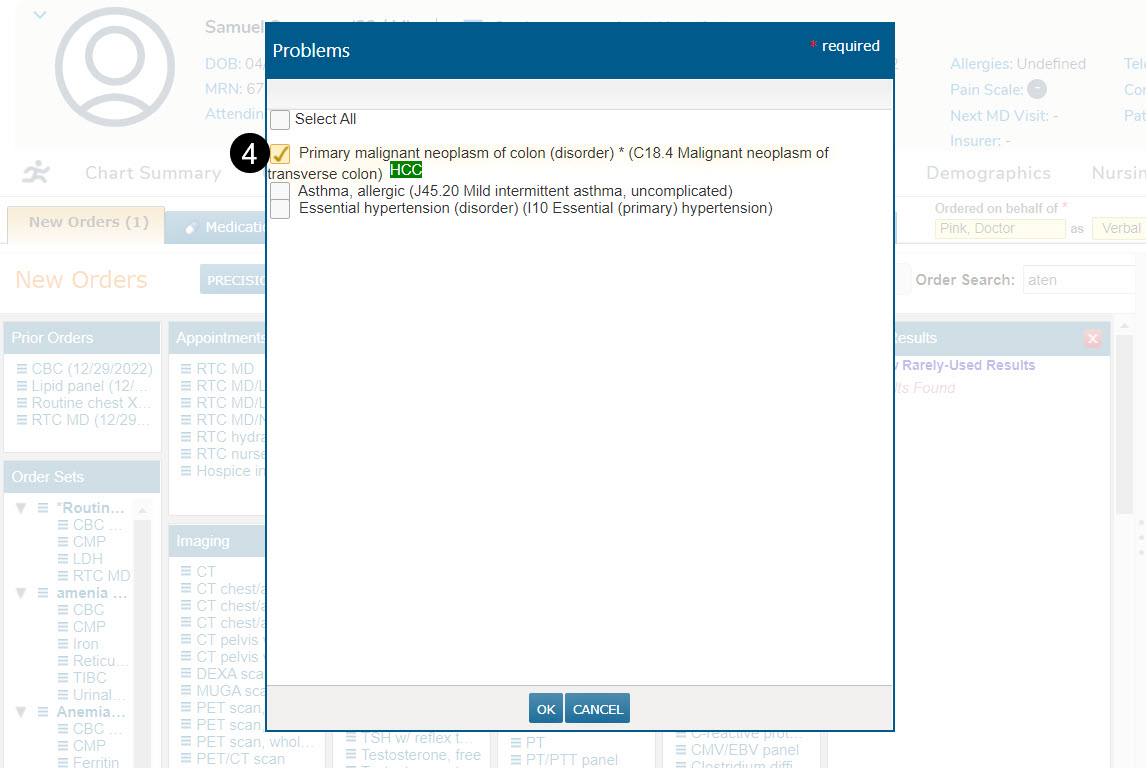
If the patient has multiple principal diagnoses, none will be added. This decreases the likelihood of creating an order that will be rejected by the pharmacy or by electronic prescription gateways that expect only one problem to be selected.
The Associated Problems widget can still be used when creating medication orders. Once a selection is made, it will apply to new service orders and medication orders.