Preparing for Okta: Required use of a PIN Copied
As part of our Okta implementation preparation, areas of the application that previously required the use of a Password or Password/PIN, will now only accept a PIN. Passwords will no longer be accepted.
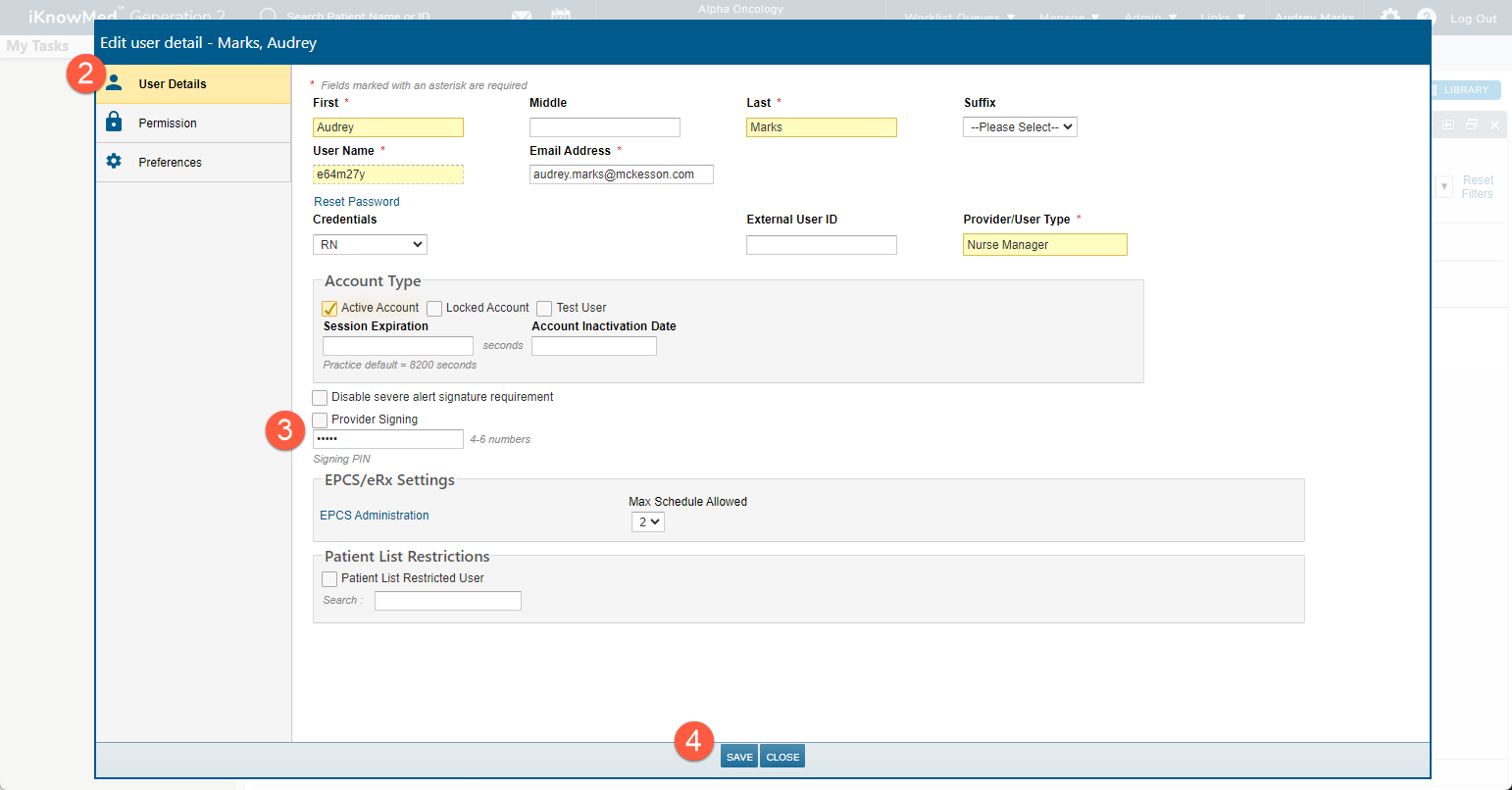
How to create a PIN
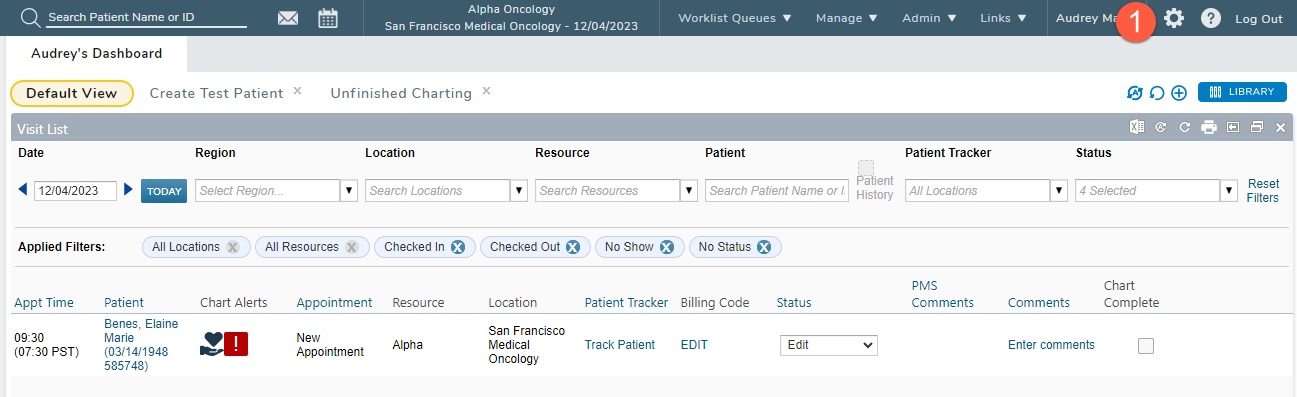
- Select the gear icon from the top navigation (callout 1).
- Select User Details (callout 2) and enter a four-to-six-digit PIN (callout 3). Then Save your changes (callout 4).