
Enhancements to the new Orders Queue Copied
Several enhancements have been made to the new Orders Queue to improve usability and efficiency, making it easier for users to manage and act on orders.
Key updates
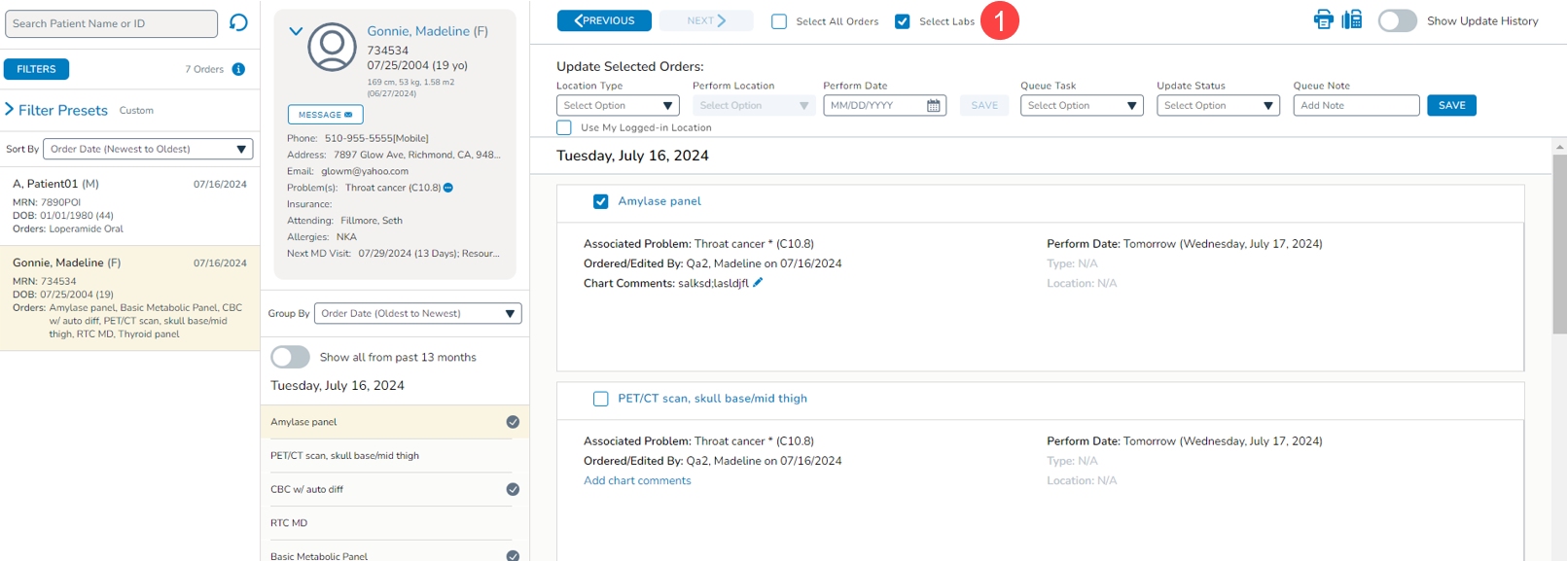
Select Labs option
A new Select Labs option has been added, allowing users to act on all lab orders for a patient simultaneously, simplifying the process (callout 1).
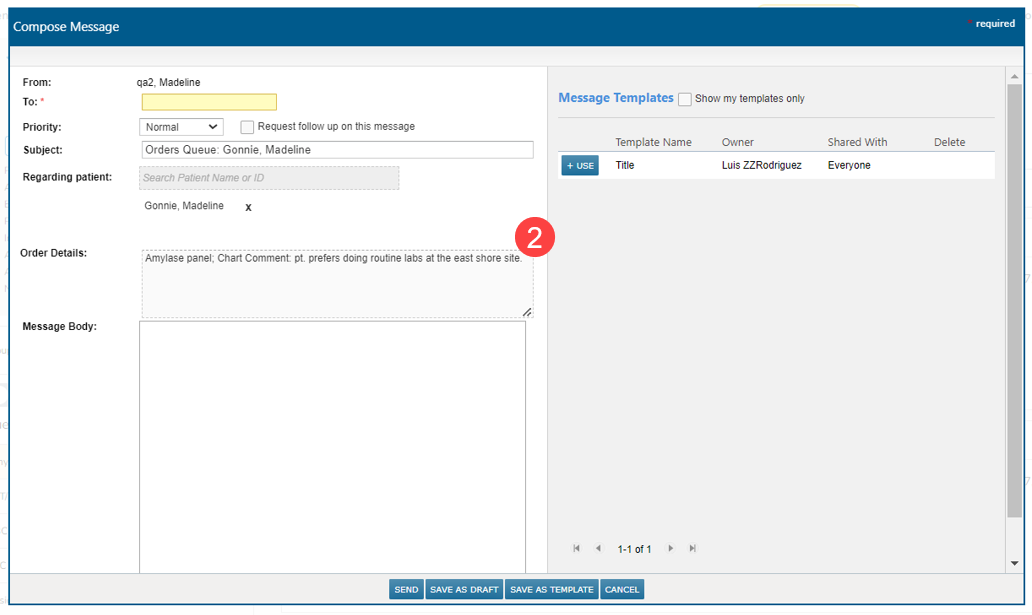
Pre-populated Order Details in messages
When sending a message about an order from the queue, the message will automatically populate the Order Details with the name of the order and any chart comments (callout 2). This eliminates the need to manually enter these details.
Cursor automatically placed in comments
When adding a comment to an order from the queue, the cursor will automatically be placed in the comments box, saving users an extra click, and streamlining the workflow.
Accurate display of attending physicians
The patient card no longer erroneously displays “Multiple” when the patient has an inactive attending physician saved in their Demographics tab. Only the active attending physicians will be displayed.
Display of merged charts
Merged charts will no longer appear in the queue for most users. Only those with Chart Merge permission set to “Full” will see merged charts in the queue.